For hosts with a bright living room
If you need to cater for several seats and can’t completely darken the room, screen size and visibility matter most. F.A.Z. Kaufkompass points out that ambient light can make a large projection harder to see.


Start by considering the screen area, seating, room lighting and possible distance from the wall. Then compare portable projectors that meet your needs. If there’s a mains socket nearby, a mains-powered model may be a good choice when picture size or ambient light is a priority. Without a socket, a battery-powered model gives you more freedom, as long as the room and battery life suit your viewing plans. Also check how you’ll play your videos and whether the sound will reach everyone.
If you need to cater for several seats and can’t completely darken the room, screen size and visibility matter most. F.A.Z. Kaufkompass points out that ambient light can make a large projection harder to see.
If you move between rooms or show videos where there’s no accessible socket, check battery life and brightness separately when using battery power. You may be able to darken the room for these screenings.
If your recordings are stored on a laptop, phone or USB drive, you’ll need a suitable playback option as well as clear sound for the group. Check the connections and file playback supported by the specific model.
A good fit if: There’s a mains socket where you’ll be watching and screen size or ambient light matters more than being able to go cable-free.
Bear in mind: You’ll need a power cable and a suitable place to position the projector.
A good fit if: There’s no accessible mains socket, you can darken the room and the video length fits the battery life in your chosen mode.
Bear in mind: Brightness on battery power may be lower than you expect, so check the mode you plan to use.
| What matters | What to check before buying | Who it matters most to |
|---|---|---|
| Visibility in ambient light | Check the room lighting, the picture size you want and the stated brightness, including its unit. For battery-powered devices, also check the operating mode. | If I want several guests to see the picture with the room lights on, visibility matters more to me than having a particularly compact casing. Around 28% of consumers put visibility in ambient light first. |
| Picture size and positioning | Measure the wall width, available space for the projector and the distance between the lens and the screen. Compare these measurements with the picture-size range for the model. | If I want to show a picture that’s big enough to see from several seats, it needs to suit the available distance. Around 22% of consumers prioritise picture size and positioning. |
| Power and portability | Compare the video length with the battery life in your chosen mode and check whether you’ll need a mains socket at the viewing location. | If I’m setting up the projector in different places without a reliable mains socket, being able to use it without a cable matters to me. Around 22% of consumers prioritise power options. |
| Playing your own videos | Choose your source device and a test video. Check HDMI or USB playback, file format and whether the specific model requires an app. | If I want to show existing recordings from a particular device or storage medium, the playback option needs to be compatible. Around 17% of consumers prioritise playing their own videos. |
| Clear sound for a group | Consider seating distances and background noise. Check the built-in speakers and, if needed, whether there’s a suitable audio output. | If people sitting further away need to hear speech clearly, sound is essential to me. Around 11% of consumers prioritise clear sound for the group. |
For the Aurzen BOOM mini, the manufacturer distinguishes between native 1080p resolution and support for a 4K input. Support for an input signal doesn’t automatically mean the projector displays at that resolution.
Check the native or standard resolution of the full model separately from the input signals it supports.
COMPUTER BILD describes the MoGo 4 Laser as significantly dimmer when running on battery power. Anker specifically states that the Capsule 3 Laser’s battery life applies in Eco mode.
Compare battery life and brightness for the same operating mode you plan to use.
Picture size and the distance between the lens and screen depend on the model. A larger picture won’t automatically solve problems caused by ambient light.
Measure the available space and screen area, then work out the right picture size for your room.
BenQ has issued a warning about possible battery overheating and fire risk for the GV31. This notice applies to this model, not to all BenQ projectors.
Stop using a GV31 immediately in line with BenQ’s recall notice and contact the service team listed there.
The GP100 and GV50 offer different power options for family screenings.
The MoGo 4 Laser is designed for flexible positioning and occasional use on battery power.
The BOOM mini is a mains-powered option with several ways to connect external devices.
The Lifestudio Pop EF-61G is a portable Full HD projector for screenings where picture quality and built-in sound matter.
The Capsule 3 Laser is a compact battery-powered option if portability and a dark room matter more than use in ambient light.
The following portable projectors are worth considering for family video nights. Power options, connections, picture specifications and included accessories vary by model.
 No image available
The built-in battery may come in handy when there’s no mains socket available. Check that the stated battery life is long enough for your video.
The product title lists RGB Laser, 1080P, 800 ANSI lumens and USB-C. The product description states up to 2 hours of battery life, HDMI 2.1, USB and two 5 W speakers.
 No image available
The included screen and stand may be useful for watching together if you don’t have a suitable surface at home.
The product specifications list Full HD 1080P, Google TV, 250 ISO lumens, JBL speakers and a built-in battery. Video playback on battery power is listed as up to 1.2 hours in Eco mode.
 No image available
The product specifications list HDMI and USB connections for playing your own videos via an external device.
Specifications include native 1080P and 700 ANSI lumens. Also listed are autofocus, automatic keystone correction and a 5 W speaker.
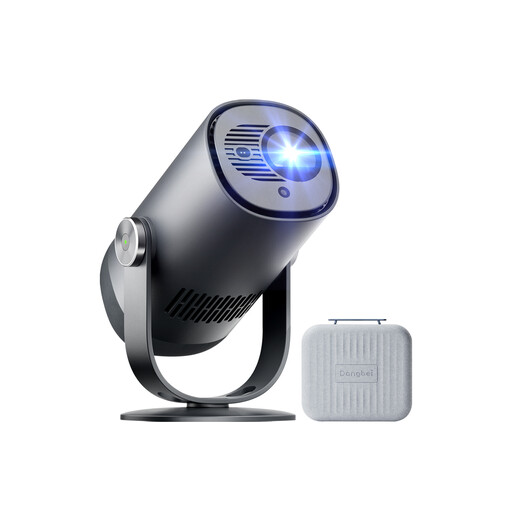 No image available
The built-in battery may suit places without a mains socket. Compare the stated battery life with how long you plan to watch.
The product specifications list 1080P, 450 ISO lumens, Dolby Audio and up to 2.5 hours of battery life. HDR10, Wi-Fi and Bluetooth are also listed.
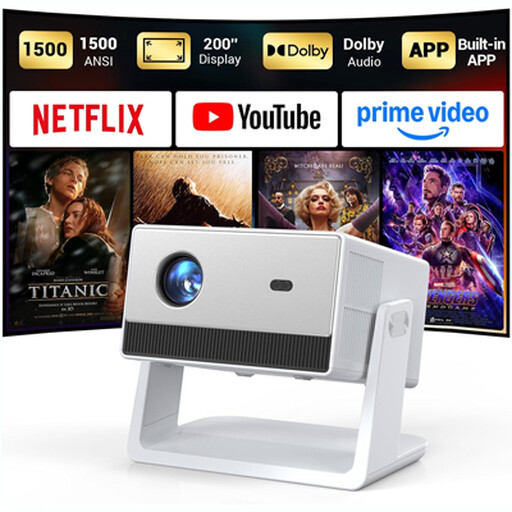 No image available
If you’re playing videos from an external device, check the listed HDMI and USB connections. Also make sure the built-in sound is loud enough for your room.
The product specifications list native 1080P, 1,500 ANSI lumens, autofocus and two 5 W speakers. A 3.5 mm connection is also listed.
Measure the available wall width and the possible distance between the projector lens and the screen. Compare these measurements with the throw ratio or a calculator for the specific model. The maximum diagonal advertised isn’t a substitute for checking.
That depends on the model, video format and player. Aurzen lists support for various video formats and USB connections on the BOOM mini. For USB videos on the Capsule 3 Laser, Anker describes installing a file manager app. If possible, test one of your own files before your screening.
BenQ warns that possible battery overheating could create a fire risk with this model. It advises you to stop using it immediately and contact its recall service. The notice applies to the GV31, not to all BenQ models.
According to Verbraucherzentrale, most goods ordered online can generally be returned under the right of withdrawal within 14 days of receipt. Sellers are generally responsible for ensuring goods are free from defects at the time of delivery for two years. This is separate from any voluntary manufacturer’s warranty. Check the cancellation policy and the specific terms of the offer.
The European Union includes electrical and electronic equipment among the product groups covered by relevant CE rules. The CE mark is a declaration made by the manufacturer, not a central EU approval. According to the Umweltbundesamt, electrical equipment that’s no longer wanted shouldn’t go in household waste; it should be taken for separate collection. Removable batteries must be handed in separately.