Film club with USB files
If you want to screen films and, where needed, subtitles without streaming access, test the file and its soundtrack before the event.


For local film files, a projector with a clearly specified USB reader and compatible playback software is the most direct option. Test the film, soundtrack and subtitles in advance, as these specifications don’t guarantee that every file will play. If the file won’t play reliably on the projector, you can use a laptop or another playback device connected via HDMI, provided you’ve tested it beforehand. Bear in mind that this means extra equipment and cables. For venues without a mains socket, check the battery and runtime in the mode you’ll actually use: BenQ quotes up to 2.5 hours for the GV50, while XGIMI quotes 2.5 hours for the Halo+.
If you want to screen films and, where needed, subtitles without streaming access, test the file and its soundtrack before the event.
If room size, lighting and seating arrangements vary, check the picture position and sound clarity at each venue.
If reliable mains power isn’t available at the venue, plan for the full operating time you’ll need and check the power options for the specific model.
First, check how your local file will be played. Then make sure the picture, power supply, sound and setup suit the room and the format of your film discussion.
| What matters | What to check before buying | Who is this important to? |
|---|---|---|
| Local files and subtitles | A USB reader, rather than a USB power port alone; test the actual file with its sound and subtitles. | If I want to screen without streaming and, ideally, without an extra playback device, I test the film, soundtrack and subtitles on the projector beforehand. Around 29% of consumers put local file playback first. |
| A clear picture for a group | Room lighting and projection surface; resolution and stated brightness measurement. | If everyone needs to see the picture and subtitles clearly, I check visibility in the actual room. Around 22% of consumers prioritise a clear picture for a group. |
| Power for the whole screening | Whether there’s a built-in battery; runtime in the picture mode you need and requirements for an external power source. | If there’s no mains socket at the venue, I plan for the film, breaks and discussion, and make sure there’s enough power for the whole event. Around 21% of consumers put a screening without mains power first. |
| Dialogue and fan noise | The model’s speakers and audio output; listen to the sound and operating noise in the room you plan to use. | If the group needs to follow the dialogue and discuss the film, I test the sound from the back row and in the picture mode I intend to use. Around 14% of consumers prioritise clear sound. |
| Positioning in the room | Measure the throw ratio and actual distance; check the space available and the positioning required. | If furniture and seating limit where the projector can go, I check that the distance and space available work with the projection surface. Around 14% of consumers put a suitable room setup first. |
A port may be for power or maintenance instead. BenQ specifies a USB reader and VLC for the GV50; Samsung describes USB-C on The Freestyle as a power port.
Check the purpose of the port in the specifications for the exact model, then test a sample file with its sound and subtitles.
Using HDMI may require an extra playback device, cables, possibly adapters, and a power supply for the additional equipment.
LG explicitly states that the CineBeam Q has no built-in battery. Samsung says The Freestyle has a Battery Base available separately.
Check the power source, connections and power requirements against the exact model and the venue.
Depending on the device, you may need a mains adapter, a compatible external battery or separately sold battery accessories.
BenQ has reported a risk of the GV31 battery overheating and catching fire, and has told owners to stop using the device.
Stop using a GV31 and follow BenQ’s recall process. This recall notice applies to the GV31 and isn’t a statement about other model numbers.
Under § 52(3) of the German Copyright Act (UrhG), consent from the rights holder is required for a public screening of a film. Under § 15(3) of the UrhG, whether a screening is public depends, among other things, on whether the people attending have a personal connection with one another. The Federal Ministry of Justice and the Federal Office of Justice explain these requirements in the text of the law.
If you’re organising a public film discussion, check that you have the rights for that specific screening. Don’t assume a private gathering is a public event without checking.
The GV50 and GP100 are worth considering if a clearly specified USB reader and VLC are important for playing local files.
XGIMI describes the Halo+ as a battery-powered option. The Elfin Flip 4K may be useful where projection distance is limited, thanks to its optical zoom.
The CineBeam Q is a compact option for a projection setup with an external power supply.
The Freestyle 2nd Gen has a specified Micro-HDMI port for connecting a compatible external playback device.
The Capsule 3 Laser is a compact battery-powered option for a darker screening venue.
This selection is mainly for film groups where an external playback device could be used to play local files. Beforehand, check that the connections on the specific model are compatible with your playback device, and that the picture and sound work in the room you plan to use.
 No image available
The stated HDMI port may be useful for connecting a compatible external playback device; test the connection with your device before film night.
The product title lists a picture size of 50–200 inches, 50–100% digital zoom and 180° rotation.
 No image available
Worth considering for a film group using an external playback device; check that the connection you need and the picture position suit your venue.
The product title lists native 1080P resolution, 700 ANSI lumens and a stand that rotates through 280° for ceiling projection.
 No image available
Automatic keystone correction may be useful when moving between venues, but check the alignment in the room too.
The product title lists native 1080P resolution, 800 ANSI lumens, Android 14, Wi-Fi 6, Bluetooth 5.4 and automatic keystone correction.
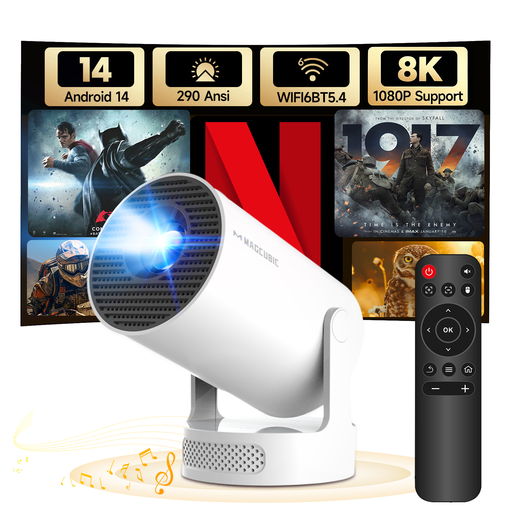 No image available
The rotating stand is designed to give you flexibility when positioning the projector; measure the projection distance at your chosen location and check the connection for your playback device.
The product title lists 8K/1080P support, 290 ANSI lumens, a 5 W Soundbase speaker, Android 14, Wi-Fi 6, Bluetooth 5.4 and 180° rotation.
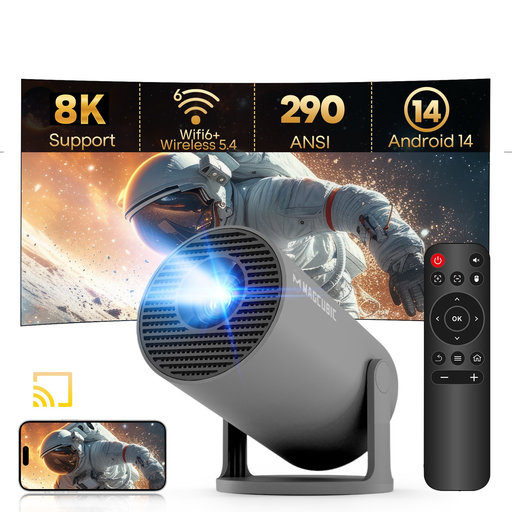 No image available
The stated rotation feature may make positioning easier; check that there’s enough space and a clear projection surface at your chosen location.
The product title lists 8K/1080P support, 290 ANSI lumens, Android 14, Wi-Fi 6, Bluetooth 5.4 and 180° rotation.
No. The port should be specifically listed as a reader. Also test the actual file, including its picture, sound and subtitles. BenQ lists a USB reader and VLC for the GV50, while Samsung describes USB-C on The Freestyle as a power port.
Test the subtitles in advance using the exact playback method you plan to use. VLC for Android lets you select an existing subtitle file and adjust settings such as size and text encoding. Check on the projector itself whether the file works with your model.
No. Under § 52(3) of the German Copyright Act (UrhG), consent from the rights holder is required for a public screening of a film. Under § 15(3) of the UrhG, whether a particular gathering is public depends, among other things, on the personal relationships between those attending. Check your screening rights in advance; owning a local file doesn’t replace permission. The relevant provisions are published by the Federal Ministry of Justice together with the Federal Office of Justice.
Under EU consumer law, when you buy from a trader you generally have a legal guarantee of at least two years from the date you receive the goods. This is separate from any additional manufacturer’s warranty. For distance purchases, you generally have 14 days to cancel, subject to the applicable conditions and exceptions. The European Commission and the Publications Office of the European Union explain these rules.
BenQ has told GV31 owners to stop using the device immediately because the battery may overheat and pose a fire risk, and to contact BenQ about its recall programme. The recall notice applies to the GV31 and isn’t a statement about the GV50.