Projectors at Joybuy
The Joybuy product options below are portable projectors for digital presentations. Before buying, check that the image size, throw distance, brightness and signal chain suit your event space.
 No image available
XBJ Portable Projector, native 1080P, 700 ANSI-Lumen
Could be worth considering if you’re looking for a portable projector with native 1080P resolution for digital slides. Check the image width you need and the right throw distance.
Listed in the product name: 700 ANSI-Lumen and a 280° rotating stand.
View at Joybuy
 No image available
XGODY Gimbal N6 Pro, native 1080P, 700 ANSI
Could be a contender for digital slides if its native 1080P resolution suits your source device. Check that the planned throw distance works for the image width you need.
Listed in the product name: 700 ANSI and support for 4K input signals.
View at Joybuy
 No image available
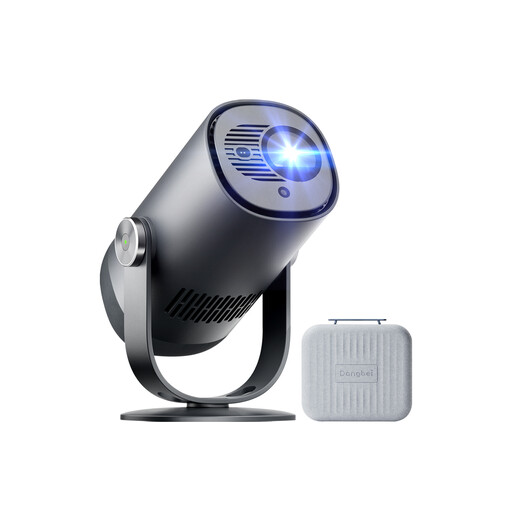
Dangbei Freedo, 1080P, 450 ISO-Lumen
Could suit venues where there’s no suitable power socket, provided the battery life and image quality are enough for your presentation.
Listed in the product name: a built-in battery with up to 2,5 hours of running time and a stated screen size of 180 inches. Make sure the battery life suits the length of your planned presentation.
View at Joybuy
 No image available
Magcubic HY350Max, native 1080P, 900 ANSI
Could be worth considering if you’re looking for a portable projector with native 1080P resolution. Check in advance that your chosen position allows for the image width you want.
Listed in the product name: 900 ANSI and a rotation function. The rotation function alone doesn’t tell you what throw distance you’ll need.
View at Joybuy
 No image available
XBJ A5Pro, native 1080P, 900 ANSI
Could be an option for digital presentations if its stated native 1080P resolution suits your source device. Test your slides on the screen you plan to use.
Listed in the product name: 900 ANSI, a rotating stand and support for 4K input signals.
View at Joybuy
Frequently asked questions
How large does the image need to be for people in the back row?
Measure the distance to the back row and test a slide with the smallest captions you’ll actually use. Epson Germany recommends a viewing distance of up to four times the image height as a guide for detailed viewing; this doesn’t guarantee that every historical source will be readable.
How can I check whether the projector will fill the screen from the position I’ve planned?
Measure the distance from the lens to the screen and the image width you want. The throw distance divided by the image width must match the throw ratio of the specific model. Also check its supported image size range.
Can I simply show my slides from a USB stick?
A USB port or USB power function doesn’t prove that a projector can open your photo or presentation files on its own. Check which file formats it supports and try playing your file. Alternatively, you can connect a compatible laptop via HDMI.
What should I know about returns and faults with a projector bought online?
For an online purchase by a consumer that is eligible for cancellation, European Union guidance generally provides a 14-day withdrawal period from delivery; exceptions and rules on return costs apply. This is separate from your statutory rights against the business selling the product if it’s faulty, which EU guidance states generally apply for at least two years.
Can I show historical archive photographs publicly as slides?
Check the terms of use, any third-party rights and the specific way you plan to show each image. For example, the German Federal Government limits free use of its downloadable press images to a clearly defined journalistic and editorial purpose. This isn’t blanket permission to use other images or show them at other events.


