If you can’t block out enough light from the windows and there’s a power socket nearby, a brighter mains-powered portable projector is likely to be a better fit. Bear in mind that you’ll need to use a relatively small image size. If you can control the light, colour reproduction, photo resolution and easy connectivity become more important. Try your own photos in the intended spot to see how they look.
Which option suits you?
Photo hosts with bright windows
If you’re showing landscape photos in a room where it’s difficult to control the light from the windows, first consider the image size, projection surface and brightness where you’ll set up. ProjectorCentral explains how ambient light affects the picture, while Epson Deutschland lists the EB-1780W as having 3,000 lumens of white and colour brightness.
Photography fans who care about detail and colour
If you want to show fine textures and subtle colour gradients, and can reduce the light from the windows at least to some extent, take a closer look at the model’s native resolution and brightness specifications. Epson Deutschland lists Full HD and 700 lumens for the Lifestudio Pop EF-61W, but that doesn’t mean it will perform just as well in every level of window light.
For use in different locations
If you take your photos and projector to different places, consider how the projector is powered and how you’ll connect your image files. BenQ lists the GV50 as having a built-in battery, while Aurzen describes the BOOM Mini as mains-powered and specifies the photo formats it supports.
What should you look for when buying?
Brighter mains-powered portable projector
A good fit if:It’s difficult to control the light from the windows and there’s a power socket where you’ll be showing your photos.
Consider:Check the native resolution and picture quality in the actual spot by the window. A brightness rating alone doesn’t guarantee a particular level of contrast.
Compact Full HD mains-powered projector
A good fit if:You can reduce the light from the windows and want to show photos from compatible files or via HDMI. Aurzen lists JPEG, BMP, GIF and PNG support for the BOOM Mini, as well as HDMI and USB.
Consider:The BOOM Mini’s stated 500 ANSI lumens don’t prove that its picture will remain clearly visible in strong, direct window light.
Compact battery-powered projector
A good fit if:You often change locations or want to show photos without a power socket, and can find a shaded spot or one where you can block out the light.
Consider:For daylight use, BenQ recommends a cloudy day or a shaded spot for the GV50. Also check the battery life and picture mode for your needs.
When showing landscape photos in daylight, consider image size, incoming light and the projection surface together. ProjectorCentral explains the impact of controllable ambient light, while BenQ recommends using the GV50 in the shade or on a cloudy day in daylight.
| Priority |
What to check when buying |
Who is this important to? |
| Visibility in window light |
Brightness rating and image size; light on the projection surface in the intended spot. |
If I can barely block out the light from the windows, I first want to know whether my photos will still be clear in the intended spot. Around 36% of consumers put visibility in window light first. |
| Colour and photo detail |
Native resolution and separate white and colour brightness specifications. |
If fine textures and natural colour gradients matter to me, I want to view my own photos at a suitable image size. Around 29% of consumers prioritise the colours and details in their landscape photos. |
| Portability and power |
Weight, mains power requirements and, where applicable, battery operation for the specific model. |
If I’m showing photos in different locations, the projector needs to suit how I’ll transport it and the power available. Around 21% of consumers put changing locations and power supply first. |
| Photo playback and set-up |
Supported file formats and connections; projection distance in the intended spot. |
If I’m working with files I already have and limited space, I want to check the exact connection method in advance. Around 14% of consumers prioritise file formats, connections and flexible set-up. |
Common misconceptions
-
‘Portable’ doesn’t automatically mean ‘easy to see in daylight’
Window light can reduce the perceived contrast of landscape photos. For daylight use, BenQ specifically recommends using the GV50 on a cloudy day or in the shade.
Try some typical photos at the time of day and image size you have in mind. First, check whether you can reduce the light falling on the projection surface.
Depending on the room, you may need extra blinds or a different set-up.
-
Don’t treat lumen ratings as a guaranteed measure of photo brightness
A brightness rating alone doesn’t tell you how landscape photos will look with your picture settings and the window light in your room.
Check how the brightness is measured, and only compare ratings under suitable conditions. If possible, view the picture with similar ambient light and at a similar image size.
-
Don’t assume a model’s battery, photo formats or connections from its brand
Features vary by model: BenQ lists a battery for the GV50, while Aurzen specifies mains power and certain photo formats for the BOOM Mini.
Check the full model name against its power requirements, supported file formats and the connections you’ll need for your planned set-up.
If the projector can’t play your files directly, you may need an additional playback device or a suitable connection.
Key brands to consider
Epson
The EB-1780W and Lifestudio Pop EF-61W cater to different priorities, from brightness to compact Full HD projection.
- Epson Deutschland lists the EB-1780W as having 3,000 lumens of white and colour brightness; the EF-61W is listed as Full HD with 700 lumens.
- These specifications don’t prove that both models will perform equally well in window light.
BenQ
The GV50 is an example of a portable Full HD battery-powered projector for situations where you can find a shaded spot to show your photos.
- BenQ lists the GV50 as having 500 ANSI lumens and up to 2.5 hours of battery life.
- BenQ recommends using it in the shade or on a cloudy day in daylight. Battery life is a manufacturer’s stated figure and won’t necessarily match your own settings.
Aurzen
The BOOM Mini is an example of a portable Full HD projector with mains power and specified photo formats.
- Aurzen lists 500 ANSI lumens, HDMI, two USB ports and support for JPEG, BMP, GIF and PNG photo formats.
- According to Aurzen, the device needs a mains connection; its photo-format specifications don’t guarantee good visibility in strong window light.
XGIMI
The Elfin Flip 4K and MoGo 4 Laser are two different portable projectors featured in a COMPUTER BILD review.
- COMPUTER BILD describes the Elfin Flip 4K as bright for a mini projector and notes that the MoGo 4 Laser has a built-in battery.
- The review notes that the Elfin Flip 4K can be a little unsteady, while the MoGo 4 Laser’s picture is significantly darker when running on battery. These comments apply to the models mentioned.
Portable projectors at Joybuy
The Joybuy products below include portable projectors. For landscape photos next to tall windows, check the brightness specifications, image size, power supply and the connection method you’ll actually use.
 No image available
XGIMI Elfin Flip Laser
Its portable design makes it suitable for use in different locations; check how your photos look in the intended spot by the window.
The product name lists 1080P, 1600 ISO lumens and RGB triple laser. These specifications don’t guarantee a particular level of visibility in daylight.
View at Joybuy
 No image available
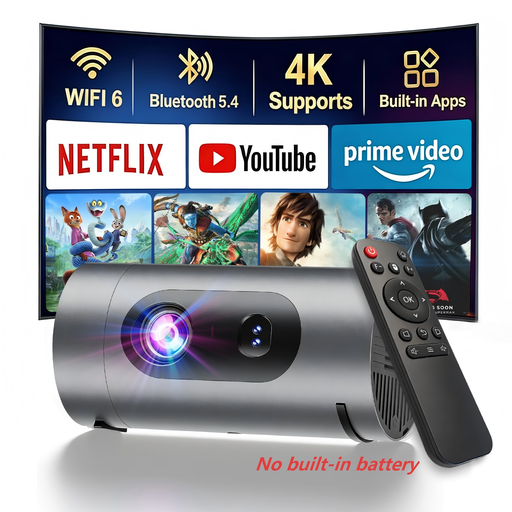
XBJ 1080P projector with power bank support
Power bank operation is useful when there’s no mains socket nearby; you’ll need to plan the power supply for your presentation.
The product name lists native 1080P and 800 lumens, but doesn’t specify how the lumen rating is measured. According to the product information, a power bank isn’t included.
View at Joybuy
 No image available
Magcubic HY350Max
Its stated native resolution is relevant for detailed photos; also try it in the actual window light you’ll be using.
The product name lists native 1080P and 900 ANSI lumens. HDMI and USB are listed as compatible connections.
View at Joybuy
 No image available
XBJ Full HD projector with 280° stand
The rotating stand may help when positioning the projector; check that its range of adjustment works with your projection surface and throw distance.
The product name lists native 1080P, 700 ANSI lumens, a stand that rotates by 280°, autofocus and automatic keystone correction.
View at Joybuy
 No image available
XGODY Gimbal N6 Pro (White + Gold)
Its portable design and rotating stand are useful for different set-ups; make sure you have enough room for your chosen image size.
The product name lists native 1080P, 700 ANSI lumens, autofocus and automatic keystone correction.
View at Joybuy
Frequently asked questions
Will a larger image help when there’s daylight coming through tall windows?
No. Consider image size, incoming light and the projection surface together, as a larger image spreads the projector’s available light over a wider area. Check the result with your own photos in the intended spot.
Can I show photos directly from a USB drive?
That depends on the projector model and file format. Aurzen lists USB connections for the BOOM Mini, along with support for JPEG, BMP, GIF and PNG photo formats. Test your specific drive and image files before your presentation.
What are my rights if a projector is faulty?
When you buy as a consumer from a business seller, you have statutory rights against the seller. According to consumer information from the European Union, there is generally a statutory guarantee period of at least two years from the date you receive the goods. An additional manufacturer’s guarantee does not replace these rights.


