If you can’t sufficiently darken your room’s tall windows, a portable projector that plugs into the mains is a sensible place to start. Test your planned image size and subtitle readability in the space where you’ll actually be studying. Epson lists 4,100 lumens for the EB-FH54, while ViewSonic lists 4,000 ANSI lumens for the PX704HD. These are manufacturer specifications for specific models, not a guarantee that text will be easy to read in direct daylight. A compact battery-powered projector is better suited to frequently changing study spaces, provided you can reduce the image size or darken the room.
Who is a portable projector suitable for?
Studying beside a bright window
If you watch study videos during the day and need to make out subtitles or on-screen words, consider the room lighting, projection surface and image size together. BenQ Germany recommends assessing brightness in relation to ambient light. Testing the projector in your own study space is still essential.
Studying in different locations
If you move your projector between rooms or study spaces, consider its weight, power supply and, where relevant, battery life in the mode you’ll actually use. BenQ and Anker publish battery-life figures for their respective models, which depend on the specific device and operating mode.
Studying with text-heavy lessons
If you regularly read subtitles, vocabulary or exercises, plan the native resolution, image size and viewing distance together. Epson recommends factoring in room dimensions and seating distance when planning your image.
What should you look for when buying?
Brighter projector with mains power
Best for: If you usually study in the same place and need to read subtitles despite some ambient light, test the image size and viewing distance there.
Trade-off: You’ll need a plug socket. A higher manufacturer brightness rating won’t automatically prevent direct sunlight from falling on the projection surface.
Compact battery-powered projector
Best for: If you often change study locations or sometimes work without a plug socket, and can darken the windows or reduce the image size.
Trade-off: Check battery life and brightness for the same operating mode. A battery-life figure in Eco mode doesn’t automatically apply to a brighter setting.
Compact projector with mains power
Best for: If you occasionally move the projector but have a plug socket available in your study space.
Trade-off: A compact design alone won’t solve the daylight issue. Also look for native resolution and a stable setup.
BenQ Germany distinguishes between ANSI lumens, LED lumens and light-source lumens. Compare the measurement type and test a typical subtitle on the projection surface you plan to use.
| Buying consideration |
What should you look for? |
Who will it matter most to? |
| Readability in window light |
Consider the light falling on the projection surface, whether you can darken the room and the image size together; check subtitles from your usual seat. |
If I study beside a bright window during the day, subtitles need to be readable at my planned image size. Around 33% of consumers prioritise readability in daylight. |
| Subtitle and study-text clarity |
Check the native resolution, not just the supported resolution; read a typical vocabulary slide from your usual seat. |
If I read lots of words and exercises on screen, I want to assess native resolution, image size and viewing distance together. Around 27% of consumers prioritise sharp text. |
| Portability and use without a plug socket |
Check the weight, built-in battery and battery life in the operating mode you need. |
If I often take my projector between study locations, using it without a plug socket matters more to me than getting the brightest possible image. Around 20% of consumers put portability first. |
| Connecting your study materials |
Check that your source device’s output matches the inputs and supported features of the specific model. |
If I want to show lessons from my existing laptop or media player, I want to know in advance whether the connection will work. Around 13% of consumers prioritise straightforward connectivity. |
| Maintenance and ongoing costs |
Check the light source type, the manufacturer’s lifespan information and any accessories you’ll actually need. |
If I use my projector regularly, I want to factor in maintenance and any extra parts I may need. Around 7% of consumers focus mainly on maintenance and ongoing costs. |
Common projector-buying misconceptions
-
Confusing ‘4K supported’ with native 4K projection
The input signal a projector accepts doesn’t automatically tell you the native resolution at which it projects the image. This difference can matter when you’re viewing vocabulary or subtitles.
Check the native output resolution of the complete model in its specifications.
-
Comparing different lumen ratings directly
BenQ Germany explains that ANSI lumens, LED lumens and light-source lumens describe different measures of brightness. Even a high quoted figure doesn’t guarantee a readable image on a sunlit wall.
Make a note of the measurement type, consider the light falling on the projection surface and test subtitles at your planned image size.
-
Assuming Eco-mode battery life applies at higher brightness
Anker lists up to 2.5 hours of battery life for the Mars 3 Air in Eco mode. This figure doesn’t automatically apply to a brighter setting, which you may want to use in daylight.
Check battery life and brightness for the operating mode you actually need. If you choose a projector that runs on mains power, make sure you have a plug socket nearby.
-
Assuming the projector is the only thing you’ll need
Depending on your study space, you may need a suitable projection surface or connection cables. If you choose a lamp-based model, also check its specific maintenance information.
Consider the projection surface, source cables and maintenance guidance alongside your planned setup. ViewSonic lists a UHP lamp for the PX704HD.
Depending on the equipment you already have, you may need extra parts or future maintenance. Factor these practical requirements into your setup.
A guide to leading projector brands
Epson
The models listed offer different options for those prioritising brightness or a compact design.
- Epson lists 4,100 lumens for the EB-FH54 and 700 lumens for the portable Lifestudio Pop EF-61G.
- These are manufacturer specifications for specific models, not independent measurements beside a window. The more compact EF-61G shouldn’t be presented as equally bright.
ViewSonic
The PX704HD is worth considering if you’re looking for a portable projector with mains power and HDMI connectivity.
- ViewSonic lists 4,000 ANSI lumens, native Full HD resolution, two HDMI inputs and a weight of 2.7 kg for the PX704HD.
- This model needs a plug socket and uses a UHP lamp. The manufacturer’s specifications don’t prove that it will be readable in direct sunlight.
BenQ
The portable GV50 is an option if battery power and flexible positioning matter more to you than a high brightness rating.
- BenQ lists 500 ANSI lumens, Full HD, a built-in battery, and HDMI and USB-C DisplayPort inputs for the GV50.
- These convenient features shouldn’t be confused with the daylight performance of a brighter model designed for meeting rooms.
Nebula von Anker
The Mars 3 Air range is relevant if you want a projector for mobile use with a built-in battery and smart TV features.
- Anker lists 400 ANSI lumens, 1,920 × 1,080 pixels and up to 2.5 hours of battery life in Eco mode for the Mars 3 Air.
- The stated battery life doesn’t automatically apply when using a brighter setting for daytime viewing.
Related products at Joybuy
The Joybuy models below offer different positioning and connectivity options, including portable projectors and an ultra-short-throw model.
 No image available
Aurzen Tri-Fold DLP Mini Projector, 5000mAh
The portable design is ideal if you want to move your projector between study spaces frequently.
The title lists a 5000mAh battery, 4K support, ToF autofocus, Bluetooth, Wi-Fi and USB-C. The stated video playback time is up to 1.5 hours, so bear this limit in mind for longer lessons. ‘4K supported’ doesn’t specify the native resolution.
Joybuy
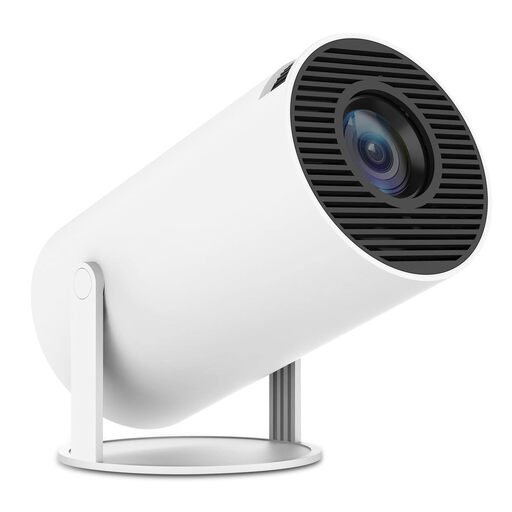 No image available
SUMTAB Mini Video Projector, Wi-Fi 6, Bluetooth 5.0
The swivel function described makes this an option if you want to adjust the projection angle in different locations.
The title lists built-in apps, 180° rotation and HDMI compatibility with laptops, TV sticks and other named devices. Check that the connection works with your source device and study materials.
Joybuy
 No image available
Projector with built-in apps and 180° rotation
The adjustable positioning can be useful if you want to set up the projector in different places.
The title lists built-in apps, HDMI compatibility, automatic image correction and 180° rotation. Check that the listed connections work with your source device, and test text readability at your planned image size.
Joybuy
 No image available
XGIMI Elfin Flip Laser, 1080P
The portable, foldable design suits anyone who wants to use their projector in different study spaces.
The product title lists 1080P, 1,600 ISO lumens, RGB triple laser and autofocus. The resolution figure alone doesn’t tell you whether subtitles will be easy to read in your daylight conditions and at your chosen image size.
Joybuy
 No image available
XGIMI Aura 2 4K Ultra Short Distance Laser Projector
The ultra-short-throw design is an option if you want to position the projector close to the projection wall.
The title lists 4K, 2,300 ISO lumens, Dolby Vision and built-in Harman-Kardon speakers. Check that the planned setup and projection surface suit your study space.
Joybuy
Frequently asked questions
Is a battery-powered mini projector bright enough beside tall windows?
Not simply because it’s portable. BenQ lists 500 ANSI lumens for the GV50, while Anker lists 400 ANSI lumens for the Mars 3 Air. Readability also depends on the light falling on the projection surface and the image size. Test your study setup during the day and see whether you can darken the room.
How should I set up and maintain a projector for regular lessons?
Plan the image size and viewing distance around the text you’ll actually be showing, rather than trying to use the maximum screen size. In its general care advice, BenQ recommends unplugging the device before cleaning the exterior and using a damp cloth. Also follow the instructions for your specific model.
What are my rights when buying online in Germany?
For distance purchases, you generally have a 14-day cooling-off period from the date of delivery. The European Union’s consumer information explains possible exceptions and rules on return costs. If you buy a faulty product from a business seller, you’re entitled to a legal guarantee of at least two years from receipt. This is separate from any voluntary manufacturer’s warranty.
Can I put an old projector in my household rubbish?
No. According to the German Environment Agency, old electrical equipment must be taken to designated collection points. Local authority recycling centres generally accept it free of charge. Additional conditions apply to take-back schemes in shops.


