First, choose a station that provides updates for your route, then check reception at your desk. A portable DAB+/FM radio gives you two ways to receive terrestrial broadcasts, but that doesn’t guarantee you’ll get the station you want where you are, or that traffic updates will switch on automatically. For that, the specific features of your radio need to work with the signals sent by the station.
Who is a portable radio suitable for?
Listeners looking for local traffic updates
If you need updates for a particular area, first find out which station provides them and whether you can receive it where you plan to listen. DAB+ More Radio offers a location-based reception forecast, and Bayerischer Rundfunk provides regional traffic updates.
Listeners who want traffic announcements
If you want to hear traffic announcements while listening to another station, check the specific switching feature on the radio you’re considering. Bayerischer Rundfunk explains that TP identifies a designated traffic programme.
Listeners who move between workspaces
If you use your radio at your desk and occasionally in another room, consider the power supply, aerial and controls for both listening spots. TechniSat and Sharp specify different power options for the models described.
What should you look for when buying?
For traffic updates, the first thing to check is whether the station covers your route and whether you can receive it where you plan to listen. DAB+ More Radio provides a reception forecast by location, while Bayerischer Rundfunk publishes regional traffic information.
| What you need |
What to check before buying |
Especially important if |
| Local stations and reception |
Check the station’s coverage area and the reception forecast for your location, then test reception at your desk. |
If I need updates for a particular route, I first want to know whether I can receive the right station there. Around 36% of consumers put finding the right local station and checking its reception first. |
| Automatic announcements |
Check the manual for the exact model for TP, TA or EON, and make sure the station broadcasts the necessary signals. |
If I don’t want to miss a traffic announcement while listening to another station, I need a radio with the right feature. Around 29% of consumers prioritise automatic announcements. |
| Power at your desk |
Check whether a mains adaptor, rechargeable battery or replaceable batteries suit the way you plan to use the radio, and what’s included in the box. |
At my regular listening spot, I want to use the radio without having to think about the power supply all the time. Around 21% of consumers prioritise hassle-free use at their desk. |
| Portability and private listening |
Check the power options and dimensions of the exact model; you’ll need a suitable socket to connect headphones. |
If I sometimes take the radio to another room or don’t want to disturb others, I look for portable power options and a headphone socket. Around 14% of consumers prioritise portability or listening without disturbing others. |
Common misconceptions
-
‘RDS’ doesn’t automatically mean traffic announcements
RDS can display information such as station names and radio text. Automatic switching depends on the specific features of your radio and the signal from the station.
Check the manual for your exact model to see whether TP, TA or EON and the switching behaviour you want are specifically mentioned. Otherwise, you can tune directly to a traffic information station you’ve checked.
-
DAB+ coverage doesn’t guarantee reception in your home office
Which stations are available depends on your location; a reception forecast can’t confirm the conditions at the exact spot where you’ll be listening.
Check the local station you want, the indoor reception forecast for your location and the actual reception at your desk. If you have a radio that combines DAB+ and FM, you can also test FM reception.
-
‘Portable’ doesn’t always mean ready to use without a socket
A radio may run on batteries even if the batteries you need aren’t included. The manufacturer states that four AA batteries are not included with the TechniSat VIOLA 200.
Before you buy, compare the power options and what’s included for the exact model.
Brands to consider
TechniSat
The VIOLA 200 is an example of a portable DAB+/FM tabletop radio that runs from a mains adaptor or batteries.
- TechniSat says the model has RDS, a telescopic aerial, a headphone socket and 40 presets per band.
- The manufacturer says four AA batteries are not included. RDS alone doesn’t mean the radio can automatically play traffic announcements.
Sharp
The DR-P520 (GY) is a portable DAB+/FM radio with a built-in rechargeable battery.
- Sharp specifies USB-C power, a telescopic aerial, a headphone socket and a combined FM/DAB station list.
- According to Sharp, BestTune selects stations based on signal strength; this doesn’t confirm that traffic announcements will appear automatically.
Kenwood
The CR-ST90S-B adds internet radio via Wi-Fi to DAB+ and FM.
- Kenwood specifies a built-in rechargeable battery and internet stations via Wi-Fi.
- Internet radio requires a network connection. The extra streams aren’t necessary for terrestrial traffic updates.
JBL
The JBL Tuner 3 combines portable DAB+/FM reception with speaker functions.
- JBL specifies six preset buttons and playback of up to 12 hours per charge, or up to 15 hours with Playtime Boost.
- These manufacturer specifications don’t confirm reception of a particular local station or automatic traffic announcement switching.
Portable radios at Joybuy
This selection includes portable DAB+/FM radios for your desk and for moving between listening spots. Check reception for your chosen local station and the traffic information features of each specific model.
 No image available
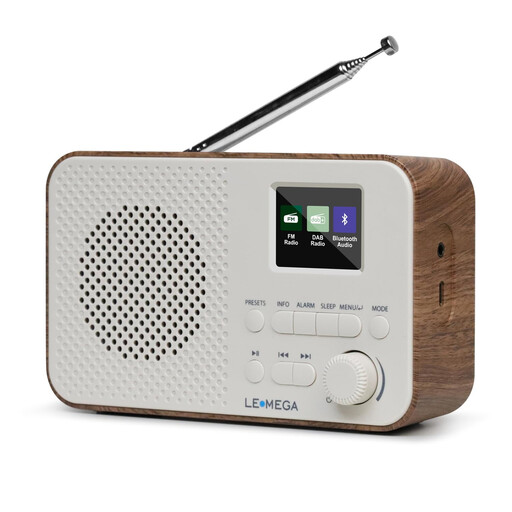
LEMEGA DAB Go, Walnut
This portable DAB+/FM radio could suit you if you want to move between listening spots; check reception for your chosen station at the location where you’ll use it.
Features listed include a rechargeable 2200-mAh battery, USB-C charging, Bluetooth, a headphone socket and 40 station presets.
View at Joybuy
 No image available
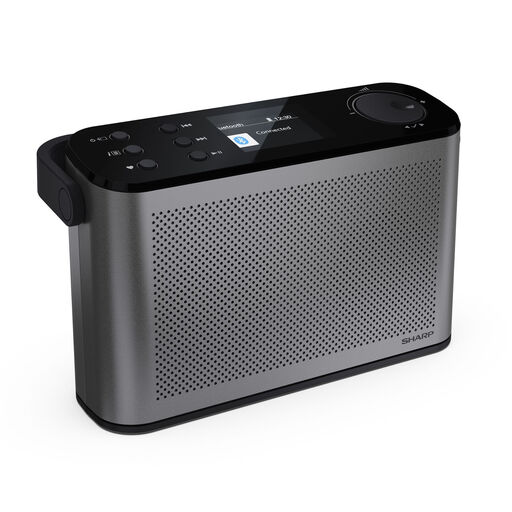
SHARP DR-P540(GY) Osaka, Grey
This portable DAB+/FM model could be worth considering if you move between listening spots; a reception forecast is no substitute for testing it at your desk.
The product name lists Bluetooth 5.3, 120 station presets, USB-C charging, up to 12 hours of battery life and a 2.4-inch colour display.
View at Joybuy
 No image available
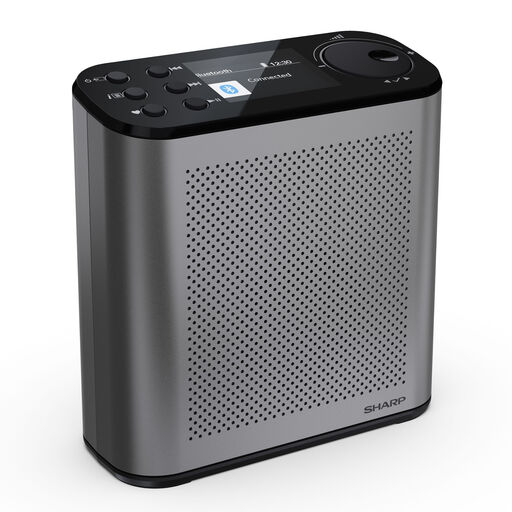
SHARP DR-P530(GY) Osaka, Storm Grey
This portable DAB+/FM radio is an option if you occasionally move between locations; check separately whether you can receive your local station at each listening spot.
The product name lists Bluetooth 5.3, 120 station presets, USB-C charging, up to 15 hours of battery life and a 2.4-inch colour display.
View at Joybuy
 No image available
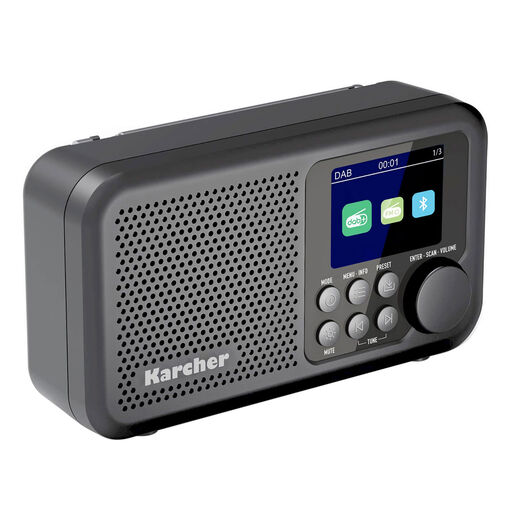
Karcher DAB 2415
This portable DAB+/FM radio could suit you if you sometimes take it with you or want to listen through headphones; check reception at the place where you plan to use it.
Features listed include a rechargeable battery, Bluetooth, a 2.4-inch colour display, speakers, a headphone socket and an alarm function.
View at Joybuy
 No image available
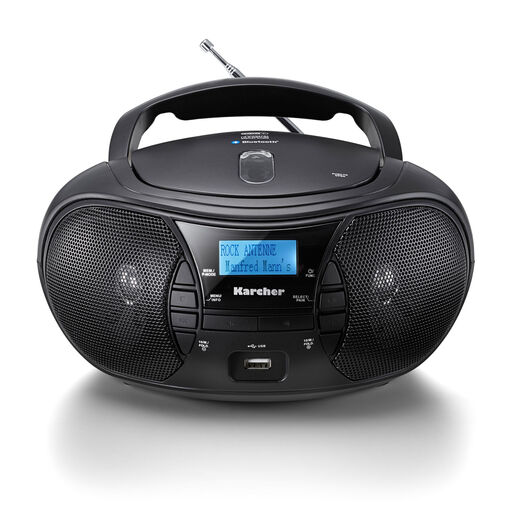
Karcher RR 5028D
For a regular listening spot with the occasional change of location, this portable model offers mains and battery power, according to the product information. Check reception for your chosen station at your location.
Features listed include DAB+, FM, a CD player, Bluetooth, USB, MP3 playback, a headphone socket and a mains cable. The product description states that battery operation requires six C batteries, which are not included.
View at Joybuy
Frequently asked questions
Does every DAB+ radio automatically show local traffic updates?
No. Whether additional information is displayed or announcements switch on automatically depends on what the station and radio support. Check the specific local station for your route; DAB+ alone doesn’t guarantee relevant updates or automatic switching.
How do I set up a radio in my home office?
First, check the DAB+ indoor reception forecast for your location, then search for your chosen station where you’ll actually be listening. Position the aerial there and save the station if reception is good; the forecast isn’t a guarantee of reception. DAB+ More Radio provides the reception forecast.
Is DAB+ required for a new portable radio that displays station names?
Section 75(4) of the TKG requires digital radio reception in a consumer device being made available on the market for the first time if it is mainly intended to receive radio and can display the programme name; statutory exceptions apply. This doesn’t mean every existing radio or FM radio without a display must support DAB+. The provision is set out in the Telecommunications Act published by the Federal Ministry of Justice and Consumer Protection and the Federal Office of Justice.
Will I have to pay an additional broadcasting fee for another radio?
For a private home, the broadcasting fee is generally paid once per household, not for each radio. If you work from home on a self-employed or freelance basis, rules for a place of business may also apply; this depends on the specific room arrangement. The Beitragsservice explains these rules.


