News listeners checking reception
You want to listen to a particular station in the morning, so first you need to check which type of reception works in your home office. DAB+ More Radio provides a location-based reception forecast to help.


For a portable radio to listen to in the morning while working from home, first check whether your preferred station is available via DAB+ or FM at your specific workspace. Then consider the preset buttons and power supply to find a radio that suits your routine. The location-based reception forecast from DAB+ More Radio can help you check coverage in advance, but it can’t replace testing reception in the room itself. An internet radio is worth considering if you’d also like to listen to online stations and have a Wi-Fi connection at your workspace.
You want to listen to a particular station in the morning, so first you need to check which type of reception works in your home office. DAB+ More Radio provides a location-based reception forecast to help.
You want to switch on the radio and go straight to your news station using a preset button, rather than searching for it every morning. Check whether the model has dedicated preset buttons or just station memory slots.
You take your radio between your home office and other rooms. Mains power, replaceable batteries and a built-in rechargeable battery each offer a different way to make this easier.
| What matters | What to check | Who will find this most important? |
|---|---|---|
| Reception at your workspace | Check your preferred station, the DAB+ indoor coverage forecast and FM availability at your location; then test the radio where you plan to listen. | If I need a particular news station at my desk in the morning, it has to be available there. Around 36% of consumers put reception of their preferred station first. |
| Quick station selection | Check the difference between preset buttons and memory slots, and try out the controls and display on the specific model. | For a set morning routine, I want to tune in to my station without having to search for it. Around 29% of consumers prioritise quick station selection. |
| Power supply | Check whether a mains adaptor or power cable is included, and whether the model uses replaceable batteries or a built-in rechargeable battery. | If I occasionally take the radio to another room, I don’t want to rely on having a socket nearby. Around 21% of consumers place particular importance on flexible power options. |
| Listening without disturbing others | If you want to use wired headphones, check that the specific model has a 3.5 mm socket. Don’t assume Bluetooth music playback means you can use Bluetooth headphones. | If I share my workspace, I want to listen to the news without using the speaker. Around 14% of consumers prioritise listening privately without disturbing others. |
The DAB+ More Radio reception forecast shows programmes and indoor reception by location. It can’t tell you for certain whether your preferred station will come through at your desk.
Check the forecast for your location and the specific station, then test the radio where you plan to listen.
TechniSat lists 40 favourite presets per band for the VIOLA 200; JBL lists six direct preset buttons for the Tuner 3. These describe different features.
If you want to switch stations quickly in the morning, check the actual buttons and controls on the model you’re considering.
The four AA batteries for the TechniSat VIOLA 200 aren’t included. Teufel says that no power adaptor comes with the BOOMSTER 4; you’ll need a compatible USB-C/PD power adaptor.
Depending on the model, you may need to buy batteries or a suitable power adaptor separately. Before buying, check what’s included and how the specific version is powered.
The Sharp DR-P520 and DR-P420 have different model numbers. Similar names or product images don’t prove that their features and versions are identical.
Compare the full model number and the features that matter to you, rather than relying on the brand or product image alone.
The VIOLA 200 combines DAB+/FM with mains or battery power, making it an option for a fixed workspace where you might occasionally move it to another room.
The RF-D10 offers DAB+/FM and is worth considering if you regularly want to tune in to the same station at your desk.
According to JBL, the Tuner 3 combines DAB+/FM with Bluetooth music playback and battery power. It may be worth considering if you’ll use the radio outside your home office too.
According to Sharp, the DR-P520 (GY) is a portable DAB+/FM radio with a built-in rechargeable battery and a headphone socket.
According to Kenwood, the CR-ST90S-B combines internet radio over Wi-Fi with DAB+, FM and Bluetooth. It’s an option if you’d like to listen to online radio as well as terrestrial stations.
Depending on the model, the portable radios below offer DAB+/FM or AM/FM. Some have a rechargeable battery, take replaceable batteries or connect to the mains, making them suitable for use at your desk or in different rooms.
 No image available
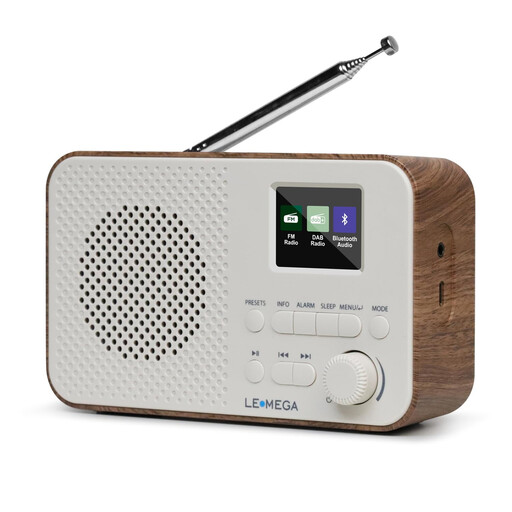
A good fit if you want to listen to DAB+/FM and move the radio between rooms.
The product title lists a 2200-mAh battery, USB-C charging, a headphone socket and 40 station presets.
 No image available
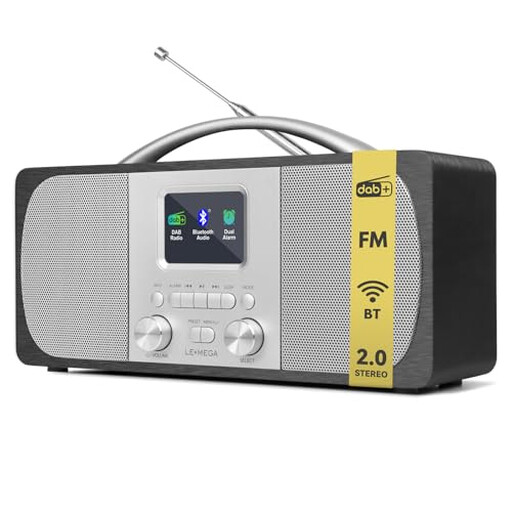
A good fit if you want to use a DAB/FM radio in one place, with the option of running it on batteries when needed.
The product title lists mains and battery operation, along with 40 station presets. Battery operation requires four AA batteries, which aren’t included.
 No image available
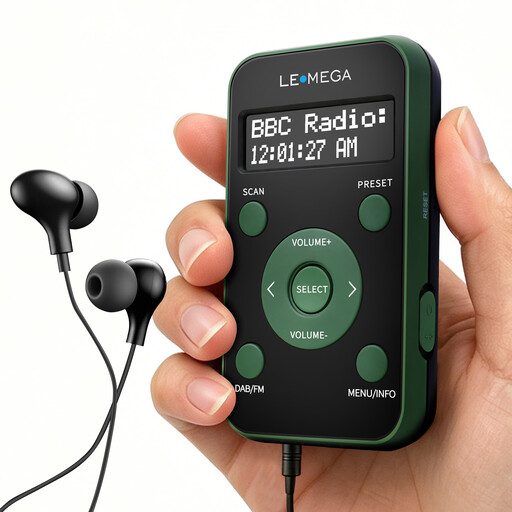
A good fit if you’re looking for a pocket radio with a rechargeable battery for DAB/DAB+ or FM and personal listening.
The product title lists 20 presets, an LCD display and earphones. According to the product details, the connected earphones also act as an aerial.
 No image available
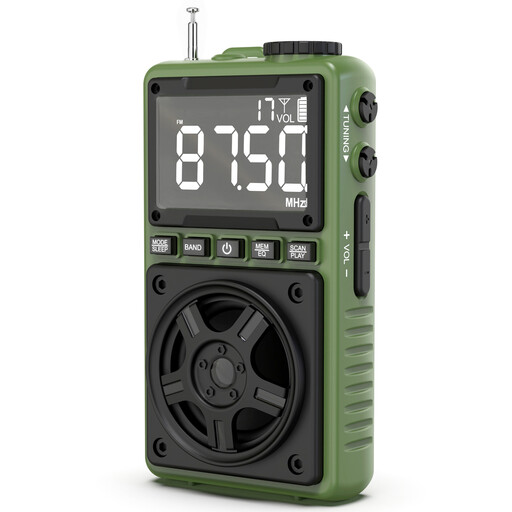
A good fit if FM is all you need for your preferred news station and you’re looking for a portable radio.
The product title lists a rechargeable battery, USB-C charging and TF card playback.
 No image available
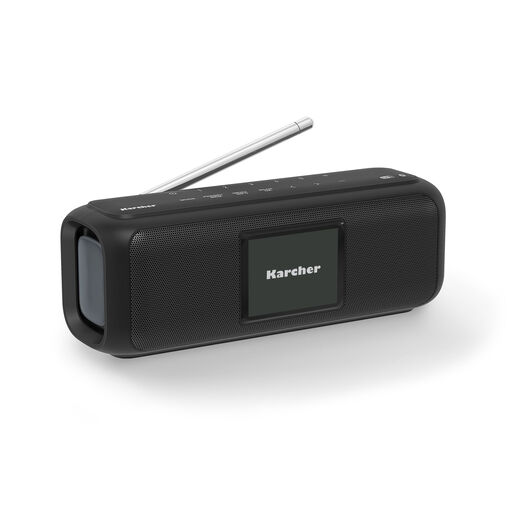
A good fit if you’re looking for a portable DAB+ radio with a rechargeable battery to use at your desk and move between rooms.
The product title lists Bluetooth, a 2.4-inch colour display, USB-C and up to 8 hours of playback.
The DAB+ More Radio reception forecast shows programmes and indoor reception by location. Also check that your preferred station is listed, then test the radio where you plan to listen; a forecast can’t replace this test.
You don’t need an internet connection for terrestrial DAB+ reception. Internet radio is a different way to listen and requires a connection to your home network.
First, try moving the radio and adjusting the aerial, then run a station scan. Teufel notes that the BOOMSTER and BOOMSTER 4 may experience interference when connected to the mains, depending on the location or power adaptor. The manufacturer recommends keeping the aerial, charging cable and power adaptor apart.
Online purchases in Germany generally come with a 14-day right to cancel, although exceptions apply and you should check when the cancellation period starts. The Verbraucherzentrale also explains the difference between your statutory rights against the seller and a voluntary manufacturer’s guarantee.
For radio equipment, Germany’s Radio Equipment Act requires, among other things, CE marking and accompanying information; section 14 sets out the retailer’s obligations. The German Federal Ministry of Justice explains these requirements in the Radio Equipment Act. Check the information for the specific device, as a model name alone doesn’t confirm that a product listing is compliant.