What should you look for when buying?
First, check the size of the entire project folder, including older versions. Then decide how you’ll back up and restore previous versions. The connection and peak speed matter most if you regularly transfer large folders.
| Priority |
What to check before buying |
Who should consider this? |
| Room for multiple versions |
Check the total size of your project folder and allow for future growth; take the usable capacity of the specific SSD model into account. |
If I want to keep several older designs and images, I need enough space for both my existing files and future growth. Around 29% of consumers put storage for multiple versions first. |
| Restoring older versions |
Keep your working drive and backup destination separate; set up a suitable versioning system and test a restore. |
If I need to be able to retrieve an earlier version after making a change or if something fails, I need an additional backup, not just a copy on one SSD. Around 29% of consumers prioritise being able to restore older versions. |
| Using more than one computer |
Check the port, USB mode, cable and file system on every device you plan to use; back up your files before reformatting. |
If I want to open the same project files on more than one workstation, the drive and its format need to work with each device. Around 18% of consumers first consider compatibility with multiple computers. |
| Transferring large folders |
Compare the USB modes supported by your computer and cable with those of the SSD, especially if you transfer files frequently and use USB 3.2 Gen 2x2. |
If I often move large project folders, I want to be able to get the advertised speed from my computer. Around 12% of consumers put transfer speed first. |
| Taking your SSD with you regularly |
Read the protection rating and conditions for the specific model; they don’t replace a separate backup of your files. |
If I regularly take my SSD to the allotment or between workstations, protecting the specific drive while it’s being carried matters to me. Around 12% of consumers prioritise protection during transport. |
Joybuy products for design files
The products below include portable SSDs for storing and carrying project files; capacity and connection features vary by model.
 No image available
Samsung Portable SSD T7 2 TB, Indigo Blue
For project folders containing multiple versions, provided their total size fits within the stated capacity.
2 TB; USB 3.2 Gen 2; read speeds of up to 1,050 MB/s and write speeds of up to 1,000 MB/s. The product description also mentions optional hardware encryption, a weight of 58 g and compatibility with Windows, macOS and Android.
View at Joybuy
 No image available
KIOXIA Exceria Plus G2 Portable SSD 2 TB
A 2 TB option for design folders and older versions, provided they fit within the drive’s actual capacity.
USB 3.2 Gen 2; stated maximum sequential read speeds of 1,050 MB/s and write speeds of 1,000 MB/s. The product description lists a weight of 42 g, USB-C and cables for USB-C and USB-A.
View at Joybuy
 No image available
Samsung MU-PG2T0B Portable SSD 2 TB
For project files and multiple design versions, provided they fit within the stated capacity.
2 TB; USB Type-C and USB 3.2 Gen 2. The product description lists cables for USB-C and USB-A, as well as compatibility with PCs, Macs and other devices.
View at Joybuy
 No image available
Lexar ES5 Portable SSD 1 TB
A 1 TB option if your project folders and older versions fit within the stated capacity.
USB 3.2 Gen 2x2; speeds of up to 2,000 MB/s for reading and writing, an IP65 rating and protection against drops from heights of up to 3 m. Gen 2x2 performance requires a compatible host; according to the product description, the drive isn’t designed to be submerged in water.
View at Joybuy
 No image available
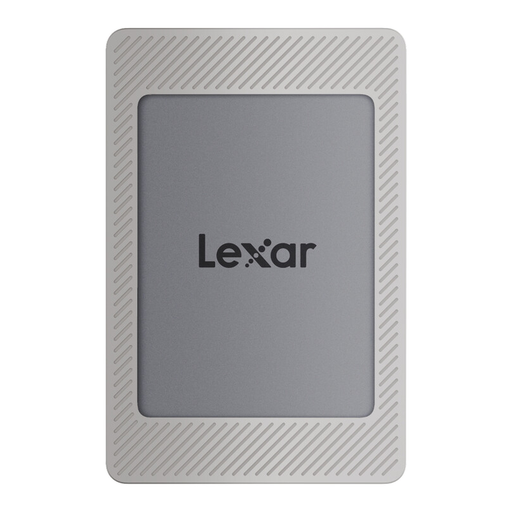
Lexar ES4 Portable SSD Magnetic Set 2 TB
For multiple project versions, provided their actual size fits within the stated capacity.
USB 3.2 Gen 2; read speeds of up to 1,050 MB/s and write speeds of up to 1,000 MB/s. The product description also lists cables for USB-C and USB-A, as well as compatibility with PCs, Macs, tablets and other devices.
View at Joybuy
Frequently asked questions
Does a portable SSD automatically save earlier versions of your designs?
No, you’ll need to set up a versioning or backup system. On Windows, File History can back up earlier versions of files to an external drive; on a Mac, Time Machine can use an external backup volume. Check which folders are included, then try restoring a file.
Can I store work files and Time Machine backups on the same volume on a Mac?
Apple recommends using the Time Machine backup volume only for Time Machine backups. So, plan to keep your work files and backup destination separate, and bear in mind that setup may erase the selected volume.
Are a manufacturer’s warranty and your statutory consumer rights the same thing?
No. The consumer advice centre distinguishes statutory consumer rights from a voluntary manufacturer’s warranty, which has its own terms and conditions. Before you buy, check the exclusions that apply to the specific SSD model.
How should I dispose of an old portable SSD in Germany?
Don’t put an old SSD in your household rubbish. The German Environment Agency lists recycling centres and suitable take-back options at retailers, among other choices. First, back up any files you need and take care of the data stored on the drive.
There are currently no more questions available on this topic.


