
Lieferung heute & morgen

Qualitätsgarantie

Willkommens-Angebote freischalten: KOSTENLOSE Lieferung | Bis zu 80 % RABATT | Kostenlose 30-Tage-JoyPlus-Testphase
App herunterladen
A portable SSD is a practical alternative to a traditional external hard drive for many people. It has no moving parts, is compact and can transfer large files much faster. However, impressive figures on the packaging don’t automatically mean it’s the right choice for you. The key is making sure the connection, device, storage capacity and intended use are all a good match.
A USB-C socket describes the shape of the connector, but it can support different standards. A USB 3.2 Gen 2x2 SSD can only reach its advertised speed of up to 2,000 MB/s if your computer, smartphone and cable also support this standard. Transfer speeds will be lower when connected to a slower USB 3.2 or USB 2.0 port.
Manufacturer figures such as 1.050 MB/s or 2.000 MB/s usually refer to sequential read or write speeds under specific conditions. The actual performance may be lower when transferring lots of small files, using a nearly full drive, dealing with heat build-up or copying from a slower source drive. So the highest MB/s figure isn’t the only thing that matters for backups and documents.
A MagSafe SSD can be useful when filming on an iPhone. However, the magnet doesn’t replace a secure data connection. For ProRes recording, your smartphone, operating system, storage drive and cable all need to work together. You should also check that your iPhone model supports USB-C and the external recording feature you want to use. Compatibility may be limited on older devices.
For an external SSD for Mac and PC, a USB-C connection with a suitable cable offers plenty of flexibility. Ideally, the box should include both a USB-C-to-C and a USB-C-to-A cable. That way, you can also connect the SSD to older computers.
Check the technical specifications of your device before buying. A high-performance drive will often work with a slower connection, but you won’t get the most out of it.
A 1TB SSD is suitable for documents, photo collections, game installations and regular backups. If you often store 4K videos, RAW photos or large project files, consider a 2TB SSD. The available capacity will be slightly less than the figure on the label because of formatting and system management.
Your portable SSD shouldn’t be the only place you store important files. Keeping an additional copy on a second drive or in a separate location reduces the risk of losing all your data.
An aluminium casing can help dissipate heat, but it doesn’t replace adequate ventilation. Read claims about shock resistance and an IP65 rating carefully:
If you often use your external SSD on the go, in the studio or on location, also consider its weight, cable protection and whether it has a non-slip surface.
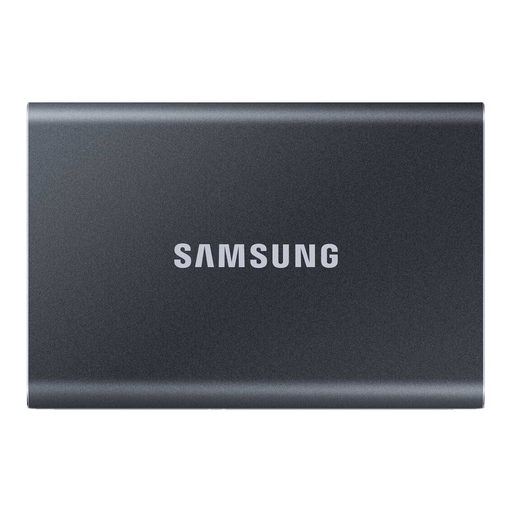
Why this product suits this user: Its 1TB capacity and compact design make it a good fit for documents, photos, media libraries and regular backups on a PC or Mac.
The included USB-C-to-C and USB-C-to-A cables reduce the risk of needing to buy an unsuitable cable separately. Its advertised read speeds of up to 1.050 MB/s and write speeds of up to 1.000 MB/s should be considered in the context of compatible USB 3.2 Gen 2 ports.
Aluminium casing, optional 256-bit AES hardware encryption and support for Windows, macOS, Android and games consoles.
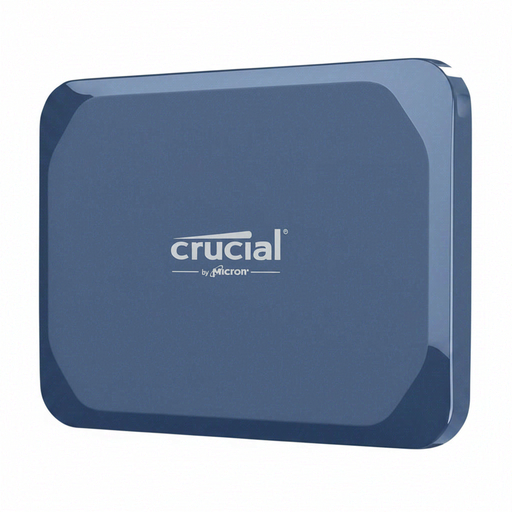
Why this product suits this user: This model combines USB-C 3.2 Gen 2x2 with a casing designed for mobile workspaces, photo archives and larger video files.
The IP65 rating means protection against dust and water jets; it doesn’t mean the drive can be submerged. Read speeds of up to 2.100 MB/s require a compatible host port.
Write speeds of up to 2.000 MB/s, AES hardware encryption, an aluminium casing and a stated drop resistance of up to 2 metres.
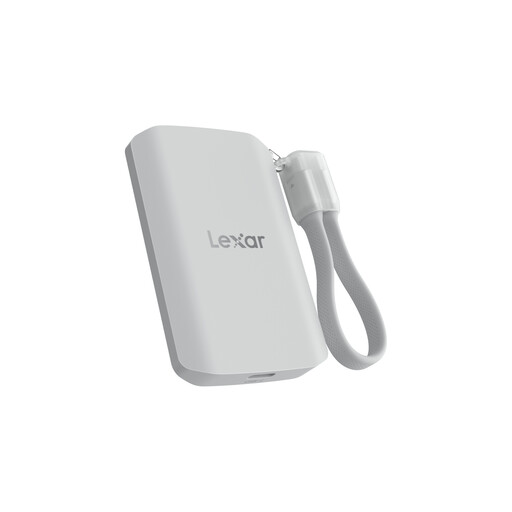
Why this product suits this user: Its 2TB of storage, MagSafe compatibility and support for Apple ProRes 4K make it a good choice for content creators and anyone working on large media projects on the go.
The product information clearly states that systems without USB 3.2 Gen 2x2 may deliver lower performance. The IP65 rating does not protect the drive against immersion.
Read and write speeds of up to 2.000 MB/s, 2TB capacity, MagSafe attachment and a stated drop height of up to 3 metres.
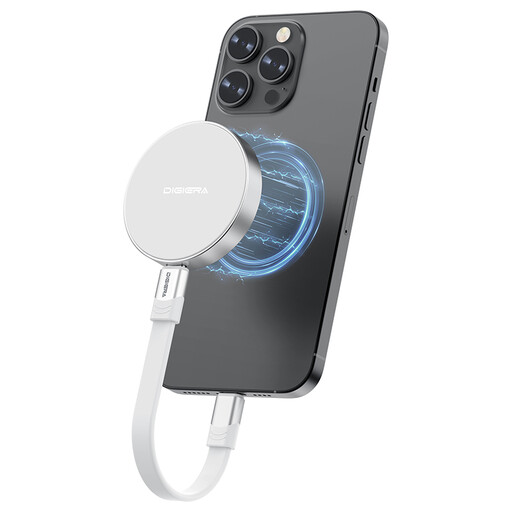
Why this product suits this user: Its magnetic attachment and USB-C interface are designed for mobile filming, iPhone use and flexible connections to a laptop, camera or PS5.
Compatibility is limited to iPhone models from the 15 series onwards; according to the product information, older iPhones aren’t supported. Speeds of up to 2.000 MB/s are only available with compatible USB 3.2 Gen 2x2 systems.
1TB of storage, stated read speeds of up to 2.000 MB/s, a magnetic mount and shock resistance of up to 1,500 G according to the manufacturer.
We’ve put together a complete, regularly updated list of products that meet these strict selection criteria and fully comply with the safety regulations in force in the EU.
Its lifespan depends on the memory cells, amount of data written, temperature and how it’s used. It can serve for a long time as a drive for everyday backups and media storage. Regular backups are still essential, as an SSD can fail even though it has no moving parts.
In many everyday situations, an external SSD offers faster access times and higher transfer speeds. Its actual performance depends on the USB standard, cable, file type and source device. The difference can be especially noticeable when transferring large, continuous files.
A 1TB SSD is often enough for office files, photos and occasional backups. For 4K videos, RAW photography, game libraries or longer projects, a 2TB SSD gives you more room and means you won’t need to move files around as often.