
Lieferung heute & morgen

Qualitätsgarantie

Willkommens-Angebote freischalten: KOSTENLOSE Lieferung | Bis zu 80 % RABATT | Kostenlose 30-Tage-JoyPlus-Testphase
App herunterladen
A portable SSD can transfer files much faster than a traditional external hard drive. However, not every compact storage solution is automatically the right buy. The key factors are the connection on your device, how you plan to use it, and whether speed or storage capacity matters most.
Manufacturers often quote high sequential read and write speeds. However, these figures only apply when your computer, smartphone and cable all support the relevant standard. For example, a USB 3.2 Gen 2x2 SSD may be advertised with speeds of up to 2,000 MB/s. If you connect it to a slower USB port, transfer speeds will be lower.
A USB-C SSD won’t necessarily deliver maximum performance just because it has a USB-C connector. USB-C primarily describes the shape of the connector, not necessarily its transfer standard.
An external SSD 1 TB or external SSD 2 TB offers plenty of room for documents, photos and videos. However, the capacity actually available will be lower than the manufacturer’s stated figure, as some space is used for formatting and internal management.
A 2 TB SSD can be a good choice for regular backups, large video projects or games. If you mainly carry Office files and a smaller photo collection, 1 TB may be enough. For archiving alone, a portable hard drive with 4 TB, 5 TB or 6 TB may offer better value.
An SSD has no moving magnetic parts, making it less susceptible to shocks than a mechanical external hard drive. However, it’s still vulnerable to moisture, damaged cables, accidental deletion and storage failure.
That’s why important files should never be stored on just one external SSD. For personal photos, work documents and project files, it’s a good idea to keep at least one additional copy on a separate storage device.
Before you buy, check:
Models that include USB-C-to-C and USB-C-to-A cables are more versatile, making it easier to connect them to both newer and older devices. The file system also matters if you’re looking for an SSD for Mac and PC. exFAT is often a practical choice if you want to use the SSD with Windows and macOS without reformatting it.
According to product specifications, a fast external SSD with USB 3.2 Gen 2 can reach read speeds of up to 1,050 MB/s and write speeds of up to 1,000 MB/s. Models with USB 3.2 Gen 2x2 can reach speeds of up to 2,000 MB/s or more, according to product specifications. These figures generally refer to sequential operations under ideal conditions.
In practice, speeds may be lower when transferring lots of small files, using older devices or carrying out long transfers. For backups and media archives, capacity is often more important than peak speed. A fast connection can make a difference for 4K videos, large RAW photos or recording directly to an SSD for iPhone.
Look for specific details rather than general claims such as ‘robust’:
For example, an IP65 rating means protection against dust and water jets under specific test conditions. It doesn’t mean the device is fully waterproof or suitable for submersion.
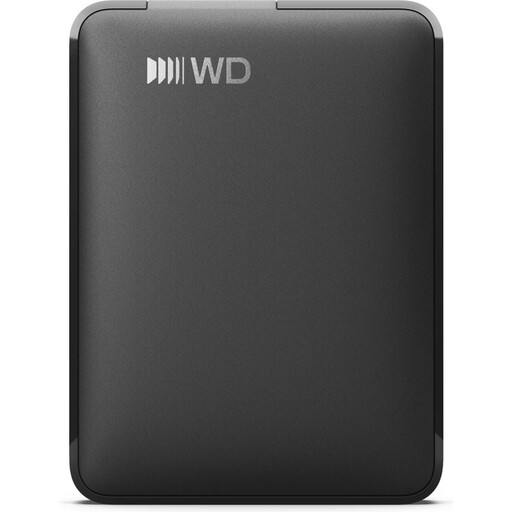
Why it suits this profile: This external hard drive offers 2 TB of storage and is a good choice if you need to back up large amounts of data but don’t need the faster speeds of an SSD. According to the product specifications, the exFAT file system makes it easy to use with Windows and macOS.
The product specifications clearly state the USB-C interface, capacity and pre-formatted exFAT file system. This makes it easier to check compatibility before you buy.
2 TB storage capacity, USB-C, USB 3.2 Gen 1 and power supplied through the USB connection.
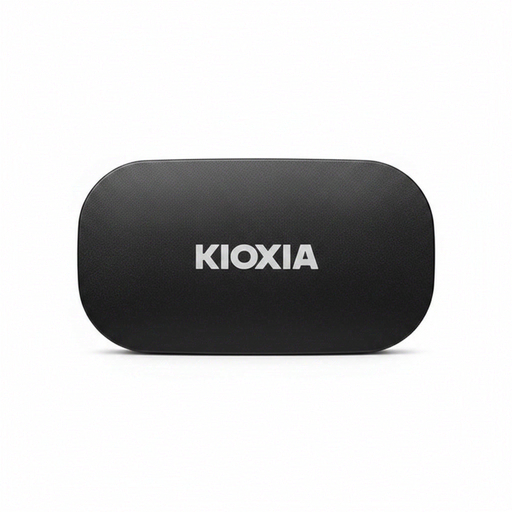
Why it suits this profile: This compact portable SSD combines 2 TB of capacity with USB 3.2 Gen 2, an aluminium casing and password protection through its management software.
USB-C-to-C and USB-C-to-A cables are included. The product specifications also give the exact dimensions, confirm a drop test to MIL-STD-810H 516.8 Method IV and state a three-year manufacturer’s warranty.
Read speeds of up to 1,050 MB/s, write speeds of up to 1,000 MB/s and 256-bit AES hardware encryption, according to the product specifications.
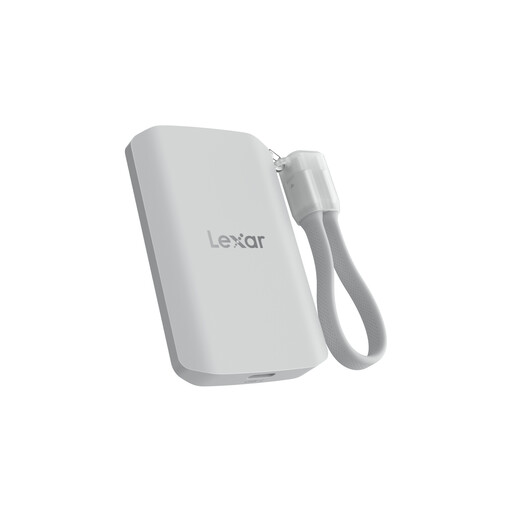
Why it suits this profile: This SSD is aimed at mobile content creators and users who need USB 3.2 Gen 2x2, magnetic attachment and extra protection for outdoor use.
The product specifications explicitly state that performance may be lower on devices without USB 3.2 Gen 2x2. This helps put the advertised speeds into perspective.
Read and write speeds of up to 2,000 MB/s, IP65 protection and a stated drop resistance of up to 3 metres.
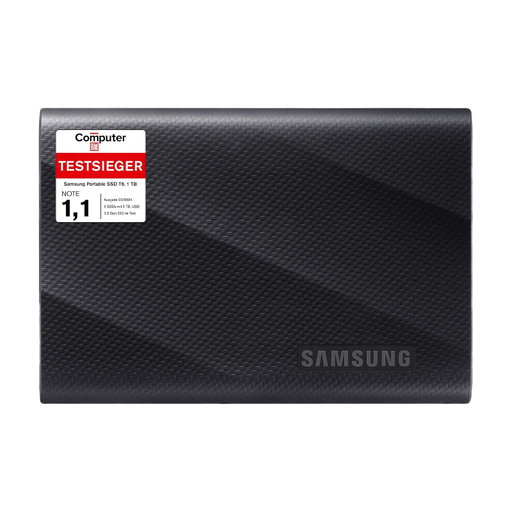
Why it suits this profile: For compatible computers, cameras and other devices, this model offers USB 3.2 Gen 2x2 and a stated read speed of up to 2,000 MB/s.
The product description specifies the required USB 3.2 Gen 2x2 interface and explains that the drive is backwards compatible when used with suitable cables. This makes it clear that peak performance depends on the host device.
Read and write speeds of up to 2,000 MB/s, drop protection from heights of up to 3 metres according to the product specifications, and two USB cables included.
We’ve put together a complete, regularly updated list of products that meet these strict selection criteria and fully comply with the safety regulations applicable in the EU.
It depends on the connection, operating system and file system. iPhones with USB-C can use compatible external SSDs, provided the model, cable and power supply are suitable. exFAT is often a practical choice for use with both Mac and PC, as the file system is supported by both platforms. Before first use, back up any important data and check the manufacturer’s specifications for your device.
There’s no single answer. Lifespan depends on factors including the amount of data written, temperature, how often you use the drive and the storage technology. Avoid keeping an SSD completely full for long periods. Regular backups and firmware updates through the relevant management software can make it easier to look after your data, but they don’t replace keeping an additional copy.
Some models are listed as compatible with PS5 according to their product specifications. However, games consoles have their own requirements for formatting, storage location and use. Before buying, check the SSD manufacturer’s details and the console’s requirements. Depending on the system, an external SSD may be used to store or transfer games, for example; not every feature is automatically available with every model.