For a Carnival photo archive without the cloud, choose a portable SSD that suits the amount of data you actually have and the connections on your devices. You should also plan for a second local copy, stored separately. Germany’s Federal Office for Information Security and the Verbraucherzentrale explain how a backup can help if your originals are lost or damaged. Weather protection matters particularly when you’re taking the drive out with you, and advertised peak speeds are only useful with a compatible connection – they’re no substitute for a backup.
Who is a portable SSD suitable for?
Collectors of irreplaceable costume photos
If you want to keep photos of previous Carnival costumes and celebrations, a second copy stored separately matters more than an especially high peak speed. Germany’s Federal Office for Information Security and the Verbraucherzentrale explain the purpose of data backups.
Photographers with growing collections
If you regularly transfer lots of large image files, consider the storage space you need alongside the connections on your devices. For information on suitable USB connections, Crucial recommends checking compatibility with the host device in question.
Carnival fans who archive photos on the go
If you take your drive to events or photo shoots, check the specific model’s dust and water protection ratings. Samsung, Crucial and Seagate each list protection ratings for selected SSD models.
What should you look for when choosing one?
First, work out how much space your archive needs and check the connections on the devices you actually use. Then decide whether weather protection or access protection is important for the way you’ll use the drive.
| What to consider |
What to check before buying |
Who this matters to |
| Protection against data loss |
Plan for a second local copy stored separately, and check that you can open files from it. |
If my photos matter to me, I want to be able to recover them if a drive fails. Around 33% of consumers are likely to put protection against data loss at the top of their list when buying. |
| Storage space |
Check how much space your current collection uses, how much it’s likely to grow and how much room you’ll need for additional local copies. |
With a growing photo archive, I want to allow enough space rather than choosing on the basis of transfer speed alone. Around 25% of consumers are likely to put the storage capacity they need first. |
| Device compatibility |
Check the USB connection, supported mode, cable or adapter, and the file system used by your devices. |
If I transfer photos between several devices, I need a connection that lets me write to the storage on the devices I use. Around 17% of consumers are likely to put compatibility at the top of their list when buying. |
| Local access protection |
Check whether the specific model offers access protection that suits your needs, and how to keep your login details safe. |
For private photos, I want to manage the files locally and set up access deliberately. Around 17% of consumers are likely to prioritise local access protection above all else. |
| Protection when taking it out with you |
Compare the specific model’s protection ratings, operating conditions and warranty exclusions. |
If I take the SSD to outdoor events, I want to know exactly what protection the model offers. Around 8% of consumers are likely to put weather protection when travelling at the top of their list. |
Photo archive buying pitfalls
-
Thinking an SSD is the same as a permanent backup
If your only SSD fails or goes missing, the only copy of your photo archive could be lost too.
Keep your originals and another local copy in separate locations. After copying the files, check a few at random to make sure they open and can be restored.
-
Comparing only the maximum MB/s figure
Advertised peak speeds depend on a supported USB mode and a suitable connection.
Before choosing a drive, check your computer’s USB mode and whether you need a particular cable or adapter.
-
Assuming an IP rating protects against every kind of data loss
Protection ratings apply under specific conditions and don’t guarantee that your files will survive every kind of damage. Samsung explicitly excludes liquid and dust damage to the T7 Shield from its warranty.
Compare the exact terms for each model, and keep a separate backup copy as well.
Brands to consider
Samsung
The T7 Shield is a portable SSD for which Samsung lists USB 3.2 Gen 2 and IP65 protection.
- Samsung lists password protection with AES-256 hardware encryption for the T7 Shield; the stated peak speeds require a compatible host connection.
- Samsung says liquid and dust damage are excluded from the warranty.
Crucial
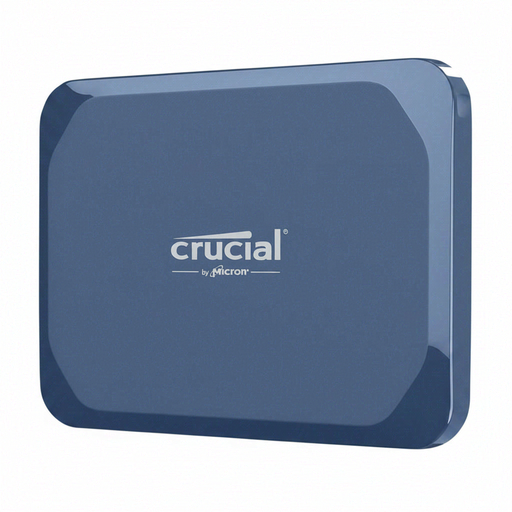
The X9 Pro is a portable SSD with USB-C and an IP55 protection rating listed by Crucial.
- Crucial lists speeds of up to 1.050 MB/s for the X9 Pro under the stated test conditions.
- According to Crucial, compatibility depends on formatting and host features; the X9 Pro should not be submerged.
Kingston
The XS2000 is aimed at users whose devices support USB 3.2 Gen 2x2 for large transfers.
- Kingston lists speeds of up to 2.000 MB/s and IP55 protection with a removable rubber sleeve for the XS2000.
- The peak speed is a manufacturer’s figure that depends on the model and connection; it is not a guaranteed speed on every device.
Seagate
According to Seagate, the Ultra Compact SSD is particularly small and has an integrated USB-C connector.
- For this product line, Seagate lists IP54 protection, drop protection from a height of up to three metres and speeds of up to 1.000 MB/s.
- The fixed connector needs to be physically and electrically compatible with the device you plan to use; these specifications don’t apply to all Seagate drives.
SanDisk
Check the full model name to distinguish the Extreme Pro USB4 2TB from earlier Extreme Pro versions.
- In 2023, SanDisk reported a possible unexpected disconnection affecting certain Extreme Portable SSD V2, Extreme Pro Portable SSD V2 and WD My Passport SSD drives.
- This notice does not show that the separately named Extreme Pro USB4 is affected; model names and, where relevant, serial numbers need to be checked carefully.
Joybuy products
This selection features portable SSDs for storing Carnival photos locally – from a compact archive solution to models with stated protection ratings or higher nominal USB transfer speeds.
 No image available
Crucial X10 1TB Portable SSD
If you’re taking your archive to photo shoots, the protection ratings for this specific model are worth noting. According to the product details, it has an IP65 rating, but must not be submerged.
The model name states 1 TB. Whatever your storage needs, plan for a second copy stored separately.
View at Joybuy
 No image available
KIOXIA Exceria Plus G2 Portable SSD 2 TB
The 2 TB version could suit a larger local photo archive. Before transferring files, check that the connection and file system work with your devices.
If you use several devices, check whether you need a USB-C to USB-C or USB-C to USB-A connection. A single SSD is no substitute for a separate backup copy.
View at Joybuy
 No image available
MOVESPEED Portable SSD 1TB (YSPSRX20M-1TTG)
This model is suitable for frequent large transfers only if your device supports the required USB mode.
The product name lists 1 TB and speeds of up to 2.060 MB/s. According to the product description, this advertised speed requires a compatible interface and suitable cable. You’ll still need a separate backup.
View at Joybuy
 No image available
Samsung Portable SSD T7 4TB
If you want to store private photos locally, access protection may be important. Keep your login details somewhere safe, so you can still access your own archive.
This version is listed as having 4 TB, USB 3.2 Gen 2 and AES-256 hardware encryption. Plan for a separate copy as well.
View at Joybuy
 No image available
Lexar ES5 Portable SSD 1TB
If you’re taking it along to photo shoots, the model-specific IP65 and drop protection ratings are worth considering. According to the product description, the drive must not be submerged or exposed to high-pressure water for extended periods.
The product name lists 1 TB, USB 3.2 Gen 2x2 and speeds of up to 2.000 MB/s for reading and writing. You’ll need a compatible connection to achieve the advertised speeds.
View at Joybuy
Frequently asked questions
Is one portable SSD enough to archive my Carnival photos?
No, not if you want your photos to survive a drive failure, theft or damage to your home. Keep at least one other local copy in a separate location, in addition to your originals, and check that you can open files from it. You don’t need the cloud to do this. Germany’s Federal Office for Information Security and the Verbraucherzentrale explain why backups matter.
What should I check if I want to use the SSD with both a Mac and a Windows PC?
Check the connections and file system before transferring files. Apple Support Germany describes ExFAT as compatible with Windows and notes that a Mac can read NTFS, but can’t edit it. Back up any existing files before reformatting a drive.
Does the warranty cover lost photos or weather damage?
Don’t assume that a drive warranty will recover your photos. Samsung explicitly excludes liquid and dust damage to the T7 Shield from its warranty. Check the terms for the specific model before buying.
Does storing Carnival photos on a local SSD automatically mean I can publish identifiable photos?
No, where you store a photo doesn’t determine whether you’re allowed to publish it. The State Commissioner for Data Protection and Freedom of Information in Rhineland-Palatinate notes that publishing photos of people may require their consent or another legal basis. The specific purpose and circumstances also need to be considered.


