Choose a capacity based on how much space your photo folders currently use and how much they’re likely to grow. For irreplaceable images, plan to keep a separate copy as well. The German Federal Office for Information Security (BSI) recommends testing your backups by restoring them. Also check your devices’ connections, USB mode and file system: manufacturers’ top speeds require a suitable connection, while enclosure protection matters most when you’re transporting the drive.
What should you look for in an SSD for carnival photos?
Guardians of irreplaceable costume photos
If you want to be able to access photos from past celebrations after a fault or loss, plan to keep separate copies and test that you can restore them. The BSI recommends backing up data and points out that you also need to be able to restore your files.
Collectors with growing photo projects
If your project folders grow with every event, use the space they currently take up and their expected growth as a guide when choosing capacity. Crucial also notes that formatting affects how much storage space is actually available.
Photographers on the move
If you take your archive with you to events, compare your devices’ connections and transfer requirements with the specifications of the particular SSD model. Samsung, Crucial and Kingston all make their speed claims dependent on suitable devices or connections.
What matters when buying an SSD for large photo folders?
For a portable carnival photo archive, storage capacity, recoverability and compatibility with your devices matter just as much as protection and transfer speed. The best choice depends on which of these priorities comes first for you.
| Buying priority |
What to look for |
Who it matters most to |
| Recoverability |
Plan to keep a separate copy and check that you can open files from it. |
If you want to be able to recover costume photos after a fault or loss, a separate copy is essential; around 25% of consumers put recoverability first. |
| Capacity |
Check current storage use and expected growth; distinguish between usable and stated capacity. |
If your folders grow with every event, you’ll want enough room for your existing collection and future projects; around 25% of consumers prioritise having sufficient capacity. |
| Device compatibility |
Check the connections, USB mode, cables and file systems on the devices you use. |
If you want to access your archive on several devices, check their connections and file systems first; around 20% of consumers say compatibility is their top priority. |
| Protection in transit |
Check the specific model’s protection rating and test conditions, as well as any warranty exclusions. |
If you often take your SSD to events, protection against the conditions you’re likely to encounter matters; around 15% of consumers put protection on the go first. |
| Transfer speed |
Consider how often you transfer files and the USB mode supported by your computer. |
Transfer time can matter if you regularly copy large project folders, provided your devices support the necessary connection; around 15% of consumers prioritise fast file transfers. |
Common buying and archiving mistakes
-
Assuming a fast or rugged SSD is a complete backup
Enclosure protection and transfer speed can’t restore lost data. A single drive won’t protect you if it fails, gets lost or files are accidentally deleted.
Before you buy, plan to keep a second copy separately and test that you can restore files from it.
You may need another storage device for the separate copy.
-
Expecting advertised MB/s regardless of your connection
Depending on the model, the stated top speeds require a suitable host device, the right cable and a supported USB mode.
Compare the connections and requirements of all the devices involved before making higher top speeds a deciding factor.
-
Assuming the full stated capacity is available for photos
Formatting and other uses can mean that the full stated capacity isn’t available for storage.
Check how much space your existing folders use, allow for future growth and factor in the space that’s actually available.
Brands to consider
Samsung
The T7 Shield, in its documented 4-TB configuration, may suit portable photo archives where enclosure protection matters.
- Samsung lists IP65 protection for the T7 Shield and sequential speeds of up to 1.050 MB/s read and 1.000 MB/s write. These speeds require the host device and cable to support USB 3.2 Gen 2, with UASP enabled.
- Samsung notes that damage caused by dust or liquids isn’t covered by the stated warranty. The protection rating is no substitute for keeping a separate backup.
Crucial
The X9 Pro is a portable range with a documented option of up to 4 TB for photo folders and project files.
- Crucial lists read and write speeds of up to 1.050 MB/s and IP55 for the X9 Pro. These are manufacturer-stated maximum speeds.
- Crucial notes that the host device and formatting can affect usability, and that actual performance may differ from the stated figures.
Kingston
The XS2000 has documented options of up to 4 TB, with its stated transfer rates intended for use with compatible connections.
- Kingston lists read and write speeds of up to 2.000 MB/s, plus IP55 protection with a removable rubber sleeve.
- Its stated top speed requires a compatible USB 3.2 Gen 2x2 host; without that connection, it isn’t a guaranteed advantage.
Lexar
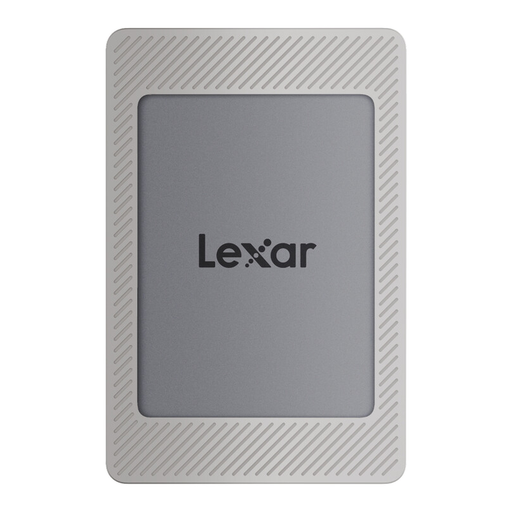
The SL500 is a slim portable SSD with a documented 4-TB option for project files.
- Lexar lists speeds of up to 2.000 MB/s read and 1.800 MB/s write for the SL500 under suitable USB 3.2 Gen 2x2 conditions.
- Lexar says performance may be lower on systems that don’t support USB 3.2 Gen 2x2. A separately sold magnetic set shouldn’t be assumed to be included with other bundles.
Portable SSDs at Joybuy
This selection includes portable SSDs for growing photo folders and transferring files between devices. Before choosing, check that the capacity and stated interface suit your collection and devices; a single SSD isn’t a substitute for a separate backup.
 No image available
Samsung T7 Portable SSD, 2 TB, Titanium Grey
An option for photo folders if the capacity you choose suits your existing collection and expected growth. For an archive of irreplaceable images, plan to keep a separate copy too.
The product name lists 2 TB, USB Type-C and USB 3.2 Gen 2.
Joybuy
 No image available
Samsung T7 Portable SSD, 4 TB, Titanium Grey
The 4-TB version may suit larger or growing folders. Check how much space you’re currently using first, and plan a separate backup for important photos.
The product name lists 4 TB, USB Type-C and USB 3.2 Gen 2.
Joybuy
 No image available
Samsung MU-PG2T0B, 2 TB, Black
A 2-TB option for project files, provided the capacity suits your current storage needs. If you’ll use it with several devices, compare their connections first.
The product name lists USB Type-C, USB 3.2 Gen 2 and USB 3.1 Gen 2.
Joybuy
 No image available
Lexar ES5 Portable SSD, 1 TB
It may suit a portable archive of selected files if 1 TB is enough for the folders in question. Before buying, check that your device supports the stated USB mode.
The product name lists USB 3.2 Gen 2x2, read and write speeds of up to 2.000 MB/s, and IP65. According to the product description, the drive isn’t designed to be submerged or exposed to high-pressure water for extended periods.
Joybuy
 No image available
Lexar ES4 Portable SSD with magnetic set, 2 TB
A 2-TB option for photo folders if the capacity suits your collection. Allow for future growth and a separate backup when planning your storage.
The product name lists USB 3.2 Gen 2, read speeds of up to 1.050 MB/s and write speeds of up to 1.000 MB/s. According to the product description, the magnetic set doesn’t support wireless MagSafe charging.
Joybuy
Frequently asked questions about portable SSDs for photo archives
Is a portable SSD enough as my only archive?
No, not if you want to be able to recover your photos after a fault or loss. Make another copy, store it separately and check that you can open files from it. The BSI recommends backing up data and checking that it can be restored.
What should I check before using my photos on several devices?
Check the connections, cables, supported USB mode and file systems on the specific devices. Test files can help you check that everything is accessible before moving your only copy. Crucial notes that host device features and formatting can affect how the drive works.
Can I publish archived carnival photos that show identifiable people?
Simply archiving a photo doesn’t give you blanket permission to publish it. Section 22 of the German Art Copyright Act (KunstUrhG) generally requires consent to distribute or publicly display an image. Section 23 sets out exceptions, including images of assemblies and processions, but limits these where the people depicted have legitimate interests. It isn’t possible to say in general whether an exception applies to a particular image and use. The legislation is available on Gesetze im Internet, a service provided by the Federal Ministry of Justice and the Federal Office of Justice.


