Designers with growing project archives
You collect drawings, photos, exports and work-in-progress versions in large folders. Remember to factor in expected growth when comparing capacities.


Choose a capacity based on the space taken up by your drawings, photos, exports and older versions, and allow for expected growth. If you transfer files frequently, make sure the connection and cable work with your computers. If you carry the drive around, the stated level of enclosure protection may also matter. A portable SSD on its own is not a backup: keep irreplaceable designs on a separate storage device too, and check that you can restore files from it.
You collect drawings, photos, exports and work-in-progress versions in large folders. Remember to factor in expected growth when comparing capacities.
You copy or open project folders on several devices, so check that the connections, cables and file system work with all your computers.
You take designs with you and want to consider enclosure protection when carrying the drive, without mistaking it for data backup.
First, check how much space the folders you want to keep currently use and compare it with the usable capacity. Then check the connections, backup options and conditions in which you’ll carry the drive.
| What you need | What to check before buying | Who is this important to? |
|---|---|---|
| Storage space and growth | Check the space used by all your folders, including versions, and allow for planned projects; compare the total with the usable space on the model you’re considering. | If I need room for drawings, photos and older versions, as well as further growth, having enough storage is my top priority. Around 26% of shoppers put storage space first. |
| Restorable backup | Choose a separate backup device and decide how often to update it; occasionally restore a file to check it works. | If I want my designs to be available after a fault, loss or accidental deletion, I need a separate copy. Around 26% of shoppers put recoverability first. |
| Connection and transfer time | Check the USB ports and supported transfer modes on all your computers, as well as the cables, adapters and file system. | If I want to use large project folders on several computers, the connection and file access need to work on each one. For around 21% of shoppers, device compatibility is the top priority. |
| Protection when carrying the drive | Check the protection ratings and the conditions they apply to for the exact model, and consider how you plan to carry it. | If I regularly take my SSD with me, I want an enclosure that suits my day-to-day needs. Around 16% of shoppers prioritise protection when carrying their drive. |
| Confidential designs | Check whether you can set up suitable encryption and how to keep access details secure. | If my project folders contain sensitive information, I want to make it harder for unauthorised people to access them. Around 11% of shoppers put confidentiality first. |
A portable drive can still fail, get lost or be accidentally deleted. If your files are only stored there, you don’t have a separate copy.
Keep your originals and backup separate, update the backup regularly and occasionally check that you can restore a file.
According to Kingston, the XS2000 only reaches its advertised speed with a suitable USB 3.2 Gen 2x2 host and the right cable. Kingston says it does not reach Gen 2x2 speeds on Macs.
Check the USB mode supported by your devices and the cable before choosing an SSD based on a higher advertised speed.
IP ratings describe the stated enclosure protection for a particular model, not whether your files can be recovered.
Choose protection that suits how you carry the drive, and plan a separate backup regardless.
The features listed relate to specific product ranges and manufacturer claims. Check that the host, cable and intended use are right for you.
The XS1000 is designed for compact storage, while the XS2000 is aimed at users with a compatible USB 3.2 Gen 2x2 host.
According to the manufacturer, the X10 Pro is available in capacities suited to larger archives and frequent large transfers with a compatible USB host.
The T7 Shield is an option if stated enclosure protection and a password you can set up are important when carrying the drive around.
The following 2 TB or 4 TB portable SSDs could work as a storage drive for growing design folders. You’ll need a second solution for a separate backup of your files.
 No image available
An option for project folders if their measured storage needs, including expected growth, fit within the chosen capacity.
Capacity: 2 TB.
 No image available
An option if the measured needs of your working folders, including planned growth, fit within the chosen capacity.
Capacity: 2 TB.
 No image available
The higher stated capacity may suit large or growing project folders, provided it matches your storage needs.
Capacity: 4 TB.
 No image available
Check that the stated capacity suits your folders and that the connection is compatible with the computers you use.
Capacity: 2 TB. Connection listed in the product name: USB Type-C 3.2 Gen 2 (3.1 Gen 2).
 No image available
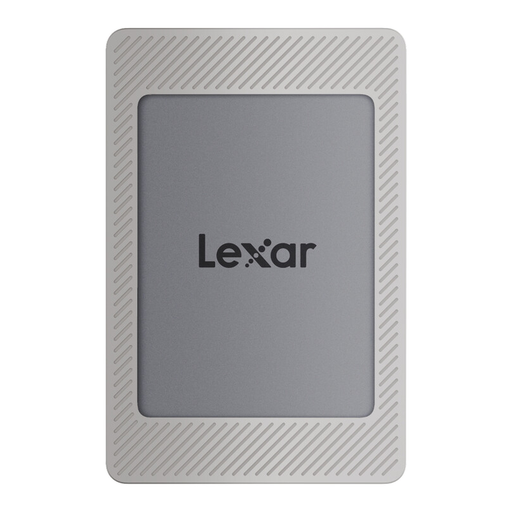
An option for project folders if the stated capacity suits your existing files and expected growth.
Capacity: 2 TB. The product is described as a Magnetic Set.
No. What matters is how much storage you actually need, including expected growth. Add up your existing project folders, including older versions, and compare the total with the usable space on the specific model. The stated capacity and available storage may differ because of formatting and the way capacity is calculated.
Check the connections, the right cable and whether both computers can read and write to the SSD's file system. Crucial notes that compatibility depends on the format and host; back up any existing files before reformatting a drive.
Keep a separate copy up to date and occasionally check that you can restore a file. Germany's Federal Office for Information Security (BSI) describes backups as protection against issues including faults, deletion and theft. Simply moving all your originals to the portable SSD does not give you a second copy.
For consumer purchases, statutory rights against the seller are separate from a voluntary guarantee. The Verbraucherzentrale (consumer advice centre) states that the statutory warranty period is generally two years; the rights that apply in a particular case depend on the type of purchase and the circumstances.
No. An old SSD should be taken to a suitable collection point, not put in your household rubbish. The German Environment Agency explains that electrical and electronic waste must be collected separately. Protect your personal data before passing on or disposing of the drive; the BSI recommends securely erasing storage devices.