What should you look for when buying?
Work out how much storage you need based on your existing recordings and versions. Then check your backup arrangements and device compatibility. Only after that, consider whether faster transfers would make a difference to the way you work.
| What you need |
What to check before buying |
Who should pay particular attention? |
| Space for recordings and versions |
Check the size of your project folders, allowing for different language versions, editing stages and future growth. With WAV files, the number of channels, sample rate and bit depth all affect file size. |
If I want to keep the original recordings, both language versions and several editing stages, the storage I’ve calculated matters more to me than peak speed. That’s why around 26% of consumers put capacity first. |
| Independent backup |
Choose a separate storage location and check that you can restore your files from it. |
If I don’t want to lose my files if my working SSD is lost or damaged, I need a separate copy that I can restore. Around 26% of consumers prioritise protecting against data loss. |
| Privacy when you’re out and about |
Check that encryption works with your devices and find out how to store the key securely. Check recording permissions separately from the drive. |
If my recordings contain identifiable voices, I want to restrict access if the drive is lost. That’s why around 21% of consumers prioritise protecting confidential content. |
| Using the drive with multiple devices |
Check the connections, cables, supported host features and file systems on the specific devices you’ll be using. |
If I want to use the same project files on several computers, the drive and its file system need to be compatible with those devices. Around 16% of consumers prioritise being able to switch between devices. |
| Speed when transferring large files |
First check the USB mode supported by your computer and cable; manufacturers’ maximum speeds don’t necessarily reflect the speed you’ll get when transferring your projects. |
If I often copy large project folders, a compatible high-speed connection is essential. Around 11% of consumers put transfer speed first. |
Portable SSDs at Joybuy
This selection includes 1 TB and 2 TB portable SSDs for storing and transferring recordings and project versions. Check the specific model and make sure it’s compatible with your devices before moving files or formatting a drive.
 No image available
Samsung Portable SSD T7 2 TB
A 2 TB option for recordings and multiple project versions, if its capacity matches your calculated requirements.
Samsung lists USB 3.2 Gen 2, optional hardware encryption, and USB-C-to-C and USB-C-to-A cables. According to the product description, the SSD works with PCs and Macs.
View at Joybuy
 No image available
KIOXIA EXCERIA PLUS G2 Portable SSD 2 TB
The 2 TB version is for users who want to store multiple language versions and project stages on a portable drive.
The product description lists USB 3.2 Gen 2, 256-bit AES hardware encryption and sequential maximum speeds of up to 1.050 MB/s for reading and 1.000 MB/s for writing. Check that the host, file system and cable are compatible with your devices.
View at Joybuy
 No image available
Samsung MU-PG2T0B Portable SSD 2 TB
A 2 TB option for growing project archives and switching between compatible devices.
Samsung lists USB 3.2 Gen 2 and USB-C-to-C and USB-C-to-A cables. The product description also says it can withstand drops of up to 3 m.
View at Joybuy
 No image available
Lexar ES5 Portable SSD 1 TB
This 1 TB SSD is an option for frequent large transfers, provided your computer and cable support USB 3.2 Gen 2x2.
Lexar quotes read and write speeds of up to 2.000 MB/s and an IP65 rating. According to the product description, performance may be lower on systems without USB 3.2 Gen 2x2; IP65 does not mean protection against submersion or prolonged exposure to high-pressure water.
View at Joybuy
 No image available
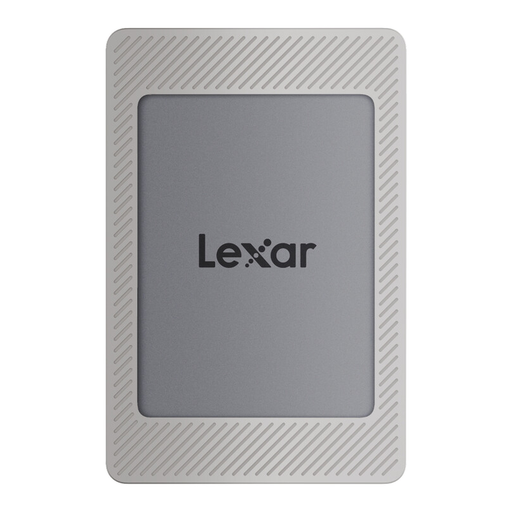
Lexar ES4 Portable SSD 2 TB
The 2 TB version has room for multiple project stages. Check that it’s compatible with the devices you plan to use it with.
Lexar lists USB 3.2 Gen 2, sequential maximum speeds of up to 1.050 MB/s for reading and 1.000 MB/s for writing, and 256-bit AES encryption software. The product description includes USB-C and USB-A-to-USB-C cables, and support for several types of devices.
View at Joybuy
Frequently asked questions
How much storage do I need for bilingual recordings?
Add up the actual sizes of your original recordings, language versions, editing projects and the versions you want to keep, then allow for future growth. The Audacity manual describes WAV as an uncompressed PCM format; the number of channels, sample rate and bit depth all affect file size. There’s no one-size-fits-all TB figure without knowing how large your files are.
Can one portable SSD serve as both a working archive and a backup?
A second version on the same SSD isn’t an independent backup. Germany’s Federal Office for Information Security recommends regular backups and says you must be able to restore your data, so make sure you have a separate storage location.
Why doesn’t an SSD always reach its advertised MB/s?
Manufacturers’ figures are model-specific sequential maximum speeds, achieved only under certain conditions. To reach the up to 2.000 MB/s quoted by Samsung for the T9, your host and cable must support USB 3.2 Gen 2x2, and UASP must be enabled. Check the connections on your devices before buying.
What should I check before using the drive with two computers?
Check the connections, cables, supported host features and file system of the specific drive. Crucial notes that compatibility for the X10 Pro depends on formatting and host features. Back up any existing files before reformatting a drive.
What should I know about recording other people in Germany?
An SSD doesn’t give you permission to record. Section 201 of the German Criminal Code covers, in particular, the unauthorised recording of another person’s non-public speech. You should also check that you have an appropriate legal basis under data protection law to process personal data. Whether a particular lesson recording is permitted depends on the conversation and how the recording is used.


