Choose a portable SSD with enough capacity for your original scans and saved versions, and make sure it works with your devices and backup software. An SSD won’t save older versions automatically: set up versioning, test that you can restore files and keep another copy separately. Microsoft Support and Apple Support explain how to restore files using File History and Time Machine respectively; the Verbraucherzentrale recommends keeping backup copies separately.
Who is this guide for?
Family history with lots of versions
If you edit the same recipe scans repeatedly, it’s important to be able to restore specific earlier versions. Microsoft Support explains how to do this with File History, while Apple Support covers restoring files with Time Machine.
Protecting irreplaceable original scans
If you want to preserve family documents for the long term, plan to keep a separate copy as well as using a portable SSD. The Verbraucherzentrale lists an external storage device as one possible backup option.
A recipe collection across several devices
If you transfer or edit scans on different computers, the connections, file system and backup software need to work with the devices you use. The Federal Office for Information Security recommends checking compatibility before backing up.
What should you look for when buying?
First decide how you’ll save and restore earlier versions. Then choose a capacity and connections that suit your files and devices.
| What matters |
What to check before buying |
Who is this especially important for? |
| Earlier project versions |
Check that your backup software includes your recipe folders and can restore an older test file. |
If I edit several versions, I want to be able to retrieve an earlier one. Around 36% of consumers put versioning first. |
| Protection against data loss |
Plan to keep an additional copy separately, and test that you can open files from it. |
I don’t want to rely on a single SSD to protect irreplaceable family documents. Around 29% of consumers prioritise protection against failure or loss. |
| Space for scans and versions |
Check the size of your scan and project folders, and consider how many versions you want to keep. |
As my collection grows, I need space for originals and edited versions. Around 21% of consumers prioritise having enough capacity. |
| Access across several devices |
Check the connections, file system and compatibility of your backup software with the computers you use. |
If I work across different devices, transferring and backing up files need to work on each one. Around 14% of consumers prioritise access across devices. |
Avoid common mistakes
-
Confusing storage capacity with version history
A large SSD won’t automatically restore overwritten files as earlier versions.
Choose a versioning method and test that you can restore files before relying on it.
-
Leaving the portable SSD connected as your only backup
A fault or damage at the same storage location could put both your working files and backup at risk.
Keep another copy separately, and disconnect the portable backup drive when you’re not backing up.
-
Assuming the right USB plug means full compatibility
Having a suitable connection doesn’t guarantee that the file system and backup software will work as expected on another device.
Check your specific devices and software. Back up any existing files before reformatting a drive.
Brands worth considering
Kingston
The XS1000, XS2000 and Dual Portable SSD ranges differ in several ways, including their interfaces and connections.
- Kingston states that the XS1000 offers read speeds of up to 1.050 MB/s, while the XS2000 reaches up to 2.000 MB/s. To benefit from the XS2000’s higher speed, you’ll need a compatible host device.
- The Dual Portable SSD has USB-A and USB-C connections, which may be useful if you use devices with different ports.
- None of these specifications means the SSD automatically creates earlier file versions.
Samsung
The T7 Shield is worth considering if you’re choosing a portable drive for frequent travel and extra protection for its casing.
- For the German T7 Shield with 2 TB, Samsung specifies USB 3.2 Gen 2, read speeds of up to 1.050 MB/s and an IP65 rating under controlled test conditions.
- Samsung notes that liquid and dust damage aren’t covered by the warranty. These specifications don’t automatically apply to other Samsung SSDs.
Crucial
With the X9 Pro, check the file system it uses and whether it’s compatible with your devices.
- Crucial says the X9 Pro comes formatted as exFAT; the manufacturer notes that device compatibility is subject to conditions.
- Crucial warns that reformatting will delete any data already on the drive, so back up your files first.
SanDisk
With the Extreme Portable SSD, check the full model number: specifications for one version may not apply to other generations.
- For model SDSSDE61-2T00-G25, SanDisk lists 2 TB, USB 3.2 Gen 2 and sequential read speeds of up to 1.050 MB/s.
- These specifications don’t confirm that other Extreme versions have the same features, or guarantee a particular transfer speed in everyday use.
Portable SSDs for recipe scans at Joybuy
The Joybuy models below are portable SSDs for recipe scans and other file versions. Capacity and connections can help you choose, but you’ll need to set up versioning separately.
 No image available
KIOXIA Exceria Plus G2 Portable SSD 2 TB
The 2-TB version gives you a useful reference point when planning space for original scans and saved versions.
The product description lists USB-C-to-A and USB-C-to-C cables for use with different devices. Still, check that your backup software works on the devices you use; you’ll need to set up versioning to keep earlier file versions.
View at Joybuy
 No image available
Samsung Portable SSD T7 2 TB, Titanium Grey
The 2-TB version may suit a collection if you’ve worked out how much space you’ll need for original scans and planned versions.
The product title specifies USB Type-C 3.2 Gen 2. Earlier file versions aren’t created automatically; you’ll need a suitable backup solution.
View at Joybuy
 No image available
Samsung Portable SSD T7 4 TB, Titanium Grey
The 4-TB version offers more listed capacity than the 2-TB version in the same range, if you’re planning to store a larger amount of data.
The product title specifies USB Type-C 3.2 Gen 2. Even with more storage, you’ll need to set up file versioning separately.
View at Joybuy
 No image available
Lexar ES5 Portable SSD 1 TB
The 1-TB version may suit you if the space you’ve planned for scans and versions fits within this capacity.
The product title specifies USB 3.2 Gen 2x2, speeds of up to 2.000 MB/s and an IP65 rating. According to the product description, it isn’t designed for immersion in water or prolonged exposure to high-pressure water. The Lexar app described doesn’t support iCloud backup.
View at Joybuy
 No image available
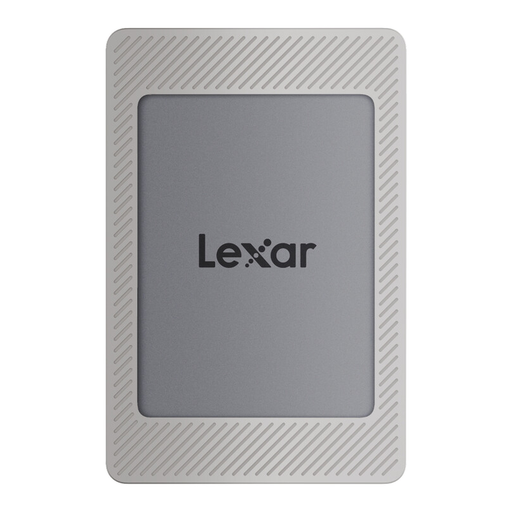
Lexar ES4 Portable SSD with Magnetic Set 2 TB
The 2-TB version is worth considering for recipe scans and saved versions if it suits the amount of data you plan to store.
The product title specifies USB 3.2 Gen 2. According to the product description, the Magnetic Set is designed for the iPhone-15/16 series; wireless MagSafe charging isn’t supported. You’ll need to set up versioning separately to keep earlier file versions.
View at Joybuy
Frequently asked questions
Does every portable SSD automatically save older recipe versions?
No. To restore earlier file versions, you’ll need to set up a suitable backup. Microsoft Support explains File History for Windows, while Apple Support covers restoring files with Time Machine. Check that the software includes your recipe folders.
How can I check that my backup works?
Try restoring a recipe scan or an earlier edited version, then check that you can open it. The Federal Office for Information Security recommends checking your backups occasionally to make sure they’re complete and readable.
Is one SSD enough as the only copy of my family recipes?
A single SSD isn’t a complete backup strategy for irreplaceable scans. Keep an additional copy separately, and disconnect the portable drive when you’re not backing up.
Who should I contact in Germany if a newly purchased SSD is faulty?
The seller is generally responsible for your statutory rights if a product is faulty; you don’t usually contact the manufacturer first. For ordinary new goods, the limitation period is generally two years from delivery (§ 438 BGB); this is separate from any voluntary manufacturer’s warranty. The Verbraucherzentrale notes that, for purchases made from 31 July 2026, the period may be extended once in certain circumstances if you choose a repair.


