
Lieferung heute & morgen

Qualitätsgarantie

Willkommens-Angebote freischalten: KOSTENLOSE Lieferung | Bis zu 80 % RABATT | Kostenlose 30-Tage-JoyPlus-Testphase
App herunterladen
As a Joybuy Product Recommendation Officer, I see daily how data storage demands are growing. Large files like 4K videos, extensive game libraries, or high-resolution photo projects require storage solutions that are not only high-capacity but also fast and portable. This is where a conventional external hard drive often hits its limits.
This guide is designed to help you understand how a Portable SSD works and make an informed decision. We will introduce objective criteria and present a selection of models suited for various use cases, without resorting to marketing superlatives.
Choosing the right external SSD depends on your individual needs. Three key criteria are crucial: speed, capacity, and durability.
Speed is often the main reason for switching to an SSD. Pay attention to the manufacturer's stated read and write speeds, measured in megabytes per second (MB/s). A fast external SSD with speeds around 1,000 MB/s can transfer large files in seconds instead of minutes.
The interface is just as important. Modern devices use USB-C SSD ports with standards like USB 3.2 Gen 2 (up to 10 Gbps) or even USB 3.2 Gen 2x2 (up to 20 Gbps). These allow you to unlock the SSD's full potential. Check the compatibility with your devices, whether it's a PC, an external SSD for Mac, or a gaming console.
The storage capacity you need depends on your use case.
If you're often on the go, a rugged external SSD is a major advantage. Models with an IP rating (e.g., IP65) offer protection against dust and water. High drop resistance, often provided by a sturdy metal or rubberised casing, protects your data from accidental falls.
There are also specialised solutions for Apple device users. An SSD for iPhone 15 Pro, for example, allows for direct recording of ProRes videos onto the external drive. Some models even offer magnetic attachment via MagSafe SSD compatibility.
Based on objective product specifications and use cases, we have compiled a selection of external SSDs.
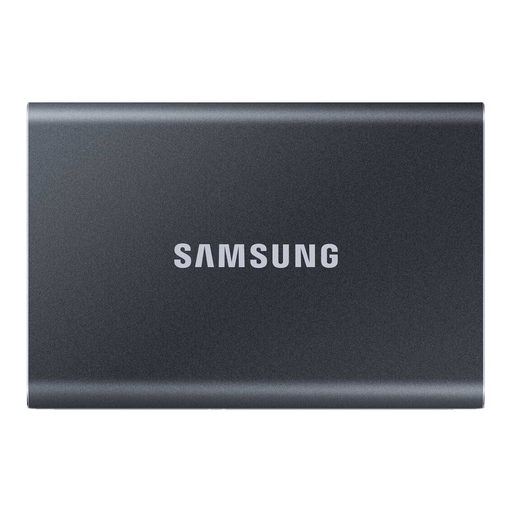
Why it stands out: The Samsung T7 is an established model that offers a balanced combination of speed, compactness, and security. Its unibody aluminium casing is not only lightweight but also durable.
Advantages:
Who is it for? Professional and casual users looking for a fast, reliable, and very compact all-round solution for daily data transfers and project backups.
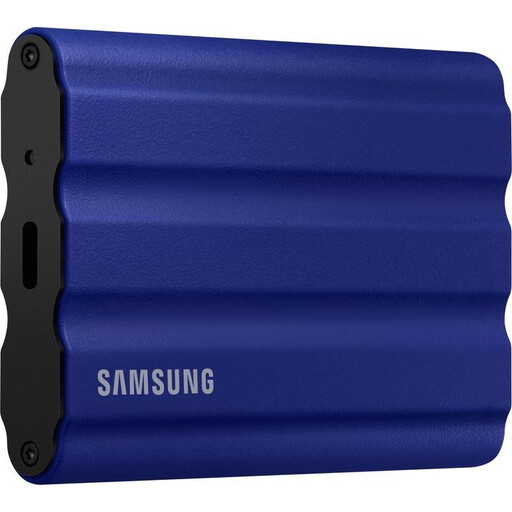
Why it stands out: The T7 Shield builds on the performance of the T7 and adds an extra layer of protection. It is designed as a rugged external SSD for use in demanding conditions.
Advantages:
Who is it for? Content creators who work outdoors, adventurers, and anyone who needs an exceptionally durable external SSD that can withstand shocks, water, and dust.
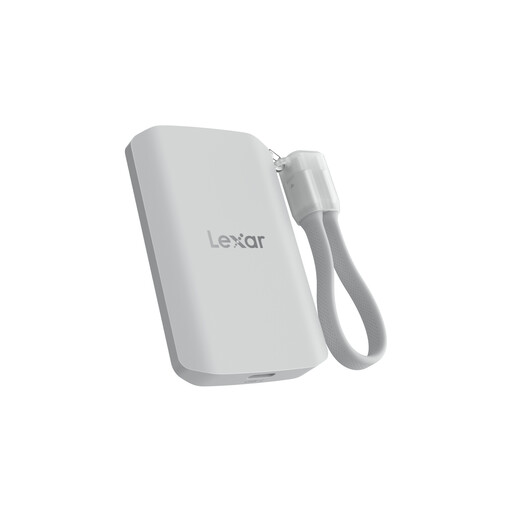
Why it stands out: The Lexar ES5 is aimed specifically at users of modern smartphones and cameras. Its MagSafe SSD compatibility and support for professional video formats make it a specialised tool for mobile content creation.
Advantages:
Who is it for? Videographers and content creators who primarily film with an iPhone 15 Pro/Pro Max or other high-end smartphones and need an extremely fast, direct-connect storage solution for their mobile workflow.
The models presented here cover common use cases. If you haven't found the right device for your specific needs, or if you want to compare other capacities and brands, you can find more models in our main category.
Discover our entire range of Portable Drives
An external SSD (Solid-State Drive) uses flash memory with no moving parts. This makes it significantly faster, quieter, more energy-efficient, and more resistant to shocks than a traditional external HDD (Hard Disk Drive), which is based on rotating magnetic platters. HDDs often offer more storage space for a lower price but are inferior in performance.
That depends on your data. For backing up documents and photos, 500GB to 1TB is often sufficient. For editing 4K videos, storing games (external SSD for PS5), or large software libraries, 2TB or more is recommended. Factor in your future needs to avoid having to upgrade again soon.
Yes, both are possible. For the PS5, you can use an external SSD with a USB connection to store and play PS4 games or to offload PS5 games. For the iPhone 15 Pro/Pro Max, you can connect a USB-C SSD directly to record high-quality video (e.g., ProRes) externally, thus saving internal storage. Be sure to check the compatibility information provided by the respective SSD manufacturer.