
Lieferung heute & morgen

Qualitätsgarantie

Willkommens-Angebote freischalten: KOSTENLOSE Lieferung | Bis zu 80 % RABATT | Kostenlose 30-Tage-JoyPlus-Testphase
App herunterladen
The search for the right 1TB external SSD can quickly become overwhelming. The market is flooded with models promising high speeds and compact designs. However, not every drive delivers on its promise. Certain marketing traps and hidden flaws often lead to disappointment and unnecessary expense.
As your Joybuy Product Recommendation Officer, I'm here to help you identify these pitfalls and make an informed decision. We'll focus on the objective criteria that truly matter.
The 3 Most Common Traps When Buying an External SSD:
To avoid a bad purchase, you should focus on a few crucial technical parameters. These determine the drive's real-world performance and usability.
The speed of an external SSD is primarily limited by its USB interface. Ensure that both the SSD and your computer (PC, Mac, console) support the same standard to unlock its full performance.
A portable SSD must work seamlessly with all your devices. Compatibility depends on the connection type and the file system.
As portable storage, an external SSD is often used on the go. Therefore, physical durability and data security are critical criteria.
Based on the criteria above, we have identified several products that represent a smart choice for specific user groups.
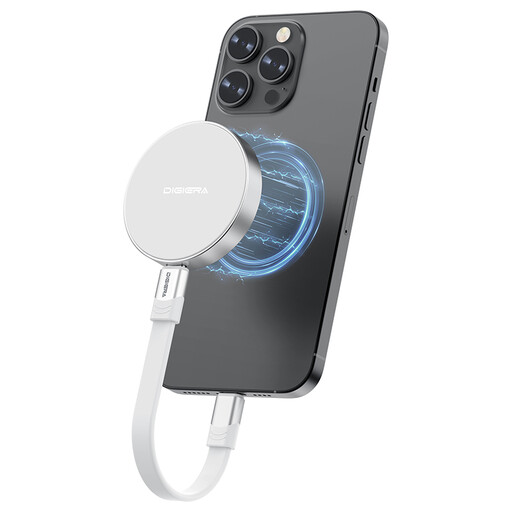
Why This Fits Their Persona: Ideal for videographers shooting directly to storage in 4K ProRes with an iPhone 15/16. The magnetic mount ensures a stable connection to the smartphone, while the extreme speed of up to 2000 MB/s accelerates the workflow.
The product description clearly states the prerequisite for maximum speed: a USB 3.2 Gen 2x2 port. This creates transparency and prevents disappointment for users with slower ports.
The combination of a magnetic mount and USB 3.2 Gen 2x2 speed is a key differentiator for mobile workflows. Its lightweight and shock-resistant housing is designed for use in the field.
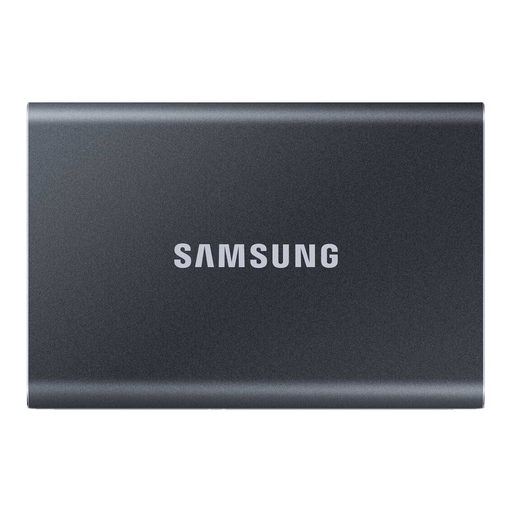
Why This Fits Their Persona: A proven workhorse for the professional's daily grind. The Samsung T7 offers a balanced combination of speed, reliability, and strong data security. Perfect for users who need a robust drive for PC, Mac, and data backups.
The T7 actively addresses the overheating problem with its "Dynamic Thermal Guard" technology. This ensures the operating temperature remains in the optimal range even under heavy load, preventing performance drops.
The AES 256-bit hardware encryption provides a high level of security for sensitive data. According to the manufacturer, its durable aluminum body can withstand drops from up to two meters.
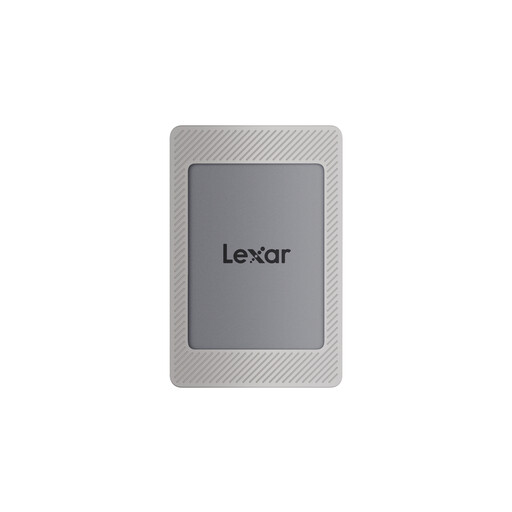
Why This Fits Their Persona: A flexible solution for users who share storage between a PC, console (PS4/PS5), and mobile devices. The high read speeds of up to 1050 MB/s significantly reduce game load times. The included magnetic set enhances portability. (Note: The linked model is 2TB, but the series is available in various capacities).
This product avoids the "wrong feature" trap by focusing on broad compatibility. It is explicitly advertised as compatible with game consoles, PCs, Macs, and the iPhone 15 series, delivering the necessary USB 3.2 Gen 2 performance.
Its broad, stated compatibility and solid all-around speeds make it a versatile choice. The Lexar DataShield software also provides 256-bit AES encryption to protect data.
We have compiled a complete, up-to-date list of products that fully meet these strict selection criteria and all relevant safety regulations.
Most external SSDs come pre-formatted (often with exFAT) and are ready to use out of the box. For optimal compatibility between Windows and macOS, exFAT is the recommended choice. If you plan to use the SSD exclusively with a Mac, you can reformat it to APFS for potentially better performance.
The actual speed depends on the entire chain: the SSD itself, the cable used, and your computer's USB port. An SSD rated at 1,050 MB/s will only reach that speed on a USB 3.2 Gen 2 port. On an older USB 3.0 port, the speed will be limited to approx. 450-500 MB/s. The type of data also matters; transferring a single large file is typically faster than transferring thousands of small ones.
Yes, an SSD's performance can degrade when it's nearly full. SSDs require free space for internal management processes (like wear leveling and garbage collection). As a rule of thumb, it's best to always leave 10-15% of the capacity free to maintain consistently high write performance.