
Lieferung heute & morgen

Qualitätsgarantie

Willkommens-Angebote freischalten: KOSTENLOSE Lieferung | Bis zu 80 % RABATT | Kostenlose 30-Tage-JoyPlus-Testphase
App herunterladen
A portable monitor can serve as a second screen for a laptop, tablet or games console when you are on the move. This is useful when you need to keep several windows open at once while working from home, have limited space on business trips or want to expand a notebook for gaming and streaming. However, portable monitors vary considerably when it comes to connections, power supply and picture quality.
If you only consider screen size or a high resolution, you can easily overlook important details. The following criteria will help you choose a portable monitor that suits your needs and avoid common buying mistakes.
A USB-C port can transmit data, power or video signals. However, to use a device as a USB-C monitor, the USB-C port on the connected laptop, tablet or smartphone must support the appropriate DisplayPort Alt Mode. Otherwise, you will also need an HDMI cable or an adapter.
The power supply should also be checked. Some devices work with a single USB-C cable, while others require a power adapter or a second USB connection in addition to the video cable. Checking the monitor and source device’s technical specifications will help prevent surprises at your workstation.
A Full HD monitor with 1,920 × 1,080 pixels is sufficient for office work, video conferences and many console applications. A 2K monitor with, for example, 2,560 × 1,440 pixels displays more detail, but depending on the connection and device, requires greater signal and power output. A 4K monitor with 3,840 × 2,160 pixels also places greater demands on the graphics card, cable and power supply.
For a notebook with limited battery capacity, a more energy-efficient Full HD model may be more practical than the maximum resolution if you will not be able to make full use of it while travelling.
A portable monitor needs to be transported regularly. Its weight, housing material, stand and protection options are therefore just as important as the screen area. An integrated stand or sturdy protective case makes positioning easier. When expanding a laptop setup, you should also check whether the screen size and mounting system are compatible with the notebook.
When using the device while travelling, protect it from knocks, moisture and extreme temperatures. Manufacturers generally recommend a dry, well-ventilated environment, as well as using suitable cables and power adapters.
14-inch models are easy to transport and are suitable as a portable laptop monitor for business trips or seminars. 15.6 inches provides more workspace, but requires more room in your bag. 18.4- or 22-inch models are more suited to fixed workstations, presentations or gaming.
The aspect ratio affects how content is displayed. 16:9 is common for films and consoles, while 16:10 provides additional vertical space for documents and long web pages.
An IPS panel typically offers consistent viewing angles. For office tasks, Full HD and 60 Hz are usually sufficient. Creative users should also compare colour gamut coverage, brightness and contrast specifications. These figures can only be meaningfully compared when they have been provided using the same measurement method.
A portable gaming monitor with 120 or 144 Hz can display movement more smoothly. However, the laptop, console, cable and input signal must all support the relevant refresh rate. A high Hertz rating alone does not guarantee a particular gaming experience.
Before buying, you should check the following:
An external monitor for a laptop with USB-C and HDMI generally offers more connection options than a model with just one input. Touch functions are particularly useful with compatible Windows or tablet applications; touch input does not necessarily work with every connection.
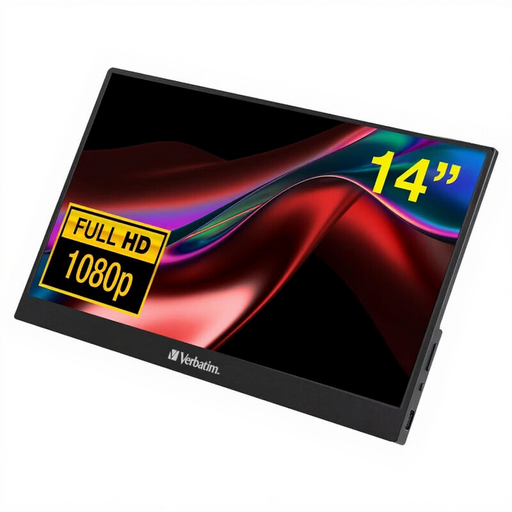
Why this product suits the profile: This 14-inch model combines Full HD with USB-A, USB-C and HDMI. With a stated weight of 540 g, it is designed for use with laptops, tablets, smartphones and consoles.
The multiple inputs reduce reliance on a single connection type. According to the product details, a neoprene case is included.
1,920 × 1,080 pixels, 6 ms response time, tilt adjustment and aluminium housing.
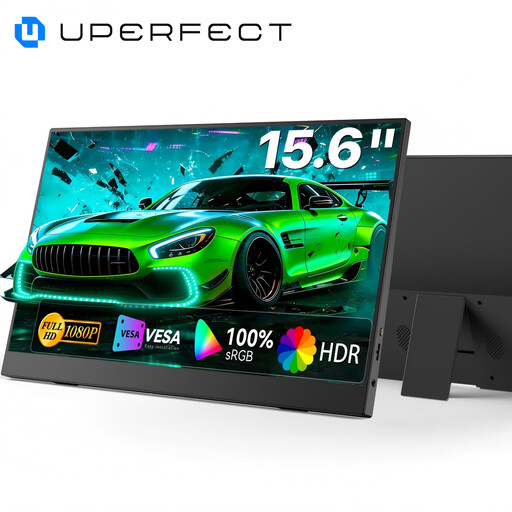
Why this product suits the profile: The IPS display offers Full HD, a stated brightness of 300 nits and 100% sRGB. The integrated stand and VESA compatibility allow for different setup options.
The colour gamut, brightness and connection specifications make it easier to choose a monitor for colour-critical tasks. However, you should still check compatibility with the relevant source device.
IPS panel, HDR support, integrated speakers, USB-C and Mini HDMI.
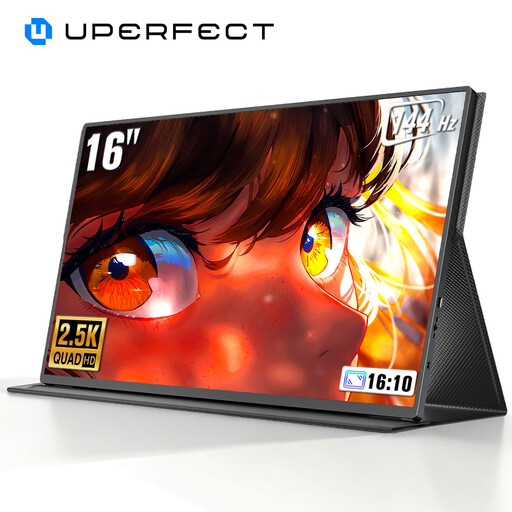
Why this product suits the profile: The 16:10 display is designed for mobile gaming and multimedia use. It offers 2,560 × 1,600 pixels and a refresh rate of up to 144 Hz.
The higher refresh rate is clearly specified. To actually use 120 or 144 Hz, the output device, cable and game must support this signal rate.
2K resolution, 16:10 format, Mini HDMI, USB-C and VESA compatibility.
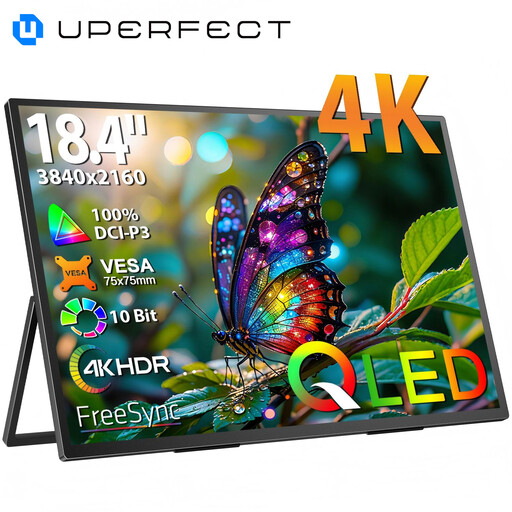
Why this product suits the profile: The larger screen and 3,840 × 2,160 pixels are ideal for extensive spreadsheets, large files and compatible console or PC applications.
The higher resolution is specified with an exact pixel count. Before buying, you should allow for a carrying case, sufficient desk space and 4K output from the source device.
4K UHD resolution, QLED display, integrated mount and VESA mounting option.
We have put together a complete, regularly updated list of products that fully meet these strict selection criteria and the safety regulations applicable in the EU.
Depending on the model, the connection is made using a full-function USB-C cable or via HDMI or Mini HDMI. With HDMI, a separate USB cable is often required for power. If the laptop’s USB-C port does not support video output, transmission will not work via USB-C alone.
Its lifespan depends, among other things, on how it is transported, the temperature, cable quality and daily operating time. Dry storage, a padded case and avoiding pressure on the display surface help reduce mechanical strain. The device should only be operated with suitable power adapters and should not be opened by the user.
Power consumption depends on the screen size, brightness, resolution and refresh rate. Full HD models with 60 Hz often require less power when used on the move than larger 2K or 4K devices with high brightness and refresh rates. If you work for long periods without access to a mains socket, you should consider the manufacturer’s power consumption specifications together with the laptop battery’s capacity.