
Lieferung heute & morgen

Qualitätsgarantie

Willkommens-Angebote freischalten: KOSTENLOSE Lieferung | Bis zu 80 % RABATT | Kostenlose 30-Tage-JoyPlus-Testphase
App herunterladen
A portable monitor can be a practical way to expand your laptop display when travelling, working from home or studying at university. However, not every model marketed as a mobile monitor is automatically suitable for a wired connection or everyday transport. The key considerations are connectivity, power supply, weight and the display’s actual resolution.
A USB-C port alone does not guarantee video transmission. The laptop or smartphone must support DisplayPort Alt Mode over USB-C. The monitor’s USB-C port must also provide sufficient power. With some devices, a single cable is only enough if the laptop supplies sufficient power. Otherwise, a second cable or power adapter will be required.
Before buying, you should therefore check:
A larger screen can be more comfortable for spreadsheets, programming code or video-editing software. For business travel, however, it is not just the screen size that matters, but the total weight including the stand, protective cover and cables. The thickness of the casing also affects whether the monitor will fit easily into a laptop bag.
A portable laptop monitor weighing around 600 grams is better suited to regular transport. A model weighing more than one kilogram often provides more screen space and stability, but requires a suitably robust compartment for carrying it.
The term “Full HD” does not always refer to the same format. An FHD+ display with 1920 × 1200 pixels provides more vertical space in a 16:10 aspect ratio than a conventional 1920×1080 panel. This can be useful when reading, programming and editing documents.
The following specifications are also relevant when choosing an FHD+ IPS monitor:
A USB-C monitor is particularly convenient when the laptop and monitor both support video transmission through the same port. For devices without the right USB-C standard, HDMI can be an alternative. A separate power cable will normally be required in this case.
When choosing a monitor for MacBook and Windows laptop, compatibility should not be judged solely by the operating system. The available video outputs, maximum resolution and power supply are the crucial factors. Using multiple monitors may also require a docking station or special drivers. A USB-C hub with an HDMI output can expand the available ports, but it does not automatically replace the laptop’s graphics output.
A 14-inch model is close in size to many laptop displays and is easy to store. A 15.3-inch monitor with a 16:10 format provides slightly more vertical workspace. Models measuring 22 inches are better suited as portable second screens for longer stays in one place.
An integrated stand or sturdy protective cover makes setting up the monitor easier. Check whether the screen can be used in portrait orientation if you work with long documents, websites or source code. A padded case and robust cables are also useful for transport.
Basic safety rules also apply during use: the device should be placed somewhere dry, have sufficient ventilation and be operated with suitable power adapters. At the end of its service life, electronic devices should be taken to the designated collection points for electrical and electronic waste.
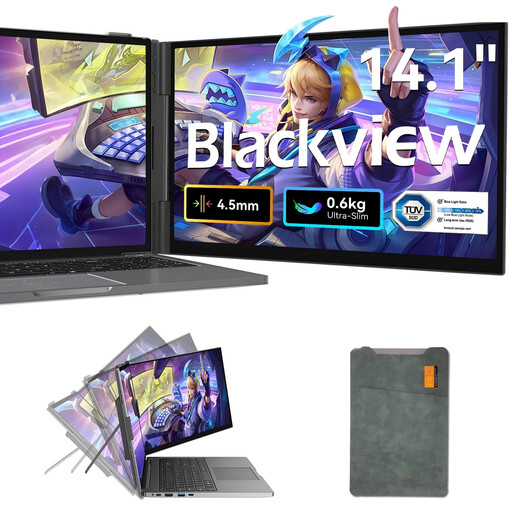
Why this product suits this profile: This compact 14-inch model is designed for laptops between 13 and 17 inches, making it suitable for university, business travel and changing workspaces.
The stated weight of 600 g makes it easier to transport. According to the product details, USB-C and HDMI cables are available for connection.
Full HD resolution, integrated stand and speakers; according to the manufacturer, the product comes with a two-year warranty.
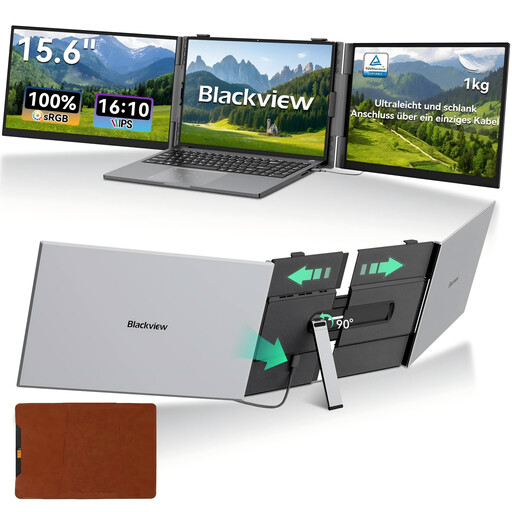
Why this product suits this profile: This monitor is designed for users who need a larger workspace on the go for programming, video editing or documents.
The stated 1920 × 1200-pixel resolution in a 16:10 format provides additional vertical space. According to the product description, two fully functional USB-C ports support a single-cable connection, provided the source device is compatible.
15.3-inch IPS panel, 100% sRGB according to the manufacturer, 300 cd/m² brightness, integrated speaker and a stated weight of 1.2 kg.
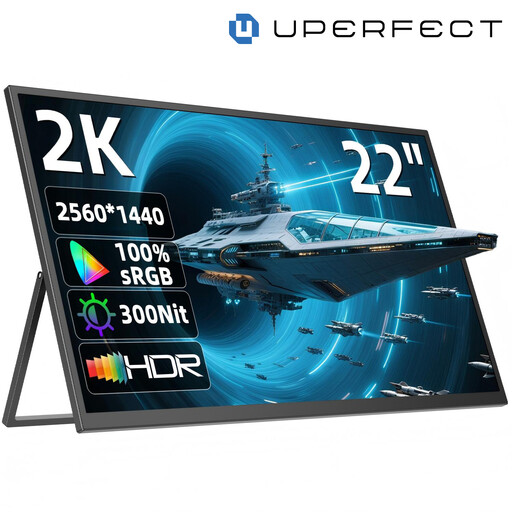
Why this product suits this profile: For content creators, console gamers or users spending longer periods in one place, the 22-inch format offers more workspace than conventional laptop extensions.
The connection options include USB-C and Mini HDMI. This means it can still be used if a laptop does not support video output over USB-C.
2560 × 1440 pixels, IPS panel, 180° adjustable stand, VESA compatibility and integrated stereo speakers according to the product details.
We have put together a complete, regularly updated list of products that fully meet these strict selection criteria and the safety regulations applicable in the EU.
No. Compatibility depends on the video output. USB-C must support video signals, while HDMI models usually require an additional power cable. Before buying, check the laptop’s connection standard, operating system and maximum resolution.
Depending on the model, the connection is made using a fully functional USB-C cable or via HDMI plus a power supply. Once connected, Windows lets you choose between mirroring, extending or using only one screen in the display settings. On macOS, the corresponding options can be found in the display settings.
The cost depends on brightness, operating time and power consumption. A mobile monitor connected via USB-C may place additional strain on the laptop battery. For longer work sessions, a power adapter or docking station with Power Delivery is therefore advisable. Reducing the brightness and switching the device off completely after use will lower energy consumption.