
Lieferung heute & morgen

Qualitätsgarantie

Willkommens-Angebote freischalten: KOSTENLOSE Lieferung | Bis zu 80 % RABATT | Kostenlose 30-Tage-JoyPlus-Testphase
App herunterladen
A portable printer can print documents, photos, labels or stickers directly from your smartphone while you are on the go. However, to ensure this compact solution does not become an expensive mistake, you should look more closely before buying. Terms such as “wireless”, “inkless” or “photo printer” alone do not tell you whether a device is right for your needs.
A printer without ink does not require conventional cartridges or toner cartridges. Depending on the printing method, however, you may need special paper rolls, labels or photo sheets. These consumables can vary in price and are not always compatible with one another.
It is therefore worth checking the following before buying:
A thermal printer for notes, for example, works differently from a portable photo printer using Zink paper. Both work without conventional ink, but they are designed for different tasks.
A Bluetooth printer cannot automatically be used with every smartphone straight away. A dedicated app is often required. The key question is whether the app works with your iOS or Android device and which file formats it supports.
Check the following before buying:
A smartphone printer is particularly practical when setup and print jobs can be handled directly through an app. For regular documents, the app should also offer suitable scaling and paper selection.
A mini printer fits into a bag, but it may reach its limits with long documents or frequent print jobs. So do not just look at the external dimensions. Also consider the weight, battery capacity, paper feed and print width.
For travelling, a weight of 180 to 600 grams can make a noticeable difference. For desk use, on the other hand, a higher paper capacity and the simplest possible roll or paper change are more important.
The technology should suit what you plan to print:
A portable printer for contracts and invoices requires different features from a device for 2 × 3-inch photos. The product description should therefore clearly state which paper sizes are supported.
An integrated battery gives you greater flexibility while travelling. Actual operating time depends, among other things, on print density, paper format and battery condition. A specific manufacturer’s print-volume figure is more useful than a general statement such as “long battery life”.
According to the product details, the Phomemo A282U can print up to 150 sheets per charge. The same details state that the device weighs 600 grams and works without ink or toner. Such figures should be treated as a guide, as the actual range may depend on the print job.
Resolution and paper format are important for photos. According to the product details, the Xiaomi Portable Photo Printer 1S has a resolution of 313 × 512 dpi and uses a paper format of 50 × 76 millimetres. For documents, clear text, a suitable paper width and reliable paper guidance are more important than a high photo resolution.
Also pay attention to:
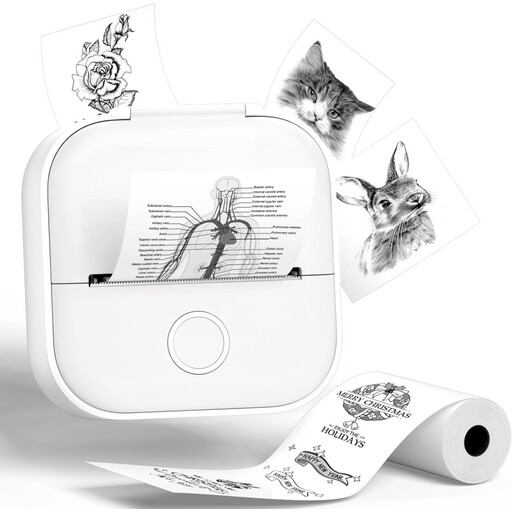
Why this product suits this profile: This compact mini printer is designed for study notes and stickers, making it suitable for students and users who need small prints rather than complete document pages.
Its focus on notes and stickers makes the intended use clearer and reduces the risk of buying a small device for unsuitable large documents.
Compact design and a product concept geared towards mobile, creative prints.
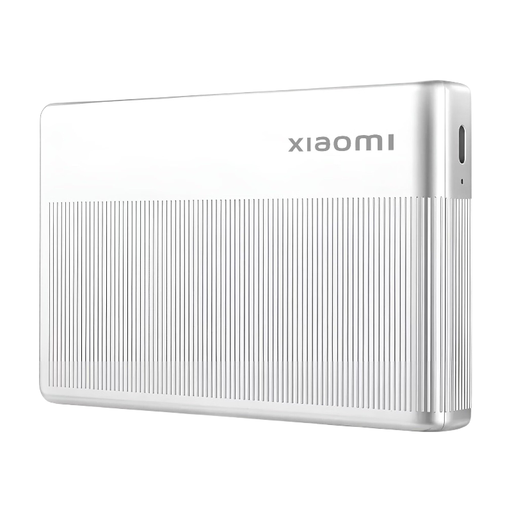
Why this product suits this profile: This portable photo printer is designed for small colour photos and offers Bluetooth connectivity, a stated resolution of 313 × 512 dpi, as well as support for iOS and Android via the Xiaomi Home app.
The clearly specified format of 50 × 76 millimetres prevents unrealistic expectations of A4 documents or larger photo prints.
Zink printing without ink cartridges, a weight of 180 grams and a stated input capacity of up to 10 sheets.

Why this product suits this profile: This label printer is suitable for homes, offices and small businesses that need lettering, barcodes, QR codes or narrow labels.
The stated print width of 0.59 inches clearly defines the intended use and prevents the device from being mistaken for a document printer.
Bluetooth connectivity, an integrated rechargeable battery and app features such as symbols, borders, barcodes, QR codes, OCR and Excel import.
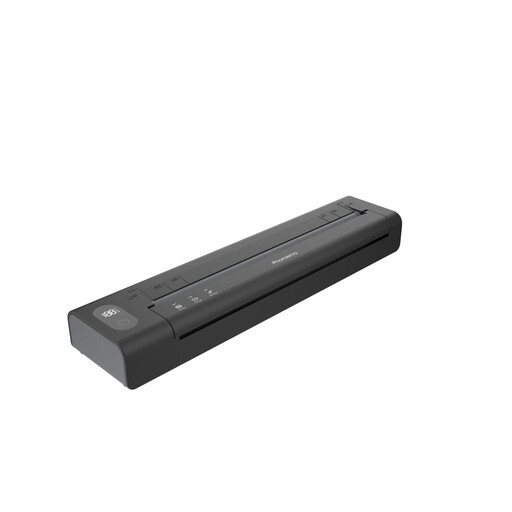
Why this product suits this profile: This portable printer is designed for mobile documents such as contracts, invoices, boarding passes and freight documents. It connects to iOS and Android devices via a Bluetooth app.
The specified document types and capacity of up to 150 sheets per charge make the intended mobile use clear, rather than relying solely on general claims of compactness.
A weight of 600 grams, rechargeable battery and inkless printing without toner, according to the product details.
We have put together a complete, regularly updated list of products that fully meet these strict selection criteria and the safety regulations applicable in the EU.
Setting up a wireless printer for the first time usually only takes a few steps:
Store thermal and Zink paper in a dry place, protected from direct sunlight and excessive heat. According to the product description, the Xiaomi device should also be protected from high humidity and high temperatures. Use a suitable USB charger for the battery, as specified by the manufacturer.
A thermal printer creates the image by applying heat to specially coated paper. A Zink photo printer activates colour crystals in the photo paper. Suitable consumables are therefore required in both cases; ordinary printer paper does not work with every model.
That depends on the model and its associated app. According to the product details, the devices mentioned here work with iOS and Android. Before buying, check app compatibility, Bluetooth requirements and the supported file formats.
There is no standard battery life. It depends on the print format, ink coverage, paper and battery condition. A specific manufacturer’s sheet-count figure is more informative. According to the product details, the Phomemo A282U can print up to 150 sheets per charge; this should be understood as a guide for its intended use.