Photographers with a hard-to-replace portfolio
If your original images and edits matter, the copy stored on your NAS shouldn’t be your only one. The BSI distinguishes data backups from RAID mirroring and recommends keeping a separate copy.


A NAS is a good fit if you want to store portfolio images centrally from multiple devices or copy them regularly over your local network. For occasional copies from a single computer, an external hard drive may be simpler. Either way, plan a separate backup: mirroring on a NAS is no substitute for a backup, as Germany’s Federal Office for Information Security (BSI) explains.
If your original images and edits matter, the copy stored on your NAS shouldn’t be your only one. The BSI distinguishes data backups from RAID mirroring and recommends keeping a separate copy.
A NAS may suit you if you want to store or back up image folders in one shared local location, without using a cloud storage service as the destination. Check how your devices transfer files to the NAS.
For large projects, both the storage you can actually use and the entire transfer route matter. Usable capacity depends, among other things, on the drives and the configuration you choose, as Synology explains for the DS223.
A good fit if: you want to store image folders centrally from multiple devices or copy them regularly, and a Gigabit network is fast enough for your needs.
Worth noting: Check the transfer route and drive compatibility. A second drive in the NAS is no substitute for a separate backup.
A good fit if: you regularly transfer large image folders and your computer and other network equipment also support the faster connection.
Worth noting: A 2.5GbE connection alone doesn’t guarantee a particular copying speed. Drives and other network equipment also affect the transfer route.
A good fit if: you mainly copy images from one computer occasionally and don’t need shared network storage.
Worth noting: You’ll need to make the copies yourself, store the drive separately and check that you can restore your files.
| What matters | What to check before buying | Who should pay particular attention |
|---|---|---|
| Restorable backup | Check for a local backup destination, versioning, enough space for a separate copy and the option to restore a test file. | If I want to retrieve important originals after a problem, I’ll plan a separate copy alongside the NAS storage. Around 36% of consumers put restoration first. |
| Local transfer route | Check how your devices transfer image folders and whether the backup task actually uses a local destination. | If I don’t want to use a cloud storage service as the destination, I’ll look for a clear local process. Around 29% of consumers prioritise local copying without a cloud storage destination. |
| Usable storage space | Consider your existing folders, expected growth, drive compatibility and the usable capacity of the planned configuration. | If my image archive is growing, I want to know how much space will actually be available with the configuration I choose. Around 21% of consumers focus on their archive’s storage requirements. |
| Copying speed | Match the connections on your NAS, computer and network to your usual copying tasks. | If I regularly transfer large projects, I’ll check the entire network route rather than just the NAS connection. Around 14% of consumers prioritise speed when repeatedly copying large image folders. |
Mirroring copies changes to both drives at the same time, so it doesn’t protect you on its own against accidental overwriting or malware.
Plan for NAS storage and a separate backup as two distinct steps.
A further backup drive and time for restoration tests are part of the practical commitment.
Check which drives are included and what capacity your chosen configuration will actually provide. UGREEN states that drives for the NASync DXP2800 are sold separately.
Before choosing a model, compare what’s included and drive compatibility with your storage needs.
Additional internal drives and a separate backup drive may also be needed for your set-up.
The installation guide for the Synology DS225+ warns that a drive containing existing data may be formatted during installation, erasing its contents.
Copy your images to another drive and check them before using the existing hard drive for set-up.
A faster connection on the NAS is just one part of the transfer route and doesn’t guarantee a particular copying time.
First check your computer and network connections, then choose the right NAS connection.
You may need compatible network equipment to use a faster connection.
Worth considering for local PC folder backups and NAS models with a range of network connections.
Worth considering for local image storage and backup tasks to external USB drives.
The NIMBUSTOR 2 Gen2 (AS5402T) is listed as a two-bay model with two 2.5-Gigabit Ethernet connections.
The NASync DXP2800 is a two-bay option with a listed 2.5GbE connection.
This selection includes NAS systems for central storage and external drives for occasional local copies from a computer.
 No image available
For storing portfolio files centrally if you’re looking for a NAS with four drive bays and two 2.5GbE connections.
The product details list an expansion option for up to nine bays. According to the listing, Synology-branded drives are compatible; check compatibility for your planned configuration.
 No image available
For central file storage across multiple work devices, if eight drive bays suit your planned image archive.
The product details list two 2.5GbE connections, optional 10GbE and a capacity of up to 360 TB. According to the listing, Synology-branded drives are compatible; check drive compatibility and the usable capacity of your configuration.
 No image available
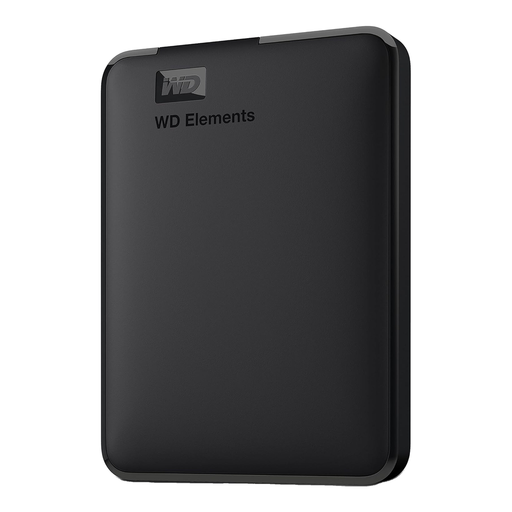
An external hard drive for occasional local copies from a computer, if you don’t need shared network storage.
The product details list 5 TB, USB 3.0 and compatibility with desktop and laptop computers. The description says that it needs to be reformatted for macOS.
 No image available
An external SSD for storing and transferring portfolio files locally, if a directly connected storage device suits your needs.
The product details list 2 TB and USB Type-C 3.2 Gen 2. Compatible devices listed include PCs, Macs and cameras.
No. The BSI distinguishes RAID mirroring from a data backup because changes to mirrored data affect both drives at the same time. Plan a separate copy and check that you can restore the files you need.
For the DSM versions documented, Synology describes Hyper Backup with a connected USB device as a local destination, supporting multiple versions. QNAP also describes Hybrid Backup Sync tasks that back up to an external USB device. Check the set-up for your specific NAS and try restoring an image file.
Not without making an additional copy first: Synology’s installation guide warns that a drive containing existing data may be formatted during installation, erasing its contents. Back up your images to another drive and check them before setting up the hard drive.
Check whether suitable internal drives are included, which device you’ll use for the separate backup and what warranty applies to the specific German listing. The manufacturer’s information for the DS225+ states a three-year limited hardware warranty; different parts of the Joybuy page we checked state two and three years respectively. Confirm which warranty applies to the specific listing before buying.
No. The Rhineland-Palatinate Commissioner for Data Protection and Freedom of Information explains that photos of identifiable living people contain personal data. For a specific professional image collection, you’ll need to consider its purpose, access rights and appropriate safeguards separately. Using a NAS or avoiding cloud storage doesn’t settle the matter on its own.