If you need both workspaces on the go, a laptop with two integrated displays could be worth considering. At a fixed workstation, a laptop with an external monitor may be the more flexible choice. Compare the specific display and connection options, as well as the RAM and storage, with your workflow. A stated colour gamut coverage figure alone does not guarantee reliable colour reproduction across both displays.
Which setup suits you
Retouching on the go with two workspaces
If you want to view portraits alongside tools or references, even without a desktop monitor, a laptop with two integrated displays may be worth considering. Check the specific display configuration. ASUS describes the Zenbook DUO UX8407 as having two displays; specifications may vary by version.
Colour-critical retouching at a desk
If you do most of your retouching at a fixed workstation and can use an external monitor, its suitability and consistent image reproduction across both screens are important things to check. EIZO points out that the same file can look different on different displays.
Retouching large image files
If you work with large files and multiple applications and also want to connect a second screen, compare the specific RAM, storage and connection options. Adobe, Apple and HP publish requirements or configuration details that relate to particular software and device models.
What to look for when buying
Laptop with two integrated displays
A good fit if: You need to view your image alongside tools or references, even when you’re out and about. ASUS lists two integrated displays for the Zenbook DUO UX8407; check the configuration of the specific version.
Consider: You’re reliant on the integrated display areas and the space available for the keyboard.
Laptop plus external monitor
A good fit if: You mainly work at a fixed workstation or already have a suitable monitor. Check that the video output on the specific laptop matches the monitor’s input and the resolution you want.
Consider: You’ll need access to the second screen, and the laptop and monitor may show the same image differently. EIZO explains that calibration cannot fix a colour gamut that is too limited or an uneven panel.
| What you need |
What to look for when buying |
Who should pay particular attention |
| A second screen where you work |
Decide whether you need the second screen when you’re out and about. For an external monitor, check the video output and input; for a duo, check both integrated displays. ASUS lists two 14-inch displays for the UX8407. |
If I want to see my tools and portrait at the same time without a separate monitor, the layout matters. Around 33% of consumers prioritise having a second workspace where they need it. |
| Judging skin tones reliably |
Check the specific displays and their settings. EIZO points out that calibration cannot fix a colour gamut that is too limited or an uneven panel. |
If I need to judge skin tones on both screens, the image reproduction across my entire workspace matters. Around 25% of consumers prioritise reliable skin tones. |
| Performance for files and software |
Compare the RAM and SSD with the files and applications you use. Adobe lists a minimum of 8 GB RAM for Photoshop 27.x and recommends 16 GB or more. |
If I work with large files and multiple applications, I want to choose a configuration that suits my workflow. Around 25% of consumers prioritise having enough performance headroom for their retouching workflow. |
| Portability and the size of your setup |
Check which devices and accessories you already have and what you’ll need to take with you. ASUS lists a weight of 1.65 kg for UX8407 versions; the power adapter supplied may vary by country, region and model. |
If I often change where I work or want to use devices I already own, the practical size of my setup matters. Around 17% of consumers prioritise portability and the size of the overall package. |
Pitfalls when buying a two-screen setup
-
Assuming “Dual Screen” is proof of sufficient quality
The design alone doesn’t tell you whether both displays are suitable for your retouching and colour workflow.
Check the display configuration of the specific version and how it looks where you’ll use it.
-
Assuming wide colour gamut coverage means reliable skin tones
Display characteristics and correct settings are two different things. Calibration cannot fix a colour gamut that is too limited or an uneven panel.
Assess your entire display workflow rather than relying on a single percentage in the spec sheet.
Checking or calibrating colour may take additional time.
-
Assuming similarly named configurations are identical
The chip, RAM, SSD, display size and model generation can vary. A different model is not automatically the same as a configuration that has been checked.
Check the full model number and key specifications. The Zenbook DUO UX8406CA is not the same model as the UX8407.
Brands to consider
ASUS
The Zenbook DUO UX8407 has two integrated displays, while the ProArt P16 H7606 is a laptop with connections for an external workstation.
- ASUS lists two 14-inch displays for the UX8407 and, for the ProArt P16 H7606, connections including HDMI and USB-C with display support.
- Specifications and display configurations depend on the specific version. Manufacturer information does not prove the colour accuracy of the device you buy.
Apple
MacBook Pro models are an option for a macOS workstation with an external display.
- Apple documents M5 Pro configurations and P3 displays.
- Chip and storage options, as well as screen sizes, vary. A 14-inch version is not the same as a 16-inch configuration.
Lenovo
The ThinkPad T1g Gen 8 is a 16-inch Windows option for a performance-focused workstation with a separate monitor.
- Lenovo lists RTX graphics for the model range; Notebookcheck features a specific tested configuration.
- The specifications of a tested configuration do not automatically apply to every model in the range.
HP
The ZBook X G1i is a Windows workstation option for retouching with an external monitor.
- HP lists 32 GB RAM, a 1 TB SSD and a 16-inch display for the B72W4ET#ABD configuration.
- Before buying, check the display and connections on the specific version. The workstation label alone does not guarantee a display that’s suitable for judging skin tones.
Laptops for use with an external monitor
This Joybuy selection features laptops with listed connections that support use with an external monitor. Compare the display, RAM and storage of each version with your retouching workflow.
 No image available
MSI Prestige N16 Flip AI+ C1XMT-027Y
HDMI and DisplayPort outputs are listed for a fixed workstation with an external monitor.
16-inch Tandem OLED with 3840 × 2400 pixels and 120 Hz; 128 GB RAM and 2 TB SSD.
View at Joybuy
No image available
MSI Prestige N16 Flip AI+ C1XMT-028Y
HDMI and DisplayPort outputs are listed for a fixed workstation with an external monitor.
16-inch OLED with 2.8K resolution and 120 Hz; 64 GB RAM and 1 TB SSD.
View at Joybuy
No image available
MSI Prestige N16 Flip AI+ C1XMT-029Y
Video outputs for external displays are listed for use with an external monitor.
16-inch Tandem OLED with 3840 × 2400 pixels and 120 Hz; 32 GB RAM and 1 TB SSD, according to the product name.
View at Joybuy
 No image available
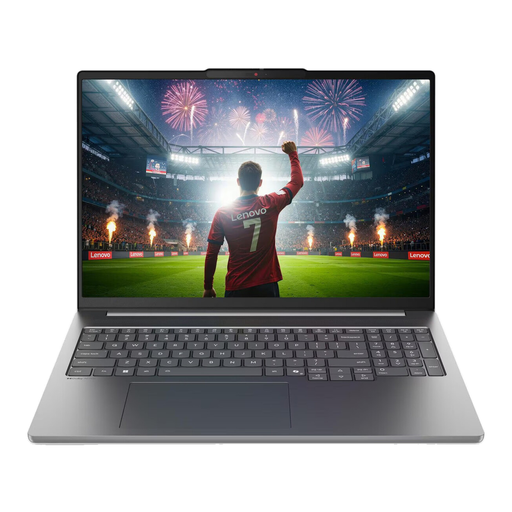
Lenovo IdeaPad Pro 5i 16IPH11
HDMI and two Thunderbolt 4 ports are listed for connecting external devices.
16-inch OLED with 2.8K resolution and 120 Hz; 32 GB RAM, 1 TB SSD and RTX 5060.
View at Joybuy
 No image available
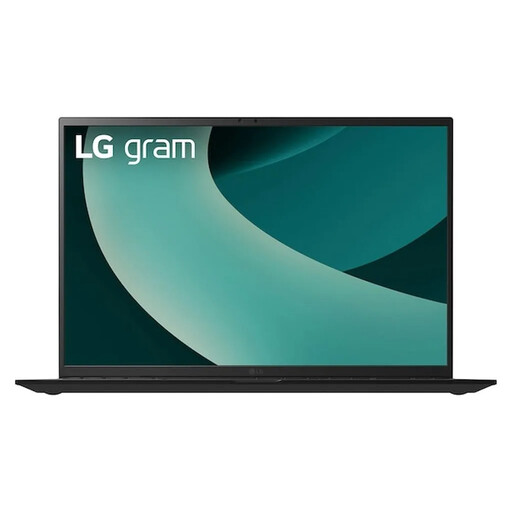
LG Gram 17Z90TL-G.AU78G
HDMI 2.1 and two Thunderbolt 4 ports are listed for external displays.
17-inch WQXGA IPS display with 2560 × 1600 pixels and, according to the product description, 99% DCI-P3; 16 GB RAM and 1 TB SSD.
View at Joybuy
Frequently asked questions
Do I need a dual-screen laptop to use two screens?
No. What matters is whether you need the second workspace when you’re out and about, without a separate monitor. For a fixed workstation, check the laptop’s video outputs and the monitor’s inputs.
How can I deal with skin tones looking different on the two screens?
First check whether both displays are suitable for the work you’re doing, then review their settings and profiles. EIZO explains that calibration can reduce differences in image reproduction, but it cannot fix a colour gamut that is too limited or an uneven panel.
Do I need 32 GB RAM for Photoshop retouching?
Not necessarily. Adobe lists a minimum of 8 GB RAM for Photoshop 27.x and recommends 16 GB or more. Whether you need additional RAM depends on your files and workflow.
What are my rights in Germany if I buy online or a product develops a fault?
Consumers who buy online generally have a 14-day right to cancel, although exceptions and the circumstances of the contract need to be taken into account. If goods are faulty, you have statutory rights against the seller, which are separate from any voluntary guarantee. The Verbraucherzentrale explains the right to cancel, and the EU provides information about consumer rights when buying in the EU. These consumer rights should not be assumed to apply to a business purchase without checking first.


