Choose a printer based on the actual size you need for your portrait template. A mini print may be enough for a small reference image, while postcard size gives you more space. A4 is a good choice if you want to print larger templates or other materials too. For example, an assignment at St Ursula School in Würzburg asks pupils to print out a portrait. So also check that the printing method and consumables are right for your project.
Which printing option suits you?
Students using a portrait template
If facial features need to be clear in the template, the size you need depends on the specific drawing or presentation task. For example, an assignment at St Ursula School in Würzburg asks pupils to print a front-facing portrait. This is one specific school assignment, not a general requirement.
Families with other printing needs
If you also want to print photos or schoolwork after the project, consider whether a compact photo printer will do or whether an A4 all-in-one printer would be more useful day to day. Canon and Epson describe models for different sizes and additional tasks.
Project groups printing several copies
If you need to print several copies, consider the right format and the paper, film, ribbon or ink it requires. A manufacturer's stated print yield only applies to the test conditions it describes.
What should you look for when buying?
Portable mini photo printer
A good fit if: You need small images printed straight from your smartphone and the image area is large enough for your template.
Bear in mind: The image area and consumables are specific to each mini format. With the Kodak Mini 2 Retro P210R, the supplier says computer files must first be transferred to a smartphone.
Compact postcard photo printer
A good fit if: You want to print individual portraits larger than a mini print but don't need A4 pages. The Canon SELPHY CP1500 supports 100 × 148 mm.
Bear in mind: The printing process requires compatible paper and ribbon, and the optional battery is not included.
A4 photo printer with cartridges
A good fit if: You want to print, scan or copy documents as well as larger templates. The Epson Expression Photo XP-8700 has separate feeds for A4 and photo paper.
Bear in mind: If you print occasionally, compare the cartridges and paper you'll need for the number of prints you have planned.
A4 photo printer with refillable ink tank
A good fit if: You want to print photos or other materials regularly. The Canon PIXMA G650 offers A4 photo printing as well as scanning and copying.
Bear in mind: Canon's stated yield for 10 × 15 cm photos cannot be applied directly to A4 portraits.
| What matters |
What to check before buying |
Who is this important to? |
| Enough image space |
Compare the actual image area with mini, 100 × 148 mm or A4 formats. |
If the template needs to be large enough for facial features to remain visible while drawing, the usable image area matters most. Around 31% of consumers prioritise this. |
| Facial detail and tonal range |
Check that outlines and shadows are clear on a print using the paper you intend to use. |
If you need a detailed template to draw from, look for clear outlines and shading. Around 31% of consumers put this first. |
| Supplies for several prints |
Allow for the paper and ribbon, film or ink you need for the number of prints planned. |
If you need several attempts or prints for a group, the cost of the right supplies becomes important. Around 23% of consumers prioritise the ongoing cost of multiple prints. |
| Printing method and location |
Check whether your files will come from a smartphone, computer or memory card, and which connections the printer supports. |
If you want to print in different locations, the right smartphone, the required app and, if necessary, access to a power socket are key. Around 15% of consumers prioritise mobile printing. |
Common pitfalls
-
Confusing the film borders with the usable portrait area
The Fujifilm instax mini Link 3 has an image area of 62 × 46 mm. For a detailed template, it is the image itself that matters, not the size of the whole film.
Compare the actual image area with the school assignment and choose a larger print format if needed.
If the image area is too small, you may need to print another copy in a different format.
-
Assuming a smartphone printer can print directly from a computer
For the Kodak Mini 2 Retro P210R, the supplier describes transferring computer files to a smartphone first, then printing through the app.
Before buying, check how your image file will get to the printer and make sure the process fits the way you work.
That extra transfer step takes time and may be inconvenient if you want to print directly from a computer.
-
Taking a manufacturer's stated yield as the cost of printing one school portrait
Canon's stated yield for the PIXMA G650 is based on the manufacturer's specified test using 10 × 15 cm photos. It doesn't tell you how many supplies an A4 template will use.
Only compare yield figures for the same format, and take the relevant test conditions into account.
-
Sharing an internal reference photo without checking first
Taking an identifiable photo of someone and publishing it later are two different things. Permission to use an image for an internal assignment does not automatically mean it can be published.
Discuss taking, printing and any potential sharing or publication with the school, in relation to the specific project.
Brands and suitable model ranges
Canon
The SELPHY CP1500 is designed for postcard-sized photos, while the PIXMA G650 combines A4 photo printing with scanning and copying. These examples relate to the models named, not all Canon printers.
- According to Canon, the SELPHY CP1500 supports several ways to send files to print. The PIXMA G650 has six refillable photo ink tanks.
- The SELPHY CP1500 can't print on A4, and its battery is optional. The stated yield for the PIXMA G650 is based on Canon's specified test conditions.
Epson
The Expression Photo XP-8700 is an A4 photo printer with cartridges and additional all-in-one functions.
- Epson specifies six individual cartridges and separate feeds for A4 and photo paper.
- For the devices described, Epson recommends a nozzle check and, if necessary, print head cleaning if prints look faded or streaky.
Fujifilm instax
The instax mini Link 3 prints small images from a smartphone, provided the image area is large enough for your template.
- Fujifilm specifies Bluetooth and an image area of 62 × 46 mm.
- instax mini film is sold separately, and its image area is smaller than postcard or A4 formats.
Kodak
The Mini 2 Retro P210R is a compact photo printer for smartphones.
- The supplier specifies Bluetooth, a print size of 2.1 × 3.4 inches and a cartridge containing ribbon and paper.
- For files on a computer, the supplier describes transferring them to a smartphone first, then printing through the app.
Joybuy products
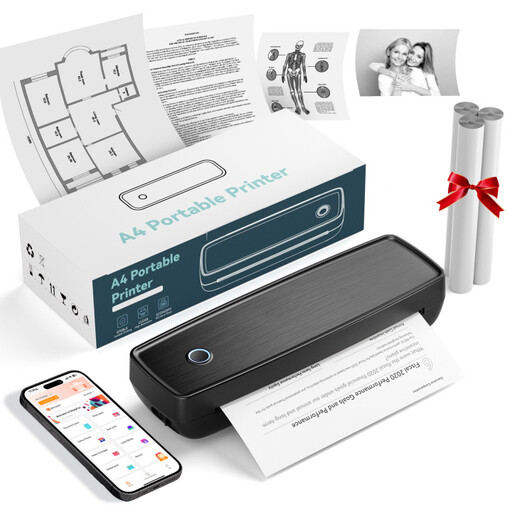
This selection includes mobile thermal printers for printing from smartphones and handling documents. Before buying one for a portrait template, check that its print size and the type of output are right for the school assignment.
 No image available
Mini Bluetooth thermal printer
For printing from a smartphone when black-and-white output is suitable for the task.
The product details specify Bluetooth, the Fun Print app for iOS and Android, and 10 rolls of thermal paper.
View at Joybuy
 No image available
Portable mini thermal printer for smartphone photos
For printing on the go, as long as the available thermal print size suits your template.
The product details specify Bluetooth and connections to smartphones, tablets and laptops.
View at Joybuy
 No image available
Portable thermal printer with Bluetooth and USB-C
For simple prints on the go, if the output is suitable for your school project.
The product details specify Bluetooth for smartphones and USB-C for laptops.
View at Joybuy
 No image available
RONGTA F11B A4 thermal printer
For larger templates, if thermal printing and the supported paper sizes suit the task.
The product details specify A4, A5 and B5, 203 DPI, 16 mm/s, plus Bluetooth and USB. Check that this printing technology is suitable for the portrait template you want to print.
View at Joybuy
 No image available
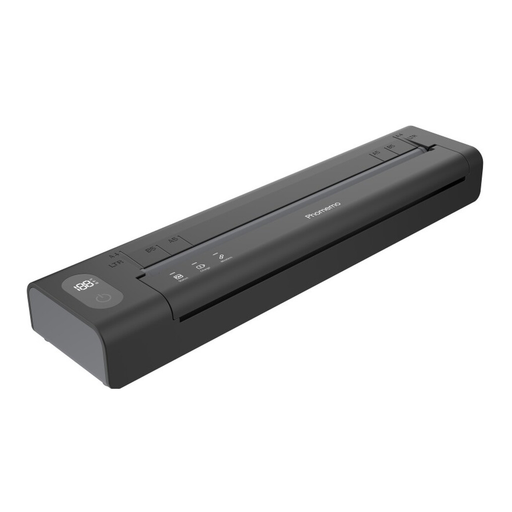
Phomemo A282U, black, 1 piece
For mobile printing, if the print size and output are suitable for your portrait template.
The product details specify an inkless wireless printer with Bluetooth and a rechargeable battery.
View at Joybuy
Frequently asked questions
How do I choose the size of my reference template?
Base your choice on the school assignment and whether the facial features you need will remain clear in the print. An assignment at St Ursula School in Würzburg asks for a printed front-facing portrait. This is a specific example, not a general requirement to use A4. Fujifilm specifies an image area of 62 × 46 mm for the instax mini Link 3, Canon specifies 100 × 148 mm for the SELPHY CP1500, and the PIXMA G650 prints photos up to A4.
What should I do before printing, and if the image has streaks?
Choose a photo size and consumables that are compatible with your printer. If possible, check a test print before making several copies. For the EcoTank and Expression devices it describes, Epson recommends a nozzle check and, if necessary, print head cleaning if prints look faded or streaky. This advice does not apply to every printing technology.
What consumables should I allow for?
Allow for the paper and ribbon, film, cartridges or refill bottles that suit your printer and format, as well as the number of prints you plan to make. Manufacturers' stated yields are based on the specific test conditions they provide and cannot automatically be applied to other formats.
Can I take or publish portraits of classmates for the project?
Taking an identifiable photo of someone and publishing it later should be treated as two separate things. The State Commissioner for Data Protection and Freedom of Information of Rhineland-Palatinate describes taking such photos as the processing of personal data, which requires consent or another legal basis. Discuss the specific purpose and process with the school. Internal use does not automatically mean publication is allowed.
Can I print someone else's portrait photo as a template?
A photo being available online does not tell you whether you have the right to use it. The Hessian Education Server points out that images are often protected by copyright. Check the terms of use and ask the school whether the specific internal or public use is permitted.


