When space is limited on a sit-stand desk, a mini PC is a natural starting point, provided its ports and specifications suit your software, files and monitors. A slim desktop may be worth considering if you have room beside your screen and want the option to upgrade later. A larger computer is only worth considering if your specific workflow requires additional components. For printed posters, your screen and colour management matter just as much as the PC’s form factor.
Which setup is right for you?
Designing posters for print
If you’re preparing posters for print, factor in a suitable screen, colour management and your printer’s requirements. Adobe describes colour management in Illustrator as a choice between letting the design software or the printer manage colour.
Working with large image files
If you’re combining photos and layouts, check the memory, SSD and requirements of your software rather than focusing only on the processor name. Adobe recommends at least 16 GB of RAM for Photoshop 27.x.
Designing at a sit-stand desk
If you want to keep the desk usable as you change its height, plan for the computer, screen and cables together. The German Federal Institute for Occupational Safety and Health (BAuA) recommends individually adjusted workstation equipment and alternating between sitting and standing.
What should you look for when buying?
Mini PC with a separate monitor
A good fit when: There’s little room on your adjustable desk and the software you need and your monitor connections are compatible with the specific configuration.
Trade-off: The Lenovo ThinkCentre M70q Gen 5 Tiny is sold without a monitor, keyboard or mouse; what’s included may vary by model.
Slim desktop with a separate monitor
A good fit when: You have room beside your monitor for a separate case, and you value having the right ports or the option to upgrade later.
Trade-off: Dell lists 16 GB RAM and a 512 GB SSD for one QBS1250 configuration. F.A.Z. Kaufkompass rated a tested version as easy to upgrade, but noted that it lacks HDMI. Check the exact model before you buy.
Larger desktop or tower
A good fit when: Your actual design workflow calls for additional components and you have planned for the space and cabling they need.
Trade-off: A larger case alone doesn’t guarantee an advantage for poster design. You’ll still need to check your screen and the requirements of the software you use.
| Priority |
What to check before buying |
Who will find this most important? |
| Space and setup |
Case dimensions and cable routing at both desk heights; ports on your existing monitor. |
If I want to keep the desk clear when raising it, I need to consider the case, cable routing and full setup together. Around 33% of consumers put space requirements first. |
| Large poster and image files |
Operating system and software version; compare the installed memory and SSD with the specific software requirements. |
For large layouts and several programmes open at once, I want my setup to suit the files I actually work with. Around 27% of consumers prioritise file editing. |
| Checking colours for print |
Your existing monitor or one you may need to buy, and its connection; check colour management and your printer’s file requirements. |
If the poster is going to be printed, I want to consider the screen and output process rather than assuming the computer alone determines colour. Around 27% of consumers prioritise print colour workflows. |
| What’s included and future upgrades |
Check which devices are included and what upgrades are documented for the specific configuration. |
If I still need a screen or input devices, or may want to change components later, the complete setup matters to me. Around 13% of consumers prioritise what’s included and potential upgrades. |
Buying decisions you may regret
-
Comparing only the size of the computer
A mini PC may be sold without a screen or input devices. In that case, the size of the case tells you little about whether you already have everything you need for your workstation.
Check what’s included with the specific model, and factor in a screen, keyboard and mouse if you still need them.
-
Assuming minimum requirements guarantee smooth work with large poster files
Adobe sets out both minimum and recommended requirements for Photoshop. Meeting the minimum alone doesn’t tell you how well you’ll be able to work with your files while other programmes are open.
Compare the requirements with how you usually work and the software version you use. Check the memory, SSD and upgrade options for the exact model, too.
-
Expecting the PC alone to get print colours right
Adobe describes colour management when printing from Illustrator as a choice between Illustrator and the printer. Choosing a PC form factor won’t tell you which process is right for your print job.
Consider your screen and the printer’s requirements, and check where colour management should happen for your job.
Key brands to consider
Dell
The Pro Slim Plus QBS1250 range offers a slim desktop with a separate monitor for a fixed workstation.
- Dell lists 16 GB RAM and a 512 GB SSD for one specific configuration.
- F.A.Z. Kaufkompass rated the version it tested as easy to upgrade and noted that it lacks HDMI. This assessment applies to the tested configuration; don’t assume every version has the same ports.
HP
The Pro Mini 400 G9 is an example of a mini PC designed to be used with a separate screen.
- HP lists 16 GB RAM, a 512 GB SSD and an included mouse for model 6D3E9EA#ABD.
- These details apply to the configuration listed; they don’t cover other HP models or an additional monitor you may need.
Lenovo
ThinkCentre M70q Tiny refers to compact desktop models designed for use with a separate screen.
- Lenovo lists 16 GB RAM and a 512 GB SSD for one M70q Gen 6 model. For the documented M70q Gen 5 Tiny, Lenovo describes tool-free access to memory components.
- These details refer to different generations and don’t automatically apply to the same model. For the documented Gen 5, the monitor, keyboard and mouse are sold separately.
Apple
The Mac mini is a compact macOS option, provided the design software and connected devices you use are compatible with macOS.
- For the Mac mini with M6 in Germany, Apple lists various memory and SSD configurations, along with HDMI and Thunderbolt display connections.
- Choose the memory and peripherals you need for the specific configuration. The manufacturer’s information doesn’t establish an overall advantage for poster design.
Joybuy products for a mini-PC workstation
This selection features mini PCs for a design workstation with a separate monitor.
 No image available
HP Z2 Mini G1a Ryzen AI Max+ Pro 395, 128 GB RAM, 2 TB SSD
For a compact workstation if you’re looking for a mini workstation with the listed memory and storage capacities.
The product name lists 128 GB RAM and a 2 TB SSD.
View at Joybuy
 No image available
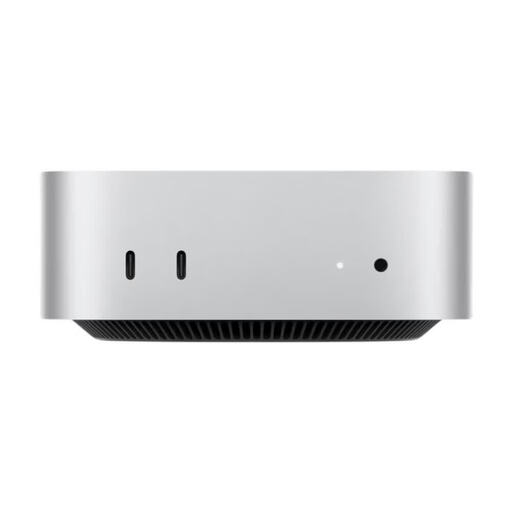
Apple Mac mini M6, 16 GB Unified Memory, 256 GB SSD
For a compact macOS workstation if your design software and devices are compatible with macOS.
The product name lists 16 GB Unified Memory, a 256 GB SSD, Thunderbolt 4 and HDMI. According to the product details, a keyboard and mouse need to be connected separately.
View at Joybuy
 No image available
Apple Mac mini MHQM4_CTO_8 A3534 M6, 32 GB Unified Memory, 1 TB SSD
For a compact macOS workstation if you need the listed memory and storage for your software and files.
The product name lists 32 GB Unified Memory and a 1 TB SSD.
View at Joybuy
 No image available
Ninkear L20, Intel Core Ultra 5 226V, 16 GB RAM, 512 GB/1 TB SSD
For a space-saving workstation if the listed support for multiple screens suits your setup.
The product name lists 16 GB RAM, a 512 GB/1 TB SSD and support for three 4K screens. Check which SSD version is available.
View at Joybuy
 No image available
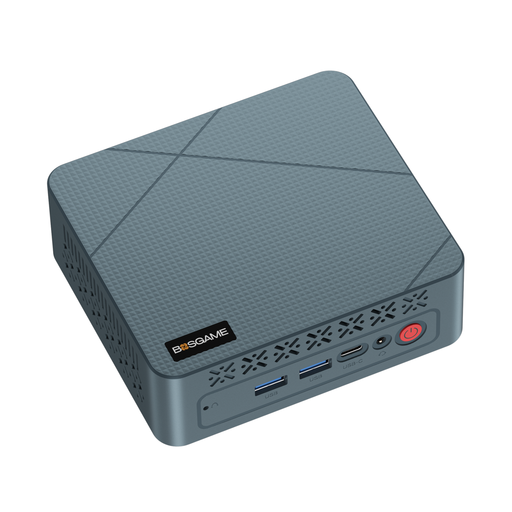
BOSGAME Mini PC E2 neo, AMD Ryzen 5 3500U, 16 GB RAM, 256 GB SSD
For a compact design workstation if the listed memory and connections suit your devices.
The product name lists 16 GB RAM and a 256 GB SSD.
View at Joybuy
Frequently asked questions
Is 8 GB RAM enough for designing posters in Photoshop?
Adobe lists 8 GB as the minimum for Photoshop 27.x, but recommends at least 16 GB. Meeting the minimum alone doesn’t tell you how well you’ll be able to work with a particular poster file. Also consider any other programmes you use at the same time.
How should I set up my PC at an adjustable-height desk?
Plan for your screen, input devices and cable routing at both desk heights. The BAuA recommends individually adjusted workstation equipment and alternating between sitting and standing; this doesn’t mean you should stand all the time.
Will a graphics PC alone ensure accurate printed colours?
No. Adobe describes colour management when printing from Illustrator as being handled either by Illustrator or by the printer. Check the file requirements for your job with the printer, too, rather than assuming the PC model will determine the print result.
What are my rights if my new PC is faulty in Germany?
When you buy as a consumer in the EU, you’re generally entitled to a two-year legal guarantee from the date you receive the goods, as explained on the EU’s Your Europe information site. If something is faulty, you may first be entitled to a free repair or replacement; this is different from a voluntary guarantee. These consumer rules don’t necessarily apply to business purchases.
Do German workplace rules also apply to my home sit-stand desk?
Not automatically. The BAuA explains that ASR A6 sets out employers’ obligations for display screen workstations in workplaces and, in certain circumstances, also covers teleworking. Having a design workstation at home doesn’t by itself mean these rules apply, but the BAuA’s guidance on workstation setup may still help you plan yours.


