
Lieferung heute & morgen

Qualitätsgarantie

Willkommens-Angebote freischalten: KOSTENLOSE Lieferung | Bis zu 80 % RABATT | Kostenlose 30-Tage-JoyPlus-Testphase
App herunterladen
The number of electronic devices in homes and offices is constantly growing. Smartphones, laptops, tablets, and smart home gadgets all require power, which often leads to a shortage of available outlets and a mess of tangled cables. A modern power strip with USB ports offers an efficient and tidy solution. It combines traditional AC outlets with integrated charging ports, making separate power adapters obsolete.
This article serves as a guide to help you navigate your options. It explains the key technical features to consider when making a choice and presents a selection of models for various use cases.
The decision for a specific model should be based on functionality, safety, and your individual needs. The following three criteria are of central importance.
Modern power strips offer more than just extra outlets. The type and power of the USB ports are crucial for the charging speed of your devices.
A power strip is more than just a distributor; it's also a protective device.
For tech enthusiasts and smart home users, intelligent models offer advanced capabilities.
Based on the criteria mentioned, we have compiled a selection of power strips that cater to different needs—from fast charging and smart home integration to fundamental reliability.
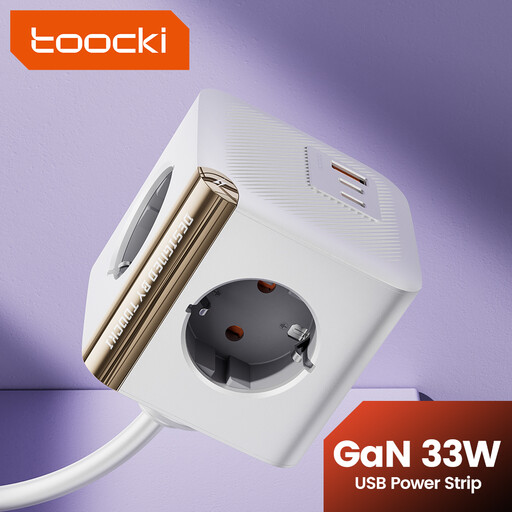
Why it stands out: This model combines high charging power with a compact design. The clear focus is on powering modern mobile devices without needing a separate adapter.
Pros:
Who is it for? Ideal for users in a home office or at a desk who want to power their laptop (e.g., MacBook Air) and other devices simultaneously while also benefiting from fast charging.
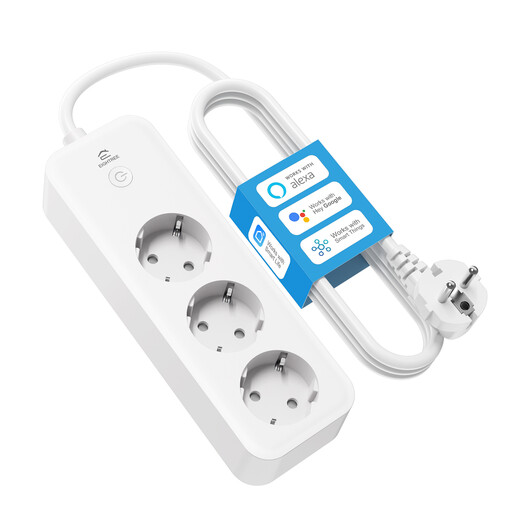
Why it stands out: This Wi-Fi power strip offers full control and transparency. Each outlet can be controlled individually, and its consumption can be precisely monitored.
Pros:
Who is it for? Perfect for smart home enthusiasts and anyone looking to actively reduce their energy costs by accurately analysing and controlling their device consumption.
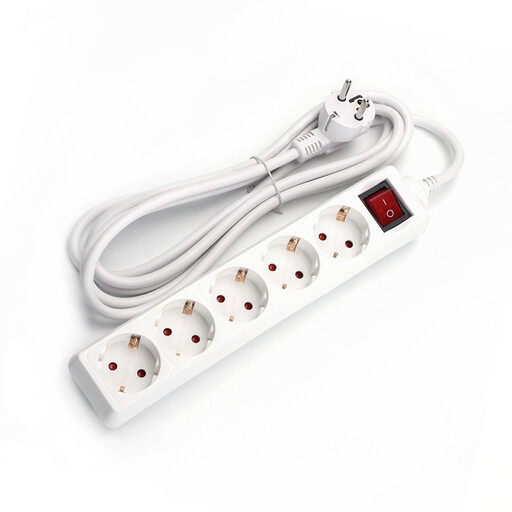
Why it stands out: A functional and reliable basic model that focuses on the core task: safely distributing power to multiple devices.
Pros:
Who is it for? A pragmatic choice for homes and offices that primarily need to expand their number of outlets and value fundamental safety features and simple operation.
The products featured here cover specific use cases. If you are looking for other configurations or features not listed, it's worth taking a look at our broader assortment.
Discover more models in our category for universal plugs.
1. What should I look for in a power strip with USB-C? Pay attention to the specified maximum charging power in watts (W) and check if it supports the Power Delivery (PD) standard. For charging laptops, models with 30W or more are recommended. For smartphones and tablets, a power output between 18W and 25W is often sufficient for a fast charge.
2. Is a power strip with surge protection really necessary? For protecting sensitive and expensive electronic devices, a surge protector is highly recommended. It can prevent damage from sudden voltage spikes in the power grid, such as those caused by nearby lightning strikes or fluctuations from the power company. The investment is small compared to the potential cost of repair or replacement.
3. Is it safe to plug multiple power strips into each other? No, cascading (or "daisy-chaining") power strips is strongly discouraged for safety reasons and is not permitted under VDE standards in Germany. It leads to an overload of the wall outlet and the first power strip, creating a significant fire hazard. Always plug a power strip directly into a permanently installed wall outlet.