
Lieferung heute & morgen

Qualitätsgarantie

Willkommens-Angebote freischalten: KOSTENLOSE Lieferung | Bis zu 80 % RABATT | Kostenlose 30-Tage-JoyPlus-Testphase
App herunterladen
The search for a new notebook can be complex, especially when your needs go beyond everyday tasks. Professionals, creatives, and tech enthusiasts require a device that is not only reliable but also future-proof. A powerful notebook must handle demanding software, intensive multitasking, and content creation with ease.
This guide is designed to provide clarity. We'll highlight the crucial features to look for and present a selection of current models designed for various professional profiles.
Choosing the right device depends on your specific use cases. Nevertheless, there are several core components that fundamentally define its performance.
The processor is the heart of any notebook. Modern CPUs like the Intel Core Ultra series are designed to deliver high computing power while optimising energy efficiency. This is crucial for long battery life without compromising on performance. For demanding tasks such as video editing, 3D modelling, or working with large datasets, processors with a high number of cores and threads are advantageous.
Memory (RAM) is just as critical. While 8 GB may suffice for basic office work, a minimum of 16 GB RAM is the recommended baseline for a powerful notebook. For creative professionals seeking a notebook for video editing or complex design projects, 32 GB or more is a worthwhile investment to ensure smooth workflows.
The visual interface is central to productive and creative work. A 15-inch laptop offers a good balance between screen real estate and portability. Those who frequently work with spreadsheets or multiple windows simultaneously will benefit from a larger 17-inch display.
Pay attention to the display technology and resolution. IPS panels offer stable viewing angles and good colour reproduction. OLED displays excel with perfect black levels and extremely high contrast, making them ideal for photo and video editing. A high resolution (Full HD or higher) ensures sharp text and detail.
For mobile professionals, a laptop with long battery life is essential. Manufacturer claims about battery life are often based on idealised scenarios. Use the battery capacity (specified in watt-hours, Wh) as a guide and look for independent reviews.
Modern connectivity is also a must-have. At least one Thunderbolt 4 or USB4 port is standard for a premium laptop. These ports not only enable fast data transfers but also allow you to connect external monitors and charge the device via a single cable (Power Delivery).
Based on the criteria above, we have compiled a selection of devices suitable for different professional needs.
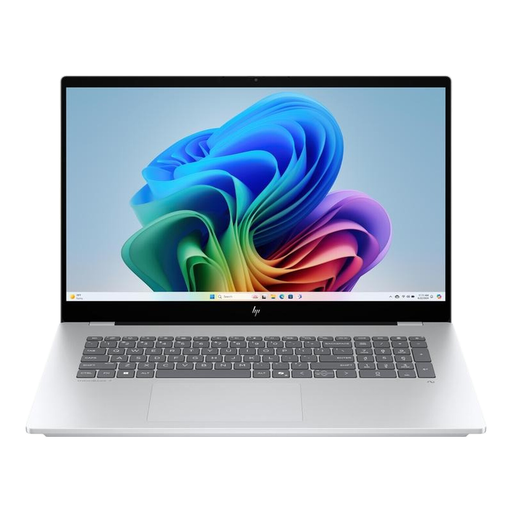
What makes it stand out: The HP OmniBook 7 is designed as a powerful mobile workstation. The combination of an Intel Core Ultra 7 processor, a dedicated NVIDIA GeForce RTX 4050 graphics card, and 32 GB RAM delivers impressive performance for demanding applications. The large 17.3-inch Full HD touch display provides an expansive workspace for multitasking and creative projects.
Advantages:
Who is it for? This model is ideal for creative professionals and technical users who need desktop-level performance in a portable format. It's an excellent choice for anyone who values a large screen for complex projects and doesn't want to compromise on graphics performance.
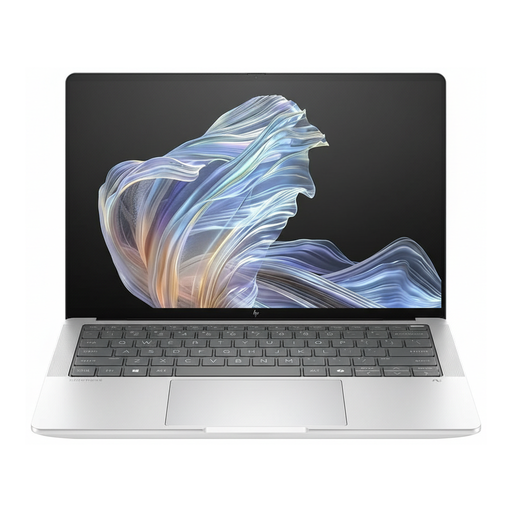
What makes it stand out: The HP EliteBook Ultra G1a combines a slim, lightweight design with the power of an Intel Core Ultra Laptop. The brilliant 14-inch OLED display with a 16:10 aspect ratio ensures vibrant colours and sharp details, making it a great choice for a business laptop with a creative focus. With 32 GB RAM and a fast 1 TB SSD, it is equipped for demanding multitasking.
Advantages:
Who is it for? This device is aimed at mobile executives and professionals looking for a prestigious, ultra-portable, yet powerful notebook. Anyone who travels frequently and values a first-class display and high security should consider this model when looking to buy a premium laptop.
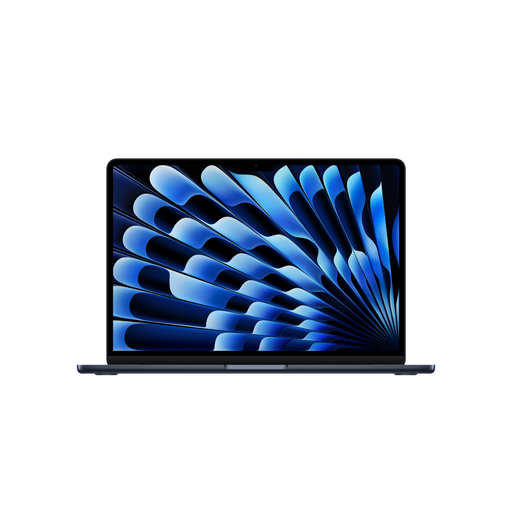
What makes it stand out: The MacBook Air M5 sets a new standard for efficiency and performance in a fanless design. The Apple M5 chip, with a 10-core CPU and 10-core GPU, offers tremendous processing power for both everyday and demanding tasks. According to Apple, the architecture allows for up to 18 hours of battery life. The 15.3-inch Liquid Retina display provides a large, colour-accurate workspace in a slim chassis.
Advantages:
Who is it for? This model is the top choice for users already invested in the Apple ecosystem. It is excellently suited for students, creatives, and professionals who are looking for an extremely portable, quiet, and long-lasting 15-inch laptop with high performance for a wide range of applications.
The models presented cover a broad spectrum, but the world of notebooks is diverse. If none of these devices exactly meet your requirements, there are numerous other configurations and models that might be suitable for your specific needs.
Explore our entire range of Traditional Laptops for more options and find the device that perfectly fits your workday.
1. What makes a notebook powerful? A powerful notebook is characterised by the combination of several high-quality components. These include a modern multi-core processor (e.g., from the Intel Core Ultra or Apple M series), sufficient RAM (at least 16 GB), fast NVMe SSD storage, and, in many cases, a dedicated graphics card for graphics-intensive applications.
2. How much RAM does a high-performance notebook need? For smooth multitasking and most professional applications, 16 GB of RAM is a solid baseline. If you regularly edit large files, such as in 4K video editing, complex simulations, or working with virtual machines, 32 GB or more is recommended to avoid bottlenecks.