Which type of storage is right for you?

People who switch between studio devices

If you copy presentations between different computers, check the connections and file system on both the source and destination devices. A suitable connector alone does not guarantee that both devices can read the files.

Teams working with large media files

For large image or video files, you’ll need enough storage space and a suitable write speed for the specific model. Manufacturer claims and benchmark results are only meaningful when they match the connection, model and type of transfer.

Teams handling confidential documents

If presentations contain confidential information, access protection needs to fit your workflow: authorised users must be able to unlock the drive and open the files on the destination device. It’s still important to keep an additional copy separately.

What should you consider when choosing?

USB flash drive

A good fit if: you usually need to hand over individual presentations or modest-sized folders without a separate cable.

Things to weigh up: connections, write speeds and file systems vary by model. A flash drive is not an independent backup if it contains your only copy.

External SSD

A good fit if: you regularly transfer large image or video files and your devices support the connection and transfer speed.

Things to weigh up: a high advertised transfer rate does not necessarily reflect how quickly your own folder will be written. Check the cable, connection and test conditions.

External HDD

A good fit if: you mainly need plenty of space for local storage or an extra copy kept separately.

Things to weigh up: the connection and file system need to work with the destination device. Also check that the presentation opens correctly.

What you need What to check before buying Who is it important to?
Connection and readability Check for USB-A or USB-C on both the source and destination devices, as well as the supported file system. Open a test file on both devices. If I switch between different studio computers, I want to open my presentation without connection or format issues. Around 29% of consumers put device compatibility first.
Space and easy handover Compare the size of the folder and the largest individual file with the available storage space. More capacity does not automatically mean faster copying. If I want to take presentations with me easily and keep the files we need together on one drive, having the right amount of storage matters most. Around 24% of consumers prioritise space and easy handover.
Write speed Compare the write speeds for the exact model and capacity, and take the devices’ USB capabilities into account. If I regularly transfer large presentation folders containing image or video files, I want to keep writing times down. Around 18% of consumers prioritise copy speed.
Confidentiality Check whether access protection is needed and whether the drive can be unlocked on the destination device. Manage access details and keep a separate copy. When handling confidential presentations in a shared studio, I want to control access without preventing authorised people from opening them. Around 18% of consumers put confidentiality first.
Additional storage Allow space for older project versions and keep important files separately as an extra copy. Check that the copy can be read. If I want to keep older presentation versions locally or have another copy available, I need space and a clear filing system. Around 11% of consumers prioritise additional local storage.

Common mistakes when buying and using storage

  • Checking only the USB connector

    A suitable connector does not automatically mean that different computers can use the drive with the same file system. Formatting erases any files already stored on it.

    Check the file system and destination device. Back up any existing data before formatting, then open a test file on each of the devices involved.

    Depending on the situation, backing up, reformatting and copying the files again can take extra time.

  • Confusing read speed with copy speed

    When transferring files to a drive, write speed is what matters. A comparison test by COMPUTER BILD found differences in the write speeds of the USB flash drives tested.

    Compare write speeds or test results for the exact model and capacity with your copying needs.

  • Using the handover drive as your only backup

    If the drive is lost or fails, the only copy stored on it could be lost too.

    Keep important presentations in a separate storage location as well, and check that the copy opens correctly.

    A separate backup requires an additional storage location.

  • Assuming encryption means unrestricted access

    Access protection only helps with confidential files if authorised users can unlock the drive on the device they need to use.

    Test unlocking the drive and opening files before use, and keep a separate backup. Encryption is not a substitute for a backup.

    Setup, managing access details and checking access all take extra time.

Brands to consider

Kingston

The DataTraveler range includes compact USB flash drives for handing over files, while IronKey is a separate range designed for encryption needs.

  • For the DataTraveler Kyson DTKN/256GB, Kingston lists USB-A, 256 GB and read speeds of up to 200 MB/s, or write speeds of up to 60 MB/s.
  • These speeds and the security features of other ranges do not automatically apply to every DataTraveler model.

Verbatim

The Keypad Secure USB-C is an option if unlocking the drive with a keypad suits your workflow.

  • For the 128 GB 49432 version, Verbatim lists AES-256 hardware encryption and a built-in keypad.
  • The USB-C connector needs to work with the destination device. Managing the code and keeping an additional copy are still part of your own file management. The security information comes from the manufacturer.

Transcend

The JetFlash 890 is designed for workflows involving USB-A and USB-C devices.

  • Transcend describes the JetFlash 890 as having both connector types.
  • The connectors alone do not guarantee compatibility with every file system or presentation device.

Intenso

The High Speed Line is a USB-A range for handing over files, provided the connection and capacity meet your needs.

  • For the 128 GB and 256 GB versions, Intenso lists write speeds of up to 100 MB/s.
  • This is a maximum speed stated by the manufacturer, not a measured speed for your own presentation folder. The similarly named Speed Line is a different product range.

Crucial

The Portable X9 is an SSD option for larger files and more frequent transfers.

  • For the 1 TB X9 CT1000X9SSD9, Crucial lists read speeds of up to 1,050 MB/s and a USB-C connection.
  • According to Crucial, speed and compatibility depend on the host device, cable and formatting. The stated read speed does not confirm a matching write speed.

Joybuy products for transferring files

The products below include USB flash drives for handing over files directly, an external SSD for repeated transfers and a portable HDD for storing larger amounts of data. The right option depends mainly on your connections, the size of your files and how you plan to use the drive.

Kingston DataTraveler Kyson 256GB USB flash drive

Kingston DataTraveler Kyson 256GB (DTKN/256GB)

For handing over individual presentations when both the source and destination devices have a compatible USB-A port.

256 GB; Kingston lists read speeds of up to 200 MB/s and write speeds of up to 60 MB/s for this version.

Joybuy

WD Elements 2TB portable external hard drive

WD Elements 2TB Portable External Hard Drive, USB-C, USB 3.2 Gen 1, 2.5", exFAT

For storing large amounts of data locally or keeping larger presentation folders, if a portable HDD suits your needs.

The product name lists 2 TB, USB-C, USB 3.2 Gen 1, 2.5 inches and exFAT. Before transferring files, check that the connection and file system work with both devices.

The description notes that the drive contains delicate mechanical components; avoid knocks and vibrations.

Joybuy
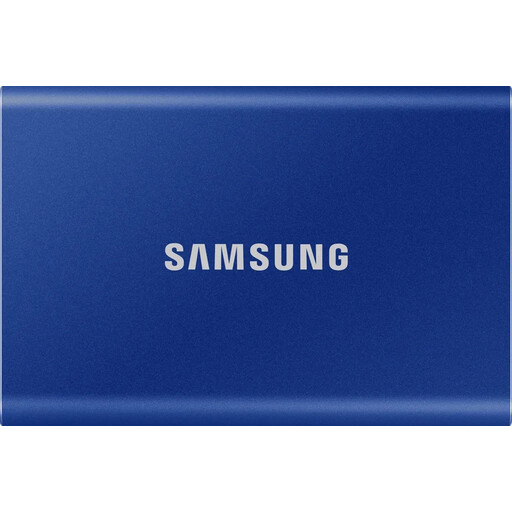
Samsung Portable SSD T7 with 1 TB

Samsung Portable SSD T7 1TB

An external SSD may be a good choice for regularly transferring larger files. Check that the connection and transfer conditions suit your studio devices.

The product name lists an external SSD with 1 TB of storage. No specific write speed is given here.

Joybuy

MOVESPEED USB flash drive with 128 GB, USB-A and USB-C

MOVESPEED YSUSP05-128GSR, 128GB, Dual USB

For switching between USB-A and USB-C devices, provided the connections suit the computers you use.

The product name lists 128 GB, USB 3.2 Gen 1 and read speeds of 570 MB/s. This stated read speed does not confirm a matching write speed.

Joybuy

Lexar D40E USB flash drive with 128 GB

Lexar D40E 128GB Dual USB 3.2 Gen 1 Type-C (LJDD40E128G-BNSNG)

For transferring files between devices, provided the flash drive’s connectors suit the computers involved.

The product name lists 128 GB and USB 3.2 Gen 1 Type-C. Check which connector types you need and test that a presentation opens on the destination device.

Joybuy

Frequently asked questions

How do I prepare a drive for use between Mac and Windows?

First, check that both devices support the connection and can read the file system. Apple recommends ExFAT for drives larger than 32 GB when using them with both Mac and Windows. Formatting erases any existing files, so back them up first. Then open a test presentation on both devices.

Can I unplug the drive as soon as the files have copied?

On Windows, Microsoft recommends safely ejecting USB flash drives and external hard drives before disconnecting them to avoid data loss. Afterwards, check that the copied presentation is readable.

Does encryption involve extra steps when using a drive?

Yes, access depends on the unlocking method. With a keypad flash drive, you’ll need to enter the code; with BitLocker To Go, you’ll need a suitable Windows edition and unlocking method. Keep access details safe and test access before a presentation.

Does data protection law require every presentation to be stored on an encrypted USB flash drive?

The official data protection information referenced here does not set a blanket requirement to use a particular product. When personal data is processed, data controllers must define appropriate technical and organisational safeguards based on the risks involved. Check the requirements of the organisation responsible; choosing a particular flash drive alone does not demonstrate GDPR compliance.

What should I check about accessories and service before buying?

Check whether your devices need a compatible cable or adapter, and read the warranty terms for the specific version. A warranty stated for one particular model does not necessarily apply to other products or brands.