
Lieferung heute & morgen

Qualitätsgarantie

Willkommens-Angebote freischalten: KOSTENLOSE Lieferung | Bis zu 80 % RABATT | Kostenlose 30-Tage-JoyPlus-Testphase
App herunterladen
Anyone looking to buy a printer needs to compare more than just the purchase price and pages-per-minute rating. Depending on how you plan to use it, running costs, paper formats, connectivity options and maintenance requirements can vary considerably. A device for printing the occasional invoice has different requirements from an office printer, photo printer or 3D printer for creating your own models.
The “pages per minute” figure mainly describes printing speed. However, it reveals little about toner or paper costs, start-up time, noise levels and actual day-to-day consumption. If you only print a few pages a week, you do not necessarily need a particularly fast device. In an office with a regular flow of documents, on the other hand, print output, paper capacity and automatic feeding may be more important.
A Wi-Fi printer can be convenient when several devices need to access it. Even so, users should check whether 2.4 GHz and 5 GHz Wi-Fi, Wi-Fi Direct, Bluetooth or mobile standards such as AirPrint and Mopria are supported. A Bluetooth printer is often suitable for smartphones, but it cannot always replace a network connection for several workstations.
A multifunction printer combines printing, copying and scanning. Whether it includes an ADF, duplex scanning, fax, Ethernet or automatic duplex printing depends on the particular model. The term “duplex” should also be read carefully: with some devices, double-sided printing is only possible manually.
A laser printer, or mono laser printer, uses toner and is particularly suitable for text documents. It produces consistent black-and-white pages with comparatively little waiting time. A colour laser printer makes sense if you regularly need colour charts, presentations or business documents.
Compact Zink photo printers are a different product category for photographs. They use special paper activated by heat. A portable printer or thermal printer often works without a conventional ink cartridge, but it does require compatible consumables. You should therefore check the paper format, refill costs and resolution before buying.
A 3D printer, in turn, requires space, filament and time for set-up and post-processing. With a 3D printer with multi-colour printing, additional colour modules and material changes are also required.
Pay attention to the recommended monthly print volume, not just the maximum duty cycle. The Pantum BM2300NW, for example, has a recommended monthly volume of 250 to 2,000 pages, while its maximum cycle is stated as 10,000 pages. This is not a recommendation for continuous use at the upper limit.
You should also check:
A compact printer does not only need to fit on the shelf. You should also allow space for the paper feed, cables and opened scanner covers. For a home office, dimensions, weight and noise level are all relevant. Measuring 396 × 297.5 × 249 millimetres and weighing 7.5 kilograms, the Pantum BM2300NW is designed for small workspaces.
With laser printers, ventilation openings must remain clear. Toner must be kept out of the hands of small children, and hot components inside the device must not be touched during or immediately after operation. With 3D printers, heated print beds, nozzles and, where applicable, a heated print chamber need to be taken into account. Adequate ventilation and keeping the device away from children and pets are essential for safe use.
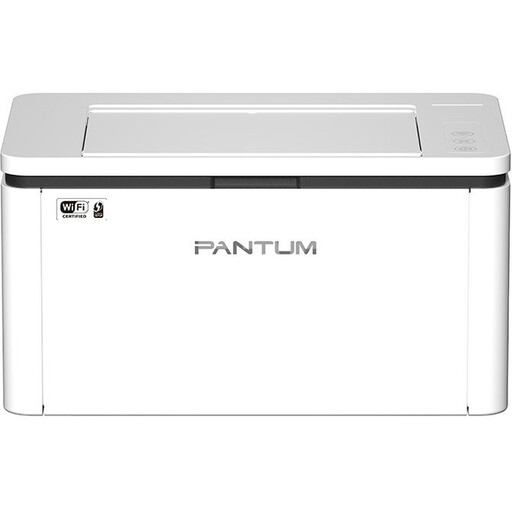
Why this product suits the profile: This mono laser printer focuses on A4 documents and takes up very little space. With speeds of up to 23 pages per minute as well as Wi-Fi, Bluetooth and USB, it is suitable for occasional printing at home or in a home office.
There is no need to pay for an unnecessary scanning or copying unit when you only need black-and-white documents. Consumables and paper format remain straightforward.
23 ppm, 150-sheet input capacity, 256 MB memory and support for AirPrint, Mopria and Wi-Fi Direct.
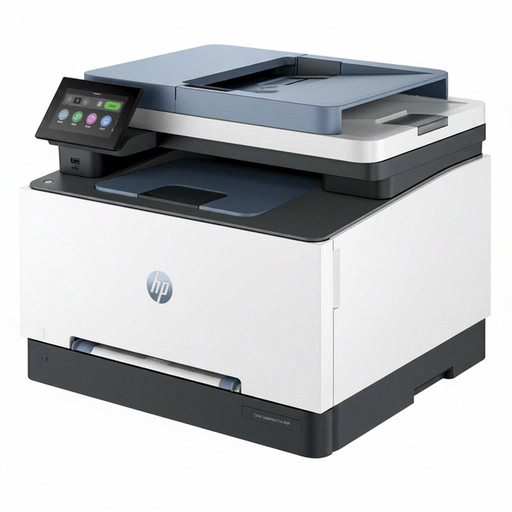
Why this product suits the profile: This colour multifunction printer combines printing, scanning and copying with automatic double-sided printing. Wi-Fi, Ethernet and USB make it suitable for use in a home office or small office.
The available connection options are clearly specified. Two paper trays and a total capacity of 350 sheets reduce the need for frequent refilling when working with different types of documents.
Up to 25 pages per minute in black and white and colour, touchscreen, flatbed scanner and integrated security features.
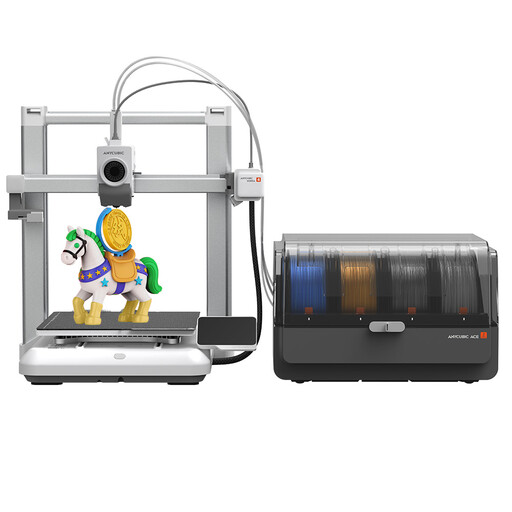
Why this product suits the profile: For makers, schools and creative projects, this FDM system offers a build volume of 260 × 260 × 260 millimetres and standard 4-colour printing, expandable to up to 8 colours.
The material and temperature limits are clearly specified. Automatic levelling, filament detection and power-loss recovery help make the set-up process more predictable.
Recommended printing speed of 300 mm/s, maximum 600 mm/s, 300 °C nozzle temperature, dual-band Wi-Fi and 720p camera.
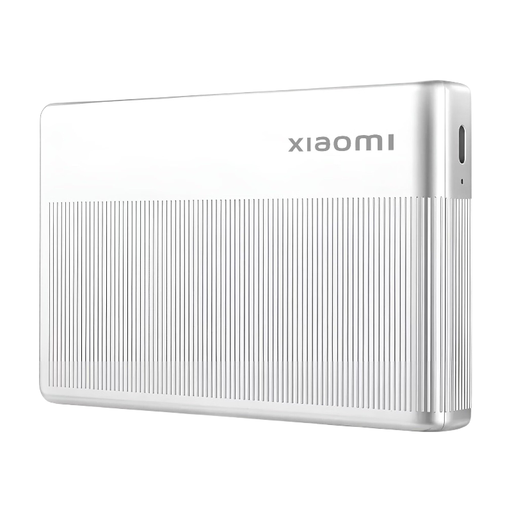
Why this product suits the profile: Weighing just 180 grams, this photo printer is designed for 50 × 76 millimetre self-adhesive Zink photos and connects to iOS or Android devices via Bluetooth.
The intended paper format is clearly defined. If you need small images rather than A4 documents, this helps you avoid buying a device with unsuitable output formats.
Zink technology without a conventional ink cartridge, Bluetooth multi-user connectivity and compact dimensions of 124 × 82 × 22 millimetres.
We have put together a complete, regularly updated list of products that fully meet these strict selection criteria and the safety regulations applicable in the EU.
For mainly black-and-white documents, a mono laser printer such as the PANTUM BP2300W is an obvious option. If you need scanning, copying or colour printing, a multifunction printer is likely to be a better fit. Print volume, consumable costs and the space available are the key considerations.
Service life depends on print volume, maintenance, paper quality and consumables. A device should be operated within its recommended monthly print volume. Regular cleaning in accordance with the manufacturer’s instructions and avoiding unsuitable media can help ensure reliable operation.
In addition to the purchase price, you need to factor in toner, ink, speciality paper, filament and electricity consumption. With a thermal printer or portable photo printer, the compatible paper is a particularly important cost factor. For regular text printing, compare the yield and price of the toner cartridge before buying.