
Lieferung heute & morgen

Qualitätsgarantie

Willkommens-Angebote freischalten: KOSTENLOSE Lieferung | Bis zu 80 % RABATT | Kostenlose 30-Tage-JoyPlus-Testphase
App herunterladen
Anyone looking to buy a printer in 2026 will find models for documents, photos, labels and mobile working. The selection ranges from compact mini printers and inkjet printers to fast laser printers with scanning and copying functions. The key factor is not the longest list of features, but the right combination of print volume, paper format, connectivity and running costs.
An inexpensive printer can cost more over time because of small cartridges, specialty paper or expensive toner cartridges. Before buying, check:
For a black-and-white printer used for invoices, worksheets and contracts, toner costs are generally more important than high color resolution. A color printer may be the better choice for occasional color documents or photos.
A Wi-Fi printer can be connected to your home network, allowing multiple devices in the household to access it. A Bluetooth printer, on the other hand, usually connects directly to a smartphone or tablet and does not necessarily require a Wi-Fi router.
Pay attention to supported standards and apps. AirPrint is designed for Apple devices, while Mopria supports many Android devices. Some models also require a manufacturer app. Check whether your operating system is supported and whether a USB port is available.
The size of the housing alone does not indicate how much space a printer actually requires. Paper trays, open scanner covers and the output area must also be taken into account. Before choosing a printer for home or office use, measure:
A laser printer uses toner and is particularly well suited to regular black-and-white document printing. According to the product specifications, the reference models Pantum BP2300W and BP2300NW achieve print speeds of up to 23 and 22 pages per minute, respectively, in A4 format.
An inkjet printer can produce both black-and-white and color documents, making it suitable for school projects, occasional photos and color graphics. According to the product description, the HP DeskJet 2920 is an all-in-one device with printing, scanning and copying functions, offering speeds of up to 7.5 pages per minute in black and white and 5.5 pages per minute in color.
An inkless mobile printer uses thermal paper. This eliminates the need for ink and toner, but means you are dependent on compatible thermal paper. This printing method is intended for notes, receipts, checklists and smaller documents—not traditional A4 color photos.
An all-in-one printer combines printing, scanning and copying. For home offices, families and small businesses, this can replace several separate devices. Check whether the scanner has a flatbed or an automatic document feeder.
With duplex printing, it is important to distinguish between automatic and manual double-sided printing. The technical specifications for the Pantum BM2300AW and BM2300NW list duplex printing as manual. This means the paper must be reinserted depending on the workflow. Anyone who regularly prints large numbers of double-sided pages should pay particular attention to this detail.
A4 covers most household and office requirements. Photos, stickers and labels use different paper formats and consumables. The pages-per-minute figure generally refers to standardized conditions. Actual speed may vary when printing in color, at high resolution, in duplex mode or with complex graphics.
The monthly duty cycle is also relevant. For the Pantum BM2300AW and BM2300NW, the specifications list a maximum duty cycle of 10,000 pages and a recommended range of 250 to 2,000 pages per month. These figures are not an invitation to operate the printer continuously at full capacity; they are intended as guidance for the device class.
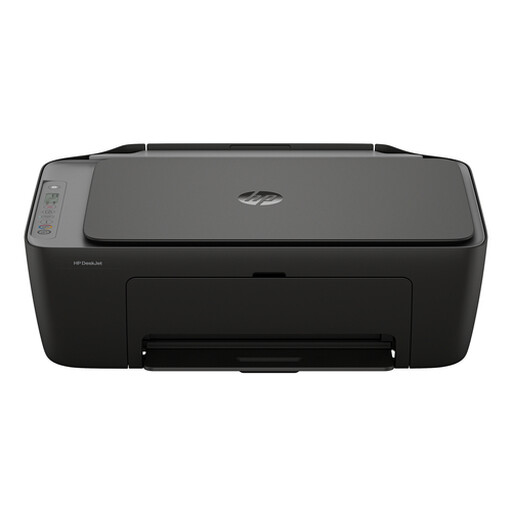
Why it is a good fit: This compact A4 all-in-one printer is designed for households, students and users with occasional printing needs. Wi-Fi enables printing from a smartphone or tablet.
Before buying, check the expected page volume, cartridge yield and the terms of Instant Ink. According to the specifications, the device is designed for up to three users and up to 100 pages per month.
Printing, scanning and copying in one device; Wi-Fi connectivity; color printing for school materials and simple creative projects.
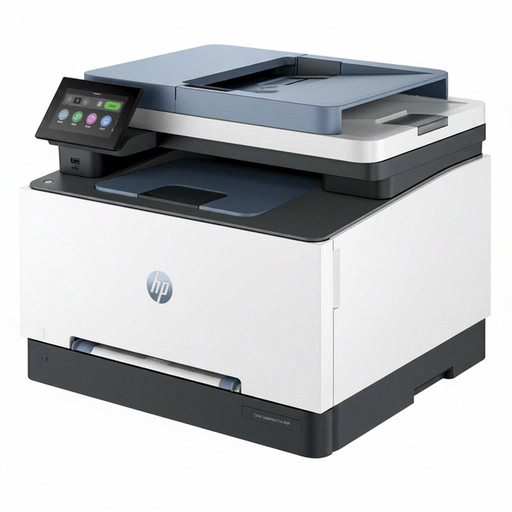
Why it is a good fit: A color laser printer with scanner and copier for home offices, small teams and color business documents.
The feature set is assessed against specific specifications: automatic double-sided printing, Wi-Fi, Ethernet, USB, touchscreen and two paper trays with a combined capacity of 350 sheets, according to the product description.
Print speeds of up to 25 pages per minute in both color and black and white, according to the manufacturer; multiple connection options and integrated scanning and copying.
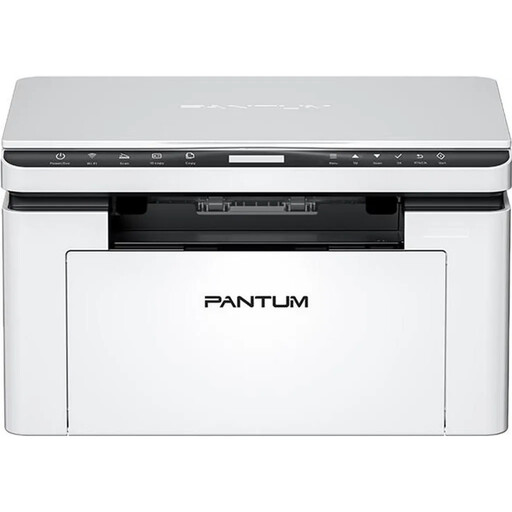
Why it is a good fit: This monochrome all-in-one printer is designed for A4 documents, copying and scanning in home offices or small businesses.
The specifications list 22 pages per minute, an input capacity of 150 sheets and a recommended monthly range of 250 to 2,000 pages. Duplex printing is manual.
Dual-band Wi-Fi at 2.4 and 5 GHz, Bluetooth and Ethernet connectivity according to the product data, plus black-and-white scanning and copying.
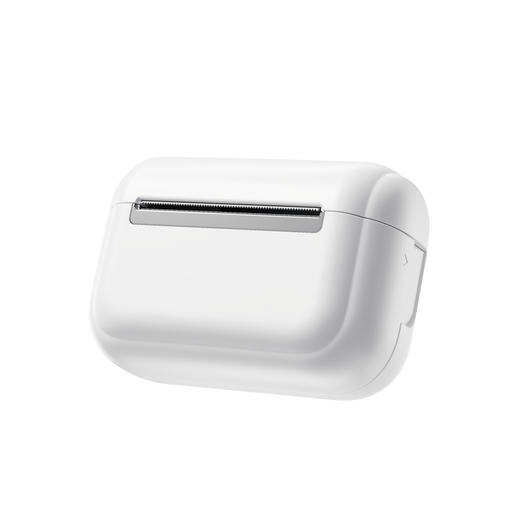
Why it is a good fit: This compact mini printer is designed for stickers, short notes and DIY projects. Its pocket-sized format is ideal for school, university and creative applications.
Before buying, be clear that a pocket sticker printer is not an A4 printer for contracts or extensive documents. It requires compatible thermal paper and the accompanying app.
Inkless printing; Bluetooth connectivity through the Phomemo app; tailored to sticker and note-taking applications.
For small instant photos, a photo printer such as the Xiaomi Portable Photo Printer 1S is a suitable choice. According to the product specifications, the device weighs 180 grams, uses ZINK technology and takes self-adhesive photo paper measuring 50 × 76 millimeters. This format is not intended for A4 documents.
A mobile printer such as the Phomemo A282U is designed for users who want to print contracts, invoices or boarding passes while on the go. According to the specifications, the model weighs 600 grams, operates without ink and can print up to 150 sheets on a single battery charge. Before ordering, check the paper format, app compatibility and battery charging options.
If you only create address labels, organizational stickers or short study notes, you do not necessarily need a full-size color printer. A label printer or mini printer may be more space-efficient for these tasks. For color presentations, photos and graphics, however, a color printer with suitable paper remains the more appropriate device class.
It depends on your print volume. For occasional color printing and scanning, a compact all-in-one inkjet printer is a practical choice. If you regularly print large numbers of black-and-white pages, consider a laser printer with Wi-Fi and sufficient paper capacity.
The two connection types serve different purposes. Wi-Fi is suitable for multiple devices in a household or office. Bluetooth is convenient for direct printing from a smartphone, particularly with mobile and photo printers. Before buying, check the supported operating systems and whether a dedicated app is required.
Do not compare the device price alone. Divide the price of an ink cartridge or toner cartridge by its stated page yield, and also factor in paper or sticker costs. Thermal printers eliminate ink costs, but they still involve ongoing expenses for specialty thermal paper.