
Lieferung heute & morgen

Qualitätsgarantie

Willkommens-Angebote freischalten: KOSTENLOSE Lieferung | Bis zu 80 % RABATT | Kostenlose 30-Tage-JoyPlus-Testphase
App herunterladen
Your printer is reporting "Ink almost empty"—a situation that often causes interruptions in home offices and small businesses. However, a quick search for replacement printer cartridges frequently leads to a confusing flood of options. Those who buy without being properly informed not only risk a poor investment but, in the worst-case scenario, may even damage their device. As your Joybuy Product Recommendation Officer, I'm here to help you navigate the typical pitfalls and make an informed decision.
Before we dive into the technical details, let's highlight the two most common problems that lead to frustration and unnecessary costs.
To avoid these mistakes, focus on three objective criteria. These will help you identify the right ink cartridge or toner cartridge for your needs.
The choice of cartridge type has a direct impact on cost, quality, and your device's warranty.
The amount of ink in a cartridge is often specified as a standard or XL version. However, the crucial factor is the page yield, which is determined according to the international standard ISO/IEC 24711 (for inkjet printers) or ISO/IEC 19752 (for monochrome laser printers).
This distinction is fundamental and is determined by your printer type.
Here are some recommendations tailored to different usage scenarios that specifically avoid the pitfalls mentioned.
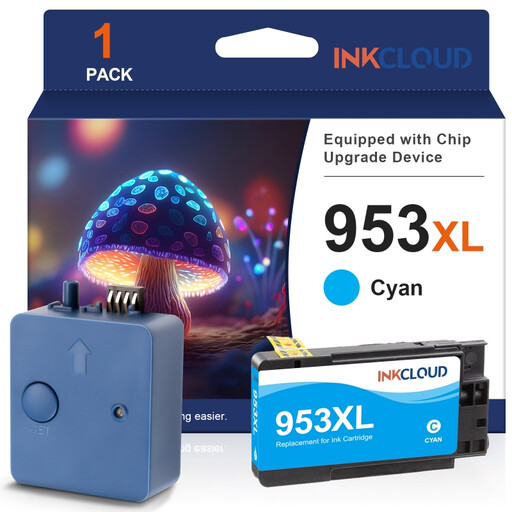
Why this model is a good fit: Ideal for users of HP Officejet Pro printers who print regularly but want to avoid the high cost of original cartridges. A pragmatic choice for documents and everyday printing.
INKCLOUD is an established manufacturer of compatible cartridges. Its integrated, advanced chip system ensures smooth detection, bypassing the "rock-bottom price trap" of no-name products that often cause error messages.
Offers a balanced price-to-performance ratio and broad compatibility with many common HP Officejet Pro models, which minimises the risk of model number mix-ups.
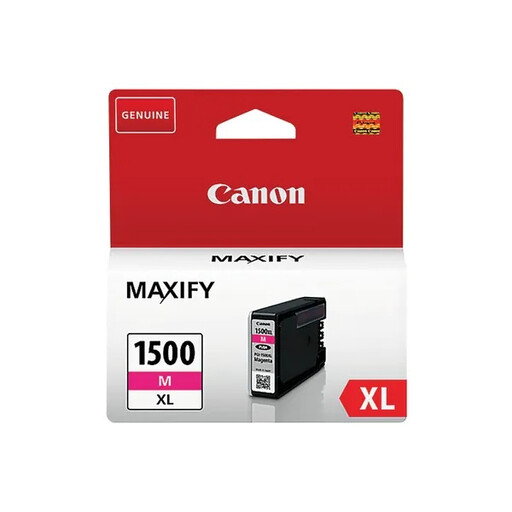
Why this model is a good fit: Perfect for users of Canon MAXIFY printers who depend on consistently high print quality for business documents, graphics, and presentations and are unwilling to compromise on reliability.
As an original (OEM) cartridge from Canon, 100% compatibility is guaranteed. This eliminates any risk of malfunctions or quality fluctuations that can occur with cheaper alternatives.
The XL capacity offers a page yield of up to 900 pages, according to the manufacturer (as per ISO/IEC 24711). This lowers the cost per page and reduces the frequency of cartridge changes.
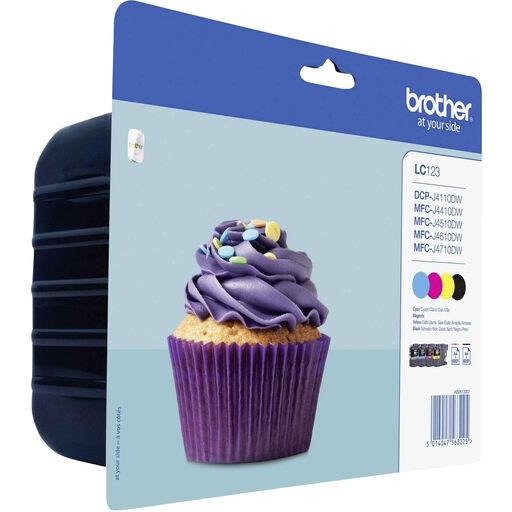
Why this model is a good fit: The most efficient solution for offices and power users with Brother printers who regularly print in both colour and black and white. This pack ensures all necessary colours are on hand, minimising downtime.
Buying an original multipack from Brother ensures that all cartridges are perfectly matched. This prevents colour inaccuracies and compatibility issues that can arise when mixing cartridges from different manufacturers.
Multipacks typically offer a price advantage over purchasing individual cartridges. This is a simple way to reduce operating costs without compromising on quality.
We have compiled a complete, up-to-date list of products that fully meet these strict selection criteria and local regulations.
1. What is the shelf life of printer cartridges? Unopened and sealed printer cartridges generally have a shelf life of about 18 to 24 months. The exact expiration date is printed on the packaging. Store the cartridges in a cool, dry place and avoid direct sunlight to maintain the quality of the ink or toner.
2. Will using compatible printer cartridges affect my printer's warranty? Within the EU, printer manufacturers cannot void the statutory warranty solely because a compatible cartridge was used. However, a manufacturer can refuse a warranty claim if it can be proven that damage to the printer was directly caused by a faulty third-party cartridge. Choosing a reputable supplier for compatible printer cartridges is therefore crucial.
3. What does the page yield according to the ISO standard mean? The ISO standard defines a standardised testing procedure where a series of test pages are printed with an average coverage of about 5% until the cartridge is empty. This value creates a comparable basis for the performance of different ink cartridges and toner cartridges. The actual yield in practice can vary depending on the printed content (e.g., full-page photos vs. text).