
Lieferung heute & morgen

Qualitätsgarantie

Willkommens-Angebote freischalten: KOSTENLOSE Lieferung | Bis zu 80 % RABATT | Kostenlose 30-Tage-JoyPlus-Testphase
App herunterladen
When your printer stops working because the ink has run out, you need a replacement fast. However, buying printer cartridges comes with several pitfalls that can lead to unnecessary costs or frustration. Common problems include incorrect cartridges that the device won't recognise or unrealistic expectations about print yield. This guide will help you make the right choice and ensure you find a suitable and cost-effective solution for your device, whether you're looking for affordable printer cartridges or original accessories.
Before you order printer cartridges online, you should be aware of two common issues that often lead to incorrect purchases.
To avoid the mistakes mentioned above, focus on the following objective criteria.
This is the most important factor. Every ink cartridge and every toner cartridge has a unique model number (e.g., HP 308, Canon PG-540). This number guarantees the physical fit and electronic compatibility. You can find this number in three places:
Your choice has a direct impact on cost and reliability.
Many cartridge series are available in a standard and an XL (high-capacity) version. The XL cartridges contain more ink or toner and have a higher initial price. However, for users who print regularly, the cost per printed page is significantly lower with XL cartridges, making them the more economical choice in the long run.
Here are some recommendations tailored to different user profiles.

Why it's a good fit: Ideal for users of older Canon printers who only occasionally print documents, homework, or tickets. The focus is on maximum cost savings for everyday black-and-white printing.
As a remanufactured original cartridge, the physical fit is guaranteed. The XL size also offers a higher page yield, counteracting the problem of low ink volume.
Significant cost reduction compared to the OEM cartridge, with sufficient quality for standard document printing. Also reduces plastic waste.
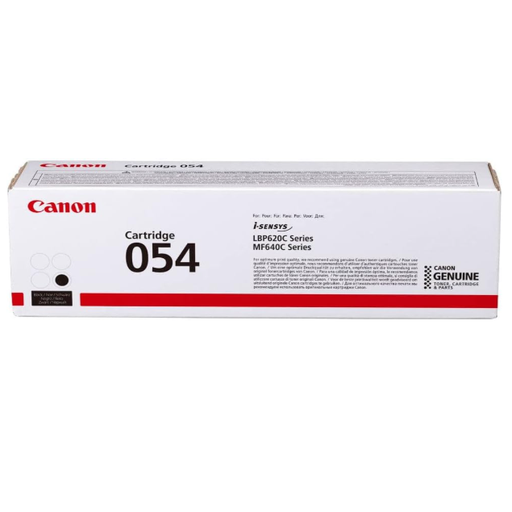
Why it's a good fit: For users of laser printers in an office or home office where reliability and a consistently clean print for invoices and documents are a priority. Downtime due to incompatible cartridges is not an option here.
As an original toner cartridge from Canon, compatibility is 100% guaranteed. The risk of printer error messages or damage to the device is eliminated.
Guarantees consistent print quality and protects the printer's mechanics. The page yield of up to 1,500 pages is designed for a moderate print volume.
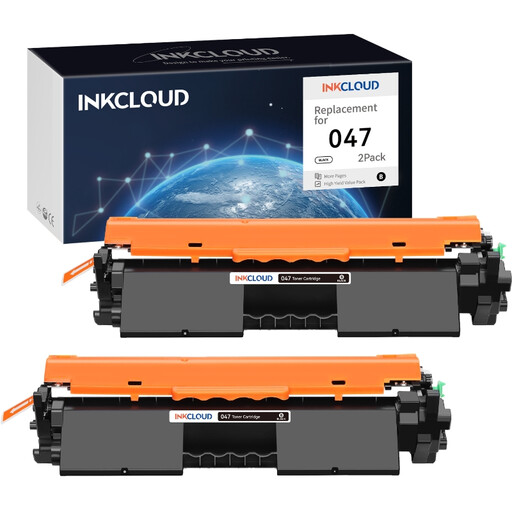
Why it's a good fit: Perfect for small businesses or power users with a high print volume where cost per page is the deciding factor. Buying a twin pack maximises savings.
This compatible toner directly addresses the cost factor. By purchasing a twin pack, the cost per page is drastically reduced, along with the need for frequent reordering.
Extremely low cost per page. The quality is designed for internal office use and high-volume document printing.
We've compiled a complete, up-to-date list of products that fully meet these strict selection criteria and UK regulations.
The most reliable method is to remove the empty cartridge from the printer and read the number printed on it. Alternatively, you can find this information on a sticker inside the printer or in the user manual. Searching only by the printer model can lead to errors, as manufacturers sometimes use different cartridges for the same model series.
Reputable manufacturers of compatible cartridges design their products so that they do not damage the printer's mechanics. The main risk is not physical damage, but that the printer will not recognise the cartridge due to manufacturer firmware locks. This results in an error message, not a defect. Using original (OEM) cartridges eliminates this risk.
Store ink cartridges and toner cartridges in their sealed original packaging until use. Keep them in a cool, dry place away from direct sunlight. Ink cartridges should generally be stored upright to prevent the printhead from leaking or drying out. Toner should be stored horizontally to prevent the powder from settling on one side.