
Lieferung heute & morgen

Qualitätsgarantie

Willkommens-Angebote freischalten: KOSTENLOSE Lieferung | Bis zu 80 % RABATT | Kostenlose 30-Tage-JoyPlus-Testphase
App herunterladen
Finding the right printer cartridges may seem straightforward at first: choose the printer brand, select a colour and place your order. In practice, however, small differences in model number, cartridge type or page yield can quickly lead to unnecessary expense. The problems most often come down to three points:
Whether you are looking for original printer cartridges, compatible printer cartridges, XL or XXL versions, your choice should be based on your actual printing volume and the specific printer model.
The printer brand alone is not enough. There are numerous cartridge families for Canon printer cartridges, HP printer cartridges, Epson printer cartridges and Brother printer cartridges, some with very similar names.
Check the following before buying:
A magenta printer cartridge with the correct series number cannot be replaced by a similar-looking cartridge from another series. The same applies to laser printers and a magenta toner cartridge.
Depending on the product, XL printer cartridges and XXL printer cartridges contain more ink than standard versions. This can reduce the number of cartridge changes, but it is not automatically worthwhile for every household.
As a guide:
Pay attention to the stated page yield. For example, the Brother LC-223M is specified as having a yield of up to 550 pages according to ISO/IEC 24711. The Canon PGI-1500XL Magenta offers 900 pages according to ISO/IEC 24711. Such figures are easier to compare than general claims such as ‘extra high yield’.
Original printer cartridges are made by the printer manufacturer and tailored to specific device families. They can be an obvious choice when manufacturer approvals, defined ink formulations or the use of specific printer functions are important to you.
Compatible printer cartridges are made by other suppliers for specific printer models. You should pay particular attention to the following information:
The term ‘compatible’ does not mean that every cartridge will work with every firmware version. Following a printer update, the cartridge may occasionally need to be recognised again or trigger an error message. For this reason, check the product description carefully before buying.
With inkjet printers, the colours are usually available separately. This is practical because you only need to replace the colour that has run out. For colour printing, you will typically need a cyan printer cartridge, a magenta printer cartridge and a yellow printer cartridge, as well as a black ink cartridge.
A multipack containing black and colour cartridges can be suitable for people who print regularly. Individual cartridges, on the other hand, make sense if one particular colour is used especially frequently. Depending on the model, photo printers may also use additional colours such as red or matte black. For example, the Canon PGI-72 pack contains five tanks with Matte Black, Cyan, Magenta, Yellow and Red and is intended for specific PIXMA-PRO models.
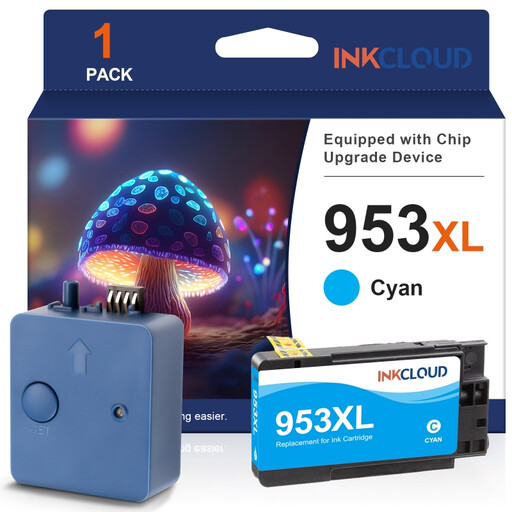
Why this product suits this profile: This compatible single cartridge is aimed at users who want to replace one specific colour and keep the initial cost under control. According to the product information, it is intended for numerous HP OfficeJet Pro models in the 953 series.
The product page lists specific compatible printer models and a chip system. Even so, compare this list with your device’s exact model designation.
XL version supplied as a single cartridge; replace colours separately without buying a complete colour pack.
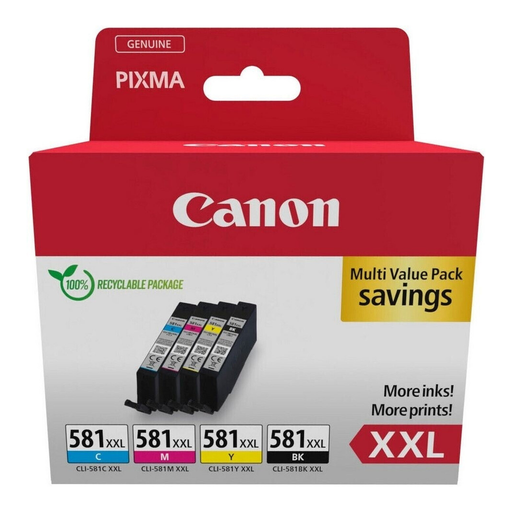
Why this product suits this profile: This original multipack contains black, cyan, magenta and yellow and is intended for a long list of Canon PIXMA models, including the TR7550, TS6150 and TS8350.
The cartridges are clearly identified as original Canon products, while the XXL size and included colours are specified. The model list remains the deciding factor before ordering.
Original product; four separate XXL cartridges for colour and document printing.
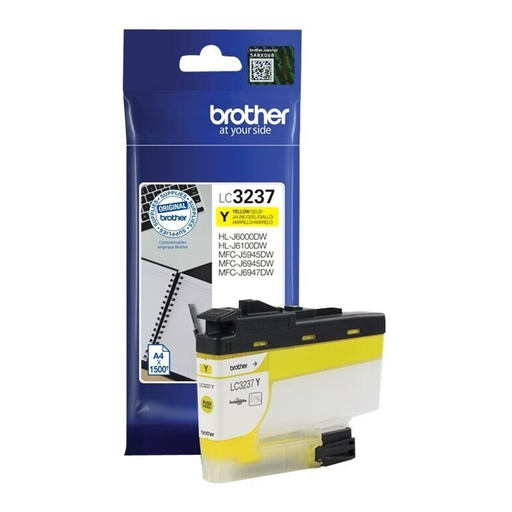
Why this product suits this profile: This original cartridge is aimed at users of specific Brother MFC and HL devices with regular colour printing needs. According to the product information, it offers a yield of up to 1,500 pages according to ISO/IEC 24711.
The specific model compatibility and standardised page yield help you assess capacity based on more than just the term ‘High Yield’.
Original product; stated XL yield for specific Brother printers.
We have put together a complete, regularly updated list of products that fully meet these strict selection criteria and the safety regulations applicable in the EU.
Laser printers do not require ink, but toner. A magenta toner cartridge is intended for colour laser printers and must not be confused with a magenta cartridge for inkjet printers. Here too, check the exact cartridge series. Compatible toner can be an appealing option for office documents, while ink cartridges are often used for photos or smaller colour printers.
Store unopened cartridges in a dry, cool place away from direct sunlight. Only remove protective films immediately before fitting the cartridge, and do not touch the contacts or nozzles. Dispose of empty cartridges in accordance with local recycling requirements; they should not be placed in general household waste.
Read the cartridge number directly from the cartridge currently in use or from the printer manual. Then compare the complete model list on the product page. The brand and colour alone are not enough.
Not necessarily. Compare the price per stated ISO page, fill volume and actual consumption. If you print frequently, XL or XXL can reduce the number of orders you need to place. For occasional use, a standard cartridge may be sufficient.
Shelf life depends on the manufacturer, storage conditions and the state of the packaging. Take note of the printed expiry date, where available. Unopened cartridges should be stored in a dry place at moderate temperatures. Cartridges that have been installed can dry out if the printer is not used for long periods; whether you should run an occasional nozzle check depends on the instructions for your particular printer.