
Lieferung heute & morgen

Qualitätsgarantie

Willkommens-Angebote freischalten: KOSTENLOSE Lieferung | Bis zu 80 % RABATT | Kostenlose 30-Tage-JoyPlus-Testphase
App herunterladen
Finding the right printer cartridges may seem straightforward at first: enter the model number, choose the colour and place your order. In practice, however, even minor differences can quickly lead to unnecessary costs. A cartridge may look as though it fits, but still go unrecognised because of a different series number, firmware or printing technology.
The most common buying mistakes usually come down to three points:
First check the printer’s model designation, then verify the exact reference of the cartridge you need. A Canon PIXMA, for example, may require a PG-540, CLI-551, CLI-581 or PGI-72. These designations are not interchangeable, even when they come from the same manufacturer.
The same principle applies to HP series such as 912XL or 953XL. Also check whether the seller is offering an individual product or a multipack. An offer labelled “953”, for example, may refer only to Magenta, while a set contains all four colours.
Ink cartridges are designed for inkjet printers. They contain liquid printer ink, usually in black or the colours Cyan, Magenta and Yellow. With many devices, the colour cartridges can be replaced individually. This avoids replacing colours that still contain ink.
Toner cartridges are used in laser printers. Toner is a fine powder and is particularly suitable for frequent document printing. Colour laser printers also use Cyan, Magenta, Yellow and Black. A toner cartridge such as the Inkcloud 117A Magenta is therefore not suitable for an inkjet printer.
Also pay attention to the colour. A black printer cartridge cannot replace a colour cartridge. Specialist systems may use additional colours such as Photo Blue, Red, White or Gloss.
The page yield is often stated according to ISO/IEC standards. However, it is based on a defined coverage level and cannot be transferred directly to every printing habit. Photos, colour graphics and borderless prints usually use more ink than simple text pages.
For this reason, compare:
Compatible printer cartridges and remanufactured replacement cartridges can be a cost-effective option. With original cartridges, on the other hand, you get a clearly defined manufacturer match. The right choice depends on your print volume, the colour quality you want and how important the manufacturer’s warranty is to you.
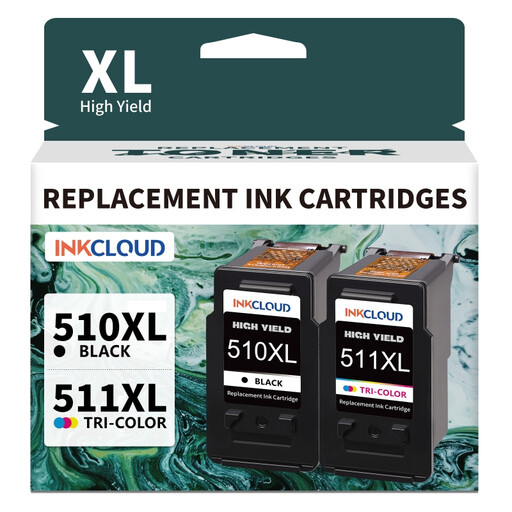
Why this product suits this profile: According to the product information, the set contains a high-capacity black cartridge and a colour cartridge for selected Canon PIXMA MP495, iP2700 and MX410 models.
The specific compatibility list limits its use. This lets you check before buying whether your Canon model is actually listed.
Remanufactured design; combination of a black cartridge and a colour cartridge in one pack.
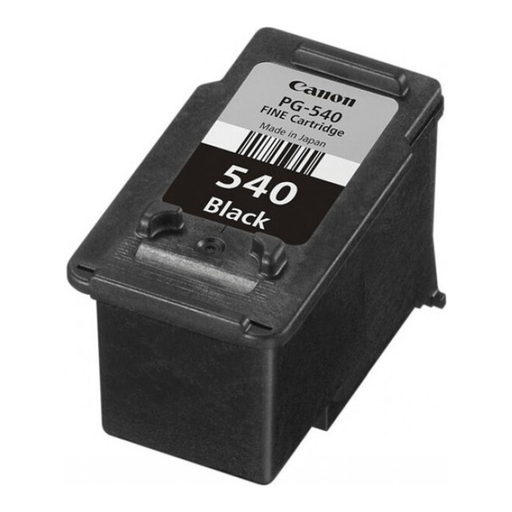
Why this product suits this profile: The original Canon cartridge is designed for specific PIXMA MG, MX and TS series. According to the product data, it contains 8 ml of ink and yields around 180 pages according to ISO specifications.
The PG-540 model reference and the indication that it is an original product make it easier to distinguish from similarly named CLI or PGI cartridges.
Original Canon product; black ink for documents; clearly defined model compatibility.
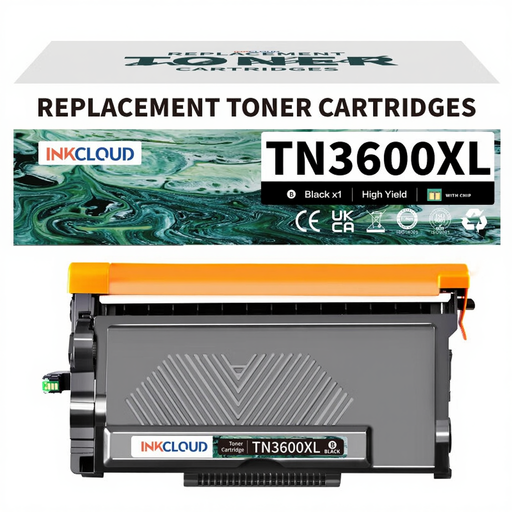
Why this product suits this profile: According to the product description, this XL toner cartridge is designed for the Brother L5210DN, L5710DW, L5710DN and L6710D and is intended for regular black-and-white printing.
The integrated chip and specific list of compatible Brother models help you avoid buying toner for an incompatible device.
XL format; black toner; chip for printer recognition according to the product information.
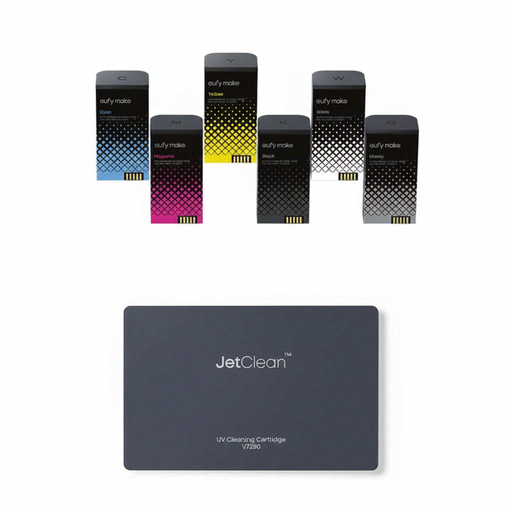
Why this product suits this profile: The set is designed exclusively for the eufyMake E1 UV printer and contains CMYK, White, Gloss and a cleaning cartridge.
Its exclusive device compatibility prevents it from being confused with conventional printer ink for office or photo printers.
Six colours totalling 600 ml, plus a 380-ml cleaning cartridge according to the product data.
Original cartridges such as Canon CLI-36, Canon CLI-581 PB, Epson 603XL Cyan or Brother LC-3237Y are offered by the respective manufacturer for specific devices. The Epson 603XL Cyan, for example, has a stated page yield of 350 pages, while the Brother LC-3237Y is specified as yielding up to 1,500 pages according to ISO 24711. These figures should always be treated as the manufacturer’s stated values.
Compatible printer cartridges can reduce ongoing costs if you print regularly. Pay attention to:
For important business documents or colour-critical applications, an original cartridge may be a sensible choice because of its clear manufacturer compatibility. For study materials, invoices and everyday prints, however, affordable printer cartridges or replacement cartridges are often suitable, provided the technical specifications match.
Ink and toner should be stored in a dry, cool place away from direct sunlight. Only remove protective films immediately before installation, and avoid touching the contacts on cartridges with a chip wherever possible.
Empty cartridges should not automatically be placed in household waste. Where available, use the manufacturer’s recycling programmes or find out about local collection points. UV ink is subject to additional safety requirements: according to the product data, the eufyMake set carries several hazard warnings and is intended exclusively for trained adults using suitable protective equipment.
We have put together a complete, regularly updated list of products that fully meet these strict selection criteria and the safety regulations applicable in the EU.
Make a note of your printer’s full model number and compare it with the product’s compatibility list. The cartridge series, colour and format, such as standard or XL, must also match.
This depends on the page yield, print coverage, cleaning cycles and storage conditions. The stated page number is a comparison value based on specified conditions. Frequent photo printing can significantly reduce the yield.
The unit price is often lower. For a fair comparison, however, you should compare the price per stated page, the amount of ink included and any additional costs. With printer cartridges that contain a chip, recognised compatibility with the specific printer model is also crucial.