
Lieferung heute & morgen

Qualitätsgarantie

Willkommens-Angebote freischalten: KOSTENLOSE Lieferung | Bis zu 80 % RABATT | Kostenlose 30-Tage-JoyPlus-Testphase
App herunterladen
When the "Ink Almost Empty" message appears on your screen, a daunting search often begins. The market for printer cartridges is vast, and choosing between original products, compatible alternatives, and remanufactured cartridges can be confusing. A poor decision not only leads to subpar print results but can also cause unexpectedly high costs. This guide will help you navigate the common pitfalls and find the right cartridge for your needs.
Many users focus solely on the upfront price, overlooking crucial factors that can lead to long-term problems. Pay attention to these three points to make an informed decision.
To find the right ink cartridge or toner cartridge, three technical specifications are of central importance. Checking these points ensures you get a product that works reliably and meets your requirements.
Modern printers use chips on the cartridges to monitor ink levels and verify compatibility. Printer manufacturers regularly update their device firmware, which can cause older compatible cartridges to suddenly stop being recognised.
Most manufacturers offer their cartridges in two sizes: Standard and XL (High Yield).
These two terms describe fundamentally different technologies and are not interchangeable.
Choosing the right cartridge depends heavily on individual usage patterns. Here are some recommendations tailored to typical user profiles.
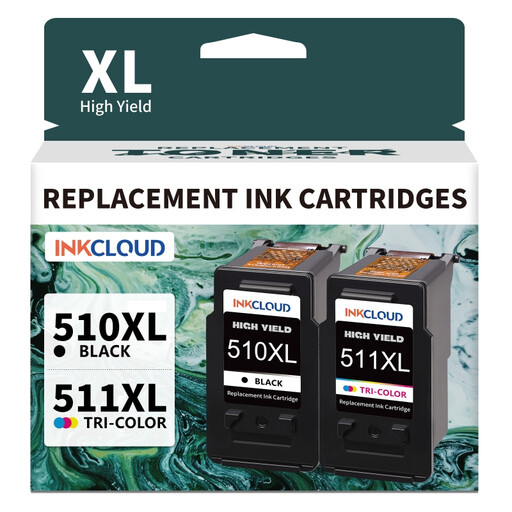
Why this product is a great fit: Perfect for occasionally printing documents, homework, or online tickets. This set offers a cost-effective solution for common Canon printers without compromising on fundamental reliability.
As a remanufactured cartridge based on an original casing, it offers greater reliability than no-name new builds, thus avoiding the trap of useless, ultra-cheap products.
The XL capacity of the black cartridge ensures a high page yield, lowering the cost per page. Reusing original parts also makes it a more resource-friendly choice.
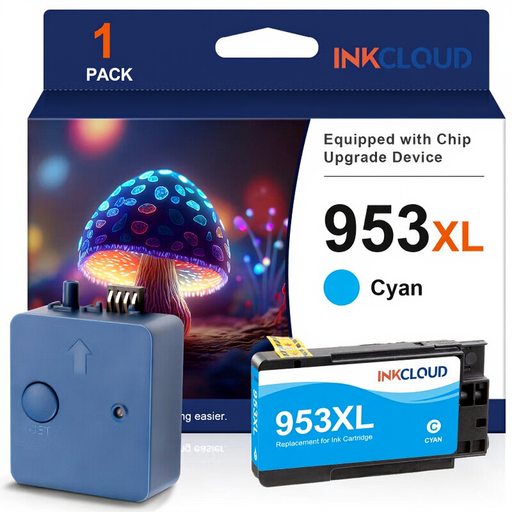
Why this product is a great fit: For home office users who print regularly and depend on smooth operation. This set is designed for popular HP OfficeJet Pro printers and offers a high capacity for large print volumes.
The explicit mention of an advanced chip system addresses the problem of incompatibility after firmware updates—a common source of failure in cheap compatible cartridges.
The high XL page yield (up to 2,000 pages in black, according to the manufacturer) reduces the frequency of cartridge changes and lowers operating costs for high-volume printing.
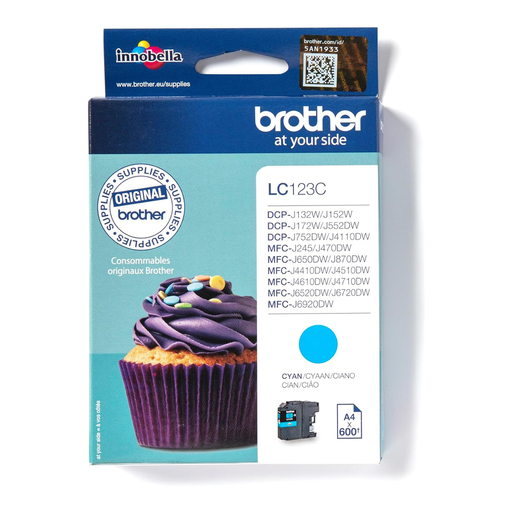
Why this product is a great fit: For users who value maximum reliability, guaranteed compatibility, and maintaining their manufacturer's warranty. Ideal for printing important documents or photos where colour accuracy is critical.
As an original manufacturer (OEM) product, it eliminates all risks related to compatibility or potential printer damage that can occur with low-quality alternatives.
Guarantees optimal calibration with the printer for consistent, high-quality results. According to Brother, PTS certification (for document permanence) is only assured when using original supplies.
If you're looking for other cartridges for your specific printer model, feel free to browse our full collection. You'll find a wide selection to help you find the perfect solution for your needs.
1. Will I void my printer's warranty by using compatible ink cartridges? As a general rule, using third-party cartridges does not void your printer's statutory warranty. However, if a defect is proven to be caused by a faulty compatible cartridge, the printer manufacturer may refuse to cover the repair costs. Reputable manufacturers of compatible cartridges often offer their own warranty that covers potential damage to the printer.
2. How do I store printer cartridges correctly? Until you're ready to use them, store printer cartridges in their sealed original packaging. A cool, dry, and dark place is ideal. Do not expose the cartridges to direct sunlight or extreme temperatures. Ink cartridges should be stored upright or in the position recommended by the manufacturer to prevent leaks or the printhead from drying out.
3. Why doesn't my printer recognise the new cartridge? This is a common issue, especially with compatible cartridges. Possible causes include: