
Lieferung heute & morgen

Qualitätsgarantie

Willkommens-Angebote freischalten: KOSTENLOSE Lieferung | Bis zu 80 % RABATT | Kostenlose 30-Tage-JoyPlus-Testphase
App herunterladen
Your printer is reporting "Ink almost empty"—a situation everyone knows. However, the subsequent search for the right printer cartridges can quickly become overwhelming. Between original products, compatible alternatives, and various fill levels, several pitfalls can lead to unnecessary expenses or poor print results. Before you make a decision, it's helpful to know the most common sources of error.
Two common problems often lead to frustration and extra costs:
This guide will help you navigate these pitfalls and find the right ink for your printer that meets your needs and budget.
To make an informed decision, three core parameters are crucial. Checking them takes only a few minutes and will protect you from making the wrong purchase.
The most important step is to identify the correct cartridge number. Every printer is designed for a specific series of ink cartridges. Using the wrong cartridge can, at best, lead to an error message and, at worst, damage the print head.
How to find the correct number:
Be careful not to confuse the cartridge number with the printer model number. For example, a printer like the "Canon PIXMA TS6150" uses cartridges from the "PGI-580" and "CLI-581" series.
The choice between original cartridges from the printer manufacturer (OEM – Original Equipment Manufacturer) and compatible printer cartridges from third-party suppliers is a fundamental decision.
The page yield indicates how many pages a cartridge can print under standardised conditions (usually according to ISO/IEC 24711 at 5% page coverage). There are significant differences here.
Based on these criteria, we have compiled some options for typical user profiles.
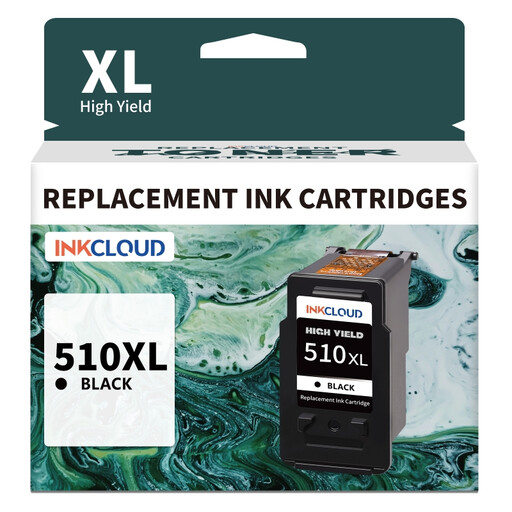
Why it's a great fit: Ideal for students, families, and home offices where the main output is text documents, homework, or simple graphics. The clear focus here is on low running costs.
This remanufactured XL cartridge bypasses the cost-per-page trap by offering a high fill volume at a fraction of the price of an original cartridge.
Significantly lowers printing costs for everyday tasks. Reusing cartridge shells also reduces plastic waste.
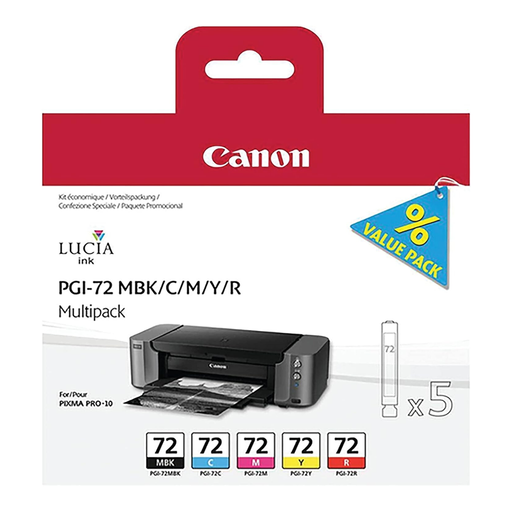
Why it's a great fit: For ambitious amateur photographers and professional users with a printer like the Canon PIXMA PRO-10S. Here, maximum colour fidelity, detail accuracy, and print longevity are non-negotiable.
Sidesteps the compatibility and quality trap. The original LUCIA pigment ink is precisely matched to the printer's head and colour management, which is not guaranteed with alternative products.
Superb print quality with precise colours and deep blacks. The multipack ensures consistent performance across all colour channels.
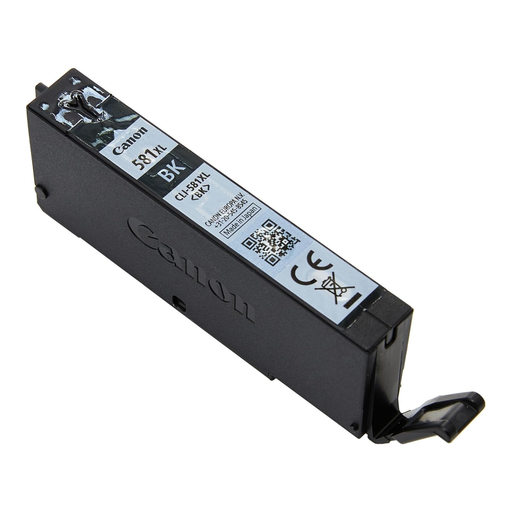
Why it's a great fit: Perfect for the home office or small businesses with a high volume of document printing. Its reliability and high yield minimise interruptions and keep operating costs under control.
The XL capacity directly addresses the cost-per-page trap. According to Canon, it offers a significantly higher page yield compared to the standard size, which noticeably reduces the cost per page.
High page yield (up to 501 pages according to the manufacturer) and guaranteed compatibility for smooth operation in a busy office environment.
We have compiled a comprehensive, up-to-date list of products that fully meet these strict selection criteria and local regulations.
The surest way is to read the designation directly from the old cartridge you are replacing. Alternatively, you can find a list of compatible cartridges in your printer's manual or on the manufacturer's website. Always look for the cartridge number (e.g., "HP 305"), not just the printer model.
In the EU and UK, a printer manufacturer's statutory warranty cannot be denied solely because you used compatible or remanufactured cartridges. The manufacturer would have to prove that the damage to the printer was directly caused by the third-party cartridge. Nevertheless, disputes can arise with warranty claims. However, many suppliers of quality alternative cartridges offer their own warranty on their products and sometimes even on the printer itself.
Always store ink cartridges in their original, sealed packaging in a cool, dry place away from direct sunlight. Storing them upright or flat according to the packaging instructions is ideal. Opened cartridges should remain in the printer if possible, as the printer helps protect them from drying out. If you don't use the printer for an extended period, print a test page about once a week to keep the nozzles clear.