
Lieferung heute & morgen

Qualitätsgarantie

Willkommens-Angebote freischalten: KOSTENLOSE Lieferung | Bis zu 80 % RABATT | Kostenlose 30-Tage-JoyPlus-Testphase
App herunterladen
Your printer is reporting low ink—a situation that often occurs right when you need to print important documents. A quick search for replacements leads you into a market flooded with options, from original cartridges to seemingly cheap alternatives. But buying printer cartridges is fraught with pitfalls that can lead not only to a bad investment but also to problems with your device.
This guide will help you make the right choice. We'll highlight the most common sources of error and explain the key parameters, so you can make an informed decision that meets your needs.
Author: Joybuy Product Recommendation Officer
Date: August 28, 2026
A hasty decision can quickly become expensive. Watch out for these three common problems to avoid unnecessary costs and hassle.
To find the right cartridge, three technical features are crucial. Checking these points before you buy ensures functionality and optimal value for money.
The choice of cartridge type directly impacts price, quality, and warranty coverage.
This is the most critical step. Every printer requires a specific cartridge series. You can find the correct number in several places:
Use only this number for your search to completely rule out incorrect purchases.
Manufacturers often offer their cartridges in two sizes: Standard and XL (or High Yield).
Based on the criteria mentioned, we have compiled a selection of products for typical user profiles.
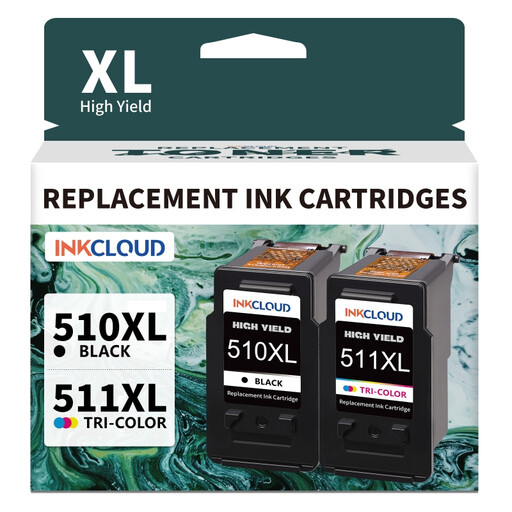
Why This Fits Their Persona: Ideal for students or families who occasionally print documents, homework, or tickets. This set offers a cost-effective solution for handling both black-and-white and colour prints without breaking the budget.
As a remanufactured cartridge from an established supplier, it reduces the risk of incompatibility. The XL fill volume for the black cartridge directly addresses the low upfront cost fallacy by providing a higher page yield.
Significant cost savings compared to buying two individual original cartridges. A more eco-friendly option due to the reuse of original casings.
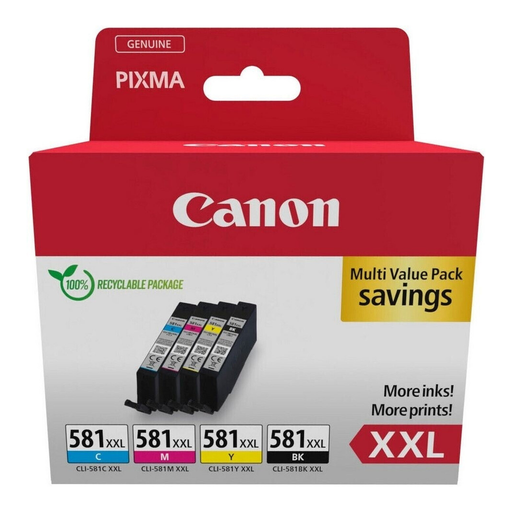
Why This Fits Their Persona: For home office users who regularly print high-quality documents, presentations, and photos. Reliability and colour accuracy are crucial here to ensure a professional appearance.
As an original Canon product, this set eliminates compatibility and quality issues. The XXL capacity ensures a very high page yield and minimises the cost per page, maximising economy.
Guarantees optimal performance and print quality. Buying the 4-pack is often cheaper than purchasing individual cartridges and ensures all colours are in stock.
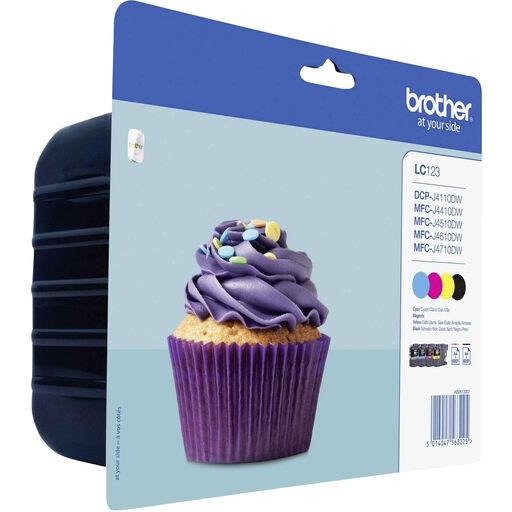
Why This Fits Their Persona: For small businesses or offices where invoices, reports, and other business documents are printed daily. Operational reliability and predictable costs are of central importance here.
This original multipack from Brother eliminates any risk of incompatibility or poor print quality, preventing business downtime. Purchasing the value pack optimises the cost per page.
Ensures smooth operation and protects the printer's longevity. Stocking a complete set of colours simplifies inventory management and the replacement process.
We have compiled a complete, up-to-date list of products that fully meet these strict selection criteria and relevant standards.
Unopened original cartridges in their sealed packaging generally have a shelf life of 18 to 24 months. The exact expiration date is printed on the packaging. Once opened, it is recommended to use the cartridge within six months to prevent the ink from drying out and to avoid a decline in print quality. Store cartridges in a cool, dry place away from direct sunlight.
Reputable manufacturers of compatible cartridges equip them with up-to-date chips so they are recognised by the printer. Occasionally, printer manufacturers may release firmware updates that make it harder to recognise third-party cartridges. In some cases, the printer may display a warning message, which can usually be acknowledged and ignored. Buying from a trusted retailer minimises this risk.
The main difference lies in the ink volume. XL Printer Cartridges contain significantly more ink than standard cartridges, despite having the same external dimensions. This results in a higher page yield. Although the purchase price for an XL cartridge is higher, the cost per printed page is typically much lower. For anyone who prints regularly, the XL version is therefore almost always the more economical choice.