
Lieferung heute & morgen

Qualitätsgarantie

Willkommens-Angebote freischalten: KOSTENLOSE Lieferung | Bis zu 80 % RABATT | Kostenlose 30-Tage-JoyPlus-Testphase
App herunterladen
Whether you work from home, print at home or run a small office, you usually need to find a replacement quickly when your printer cartridge runs out. The choice may seem straightforward at first, but model numbers, colour options, page yields and chip versions can make buying confusing. If you only look for the lowest price, you risk buying the wrong product, choosing an incompatible cartridge or facing unexpectedly high costs per page.
This guide explains what to look for when buying printer ink cartridges and toner cartridges, and which product types suit different printing needs.
A cartridge for an HP printer will not automatically fit every model from the same brand. Different cartridge numbers may also be used within the same series. Before buying, check:
A designation such as HP 953XL is not interchangeable with every HP cartridge. The same applies to Canon, Epson and Brother printer cartridges.
XL printer cartridges usually contain more ink or toner than standard versions. This can reduce the cost per page, but the stated page yield is what really matters. Do not just compare the pack price. Where possible, compare:
Price ÷ stated page yield = approximate cost per page
Page yield also depends on coverage. A document with large areas of colour uses more material than text with low black coverage.
Compatible printer cartridges are an attractive, cost-effective alternative to original printer cartridges for many homes and offices. However, they must match the printer model exactly. With ink cartridges, recognition, ink-level monitoring and print-head cleaning may also be relevant.
For toner cartridges used in laser printers, check whether the product is a toner cartridge, a drum unit or a combined system. These components are not designed in the same way for every printer.
Do not rely solely on the brand name. A suitable product page should list specific models, such as HP OfficeJet Pro 7720, 7730 or 8740. For Canon cartridges, details such as PIXMA MG3650 or TR150 are useful. Epson and Brother printer cartridges should also be checked against the model number.
If you are unsure, you can often find the cartridge number:
Colour printers often use cyan, magenta, yellow and black separately. So do not simply buy “colour cartridges”; check the exact colour:
A printer cartridge multipack can be useful if several colours are likely to run out soon. For devices that are used infrequently, individual cartridges are often better, as you only replace the colour you need.
Many modern compatible cartridges are supplied with a chip. This may be important for recognition by the printer and for displaying the ink or toner level. Look for specific details such as “with chip” or “Advanced Chip System”, without interpreting this as a general guarantee of compatibility with every firmware update.
For laser printer toner, you should also check the stated page yield, colour and contents. A single cyan toner cartridge is not the same as a complete colour set.
The following recommendations are based on specific model lists, colour options, page-yield information and the intended use of each product.
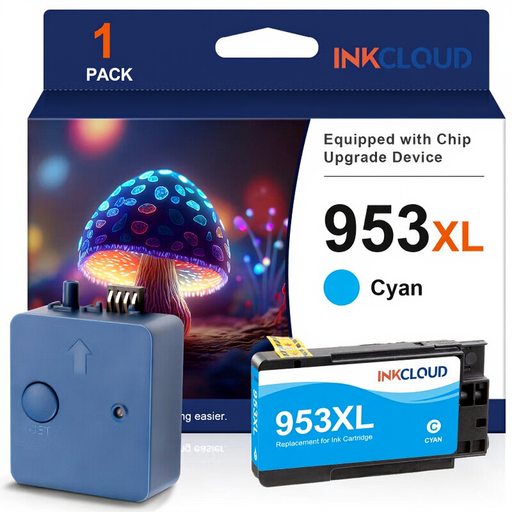
Why this product suits the profile: The multipack contains black, cyan, magenta and yellow, and is designed for users of compatible HP OfficeJet Pro models who print in colour regularly.
The product details list numerous compatible HP models and a chip. You should still check your own model number before buying.
Four colours in one set; XL version with stated yields of up to 2,000 pages for black and 1,600 pages per colour.
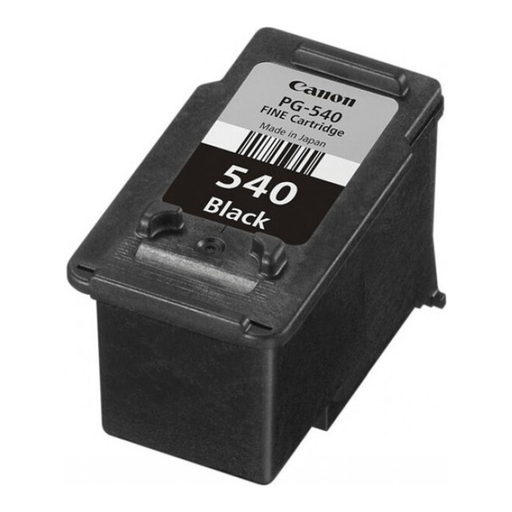
Why this product suits the profile: This original Canon cartridge is designed for various PIXMA MG, MX and TS series models, and is suitable for printing text documents regularly.
The OEM version reduces uncertainty around recognition and model matching, but you should still check it against your own printer.
Black cartridge with an 8 ml capacity and a stated yield of approximately 180 pages according to ISO/IEC 24711.
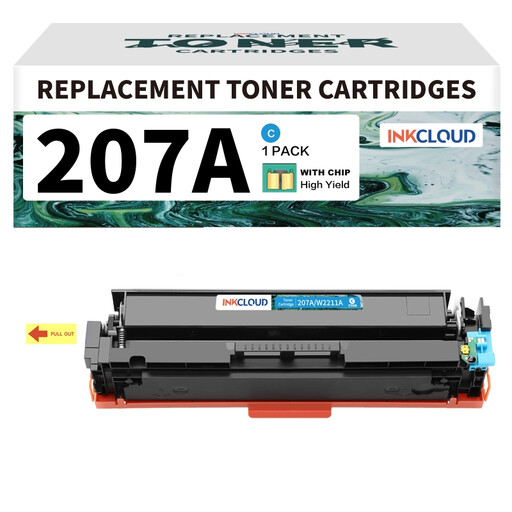
Why this product suits the profile: This compatible toner cartridge is designed for users of the HP LaserJet Pro M283fdw, M255dw and M255nw who print in colour regularly.
The integrated chip is clearly stated. Even so, the toner series, printer model and colour should all match before ordering.
Cyan toner for laser printers; chip for printer recognition and toner-level monitoring according to the product description.
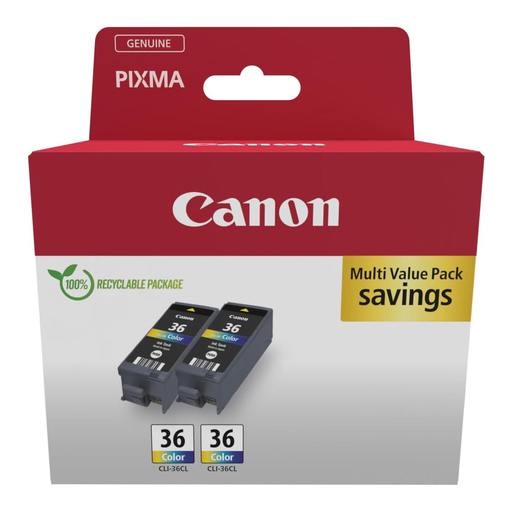
Why this product suits the profile: This multipack is designed for the Canon PIXMA iP100, iP110 and TR150, making it suitable for mobile devices used for occasional colour printing.
The compatibility list is limited to specific mobile PIXMA models. This helps prevent a purchase based on an overly broad assumption about compatibility.
Original Canon twin pack with cyan, magenta and yellow; stated yield of up to 249 A4 pages per cartridge.
We have put together a complete, regularly updated list of products that fully meet these strict selection criteria and the safety regulations applicable in the EU.
Switch off the printer before replacing the cartridge, or move it to the designated replacement position, as instructed in the user manual. Remove protective film only immediately before inserting the cartridge, and do not touch the contacts or nozzles on cartridges with a chip. After installation, a nozzle check, print-head cleaning or calibration may be required.
Store replacement cartridges and toner cartridges in a cool, dry place away from direct sunlight. Ink should not leak or be exposed to high temperatures for long periods. Depending on local council regulations, empty cartridges should be placed in take-back schemes or suitable recycling facilities, rather than automatically put in household waste.
This depends on page yield, print volume, colour coverage and how often the printer is used. A cartridge with a stated ISO yield provides a useful basis for comparison, but does not reflect every type of document. If you print infrequently, ink cartridges may also be affected by additional drying out.
Compatible printer cartridges often have a lower pack price. For a fair comparison, however, you should also consider page yield, contents, chip and possible cleaning cycles. The key figure is the calculated cost per page for your specific printing needs.
Ink cartridges contain liquid ink and are used in inkjet printers. Toner cartridges contain a fine printing powder and are used in laser printers. The two systems are not interchangeable, so first check the printer technology and then the exact consumable number.