Who needs a printer for labels?

Text labels

If headings and short explanations don’t need colour coding, start by checking the paper size and feed. Brother describes the DCP-L2620DW as a monochrome device; Canon lists specifications for A4 plain paper among those for the PIXMA TS7750i.

Colour display boards

For colourful headings or small graphics, you’ll need a colour printer whose media specifications suit your paper. Canon Germany lists different sizes and paper specifications for the PIXMA TS7750i.

Regular projects

If you’ll be printing regularly in future, factor in the right ink, toner and maintenance parts when choosing. Canon, Brother, Epson and HP list different consumables or maintenance materials for their respective models.

What to consider when choosing

Black-and-white laser printer

A good choice if: Your labels are clear without colour and you mainly print text.

Things to consider: You can’t print colour elements with this type of printer. The Brother DCP-L2620DW has separate toner and drum units.

Colour inkjet printer with cartridges

A good choice if: You need colour labels or graphics, as well as the occasional colour print.

Things to consider: Paper specifications for the Canon PIXMA TS7750i vary by media type. Automatic duplex printing is specified for A4 and Letter plain paper. The model uses cartridges and a replaceable maintenance cartridge.

Colour ink tank printer

A good choice if: You’ll print more colour pages regularly after the school project and can factor in your expected print volume.

Things to consider: Manufacturers’ claims about page yield or savings apply under their stated conditions. They don’t predict how many display board labels you’ll print.

What matters What to check when buying Who it matters most to
Paper and readability Check the finished size, paper type and weight, and the feed intended for that paper on the specific model. If I need labels to be easy to read on the paper I’ve chosen, I check the specifications for the exact model. Around 36% of consumers put paper and readability first.
Colourful designs Check whether colour conveys information in your finished design, then choose a colour printer with suitable media specifications. If headings or graphics need colour, a monochrome printer isn’t an option. Around 29% of consumers prioritise colour in their designs.
Occasional printing Plan a test print before your deadline and follow the instructions for your specific model if you run into problems. If I only print occasionally for individual projects, I want to be able to check the printout in good time. Around 21% of consumers particularly value a reliable process when printing infrequently.
Consumables and maintenance materials Factor in the ink, toner, drum and maintenance parts for the specific model and your expected print volume. If I have more projects coming up, I want to consider the consumables and maintenance parts I’ll need. Around 14% of consumers put future material requirements first.

Avoid common buying mistakes

  • Choosing a monochrome printer when colour is part of your label design

    The Brother DCP-L2620DW can’t print the colour elements in a design.

    Before choosing a printer, check your finished design to see whether colour conveys information or is purely decorative.

    If colour is essential, you’ll need to print it elsewhere.

  • Assuming A4 support means a printer can handle any label paper

    Paper size, weight and the intended feed vary by model and media type.

    Check your chosen paper against the media list for the exact model and, if needed, test a print in the final layout.

    Depending on the paper, you may need to use a different feed or run an extra test print.

  • Applying manufacturers’ ink yield claims to a single project

    Epson’s stated page yields and savings are based on the manufacturer’s conditions and aren’t measurements for your display board.

    Compare printing technologies using the same expected future print volume and the right consumables for each.

Brands to consider

Canon

The PIXMA TS7750i is one example of an A4-capable colour inkjet printer.

  • Canon Germany lists a range of sizes and paper specifications, as well as automatic duplex printing on A4 and Letter plain paper.
  • The model uses compatible cartridges and a replaceable maintenance cartridge; paper specifications depend on the media type.

Brother

The DCP-L2620DW is a monochrome laser multifunction printer for text-based labels.

  • Brother says the model has an A4 paper cassette, a manual feed slot and automatic duplex printing.
  • The model doesn’t print in colour; the toner and drum are separate parts.

Epson

The EcoTank ET-2950 is an example of a refillable A4 colour ink tank printer.

  • Epson describes the model as an A4 multifunction printer with double-sided printing.
  • The manufacturer’s claims about page yield and savings apply under the conditions stated and don’t prove an advantage for a single project.

HP

The Smart Tank 5105 is another example of a colour printer with a refillable tank.

  • HP says this model can print, copy and scan in colour.
  • HP’s claims about quality, value for money or ink yield aren’t an independent comparison with other models.

Joybuy products for self-adhesive labels

This selection covers sticker and label printing for self-adhesive labels on a display board.
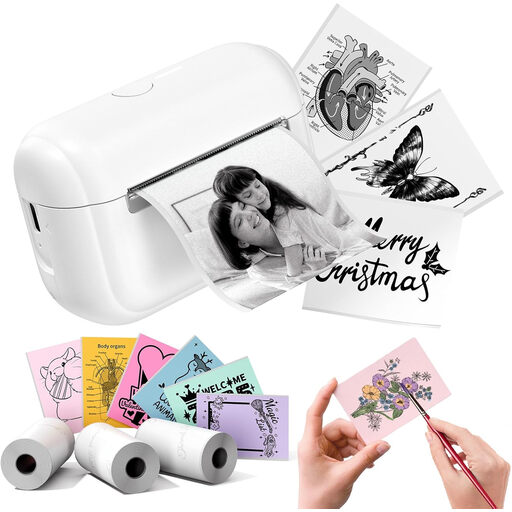
Phomemo Q02E sticker printer in white with 3 rolls of label refills

Phomemo Q02E sticker printer, white, with 3 rolls of label refills

An option if you need self-adhesive stickers or labels for your display board instead of a standard paper printout. Before choosing, check that the label size suits your project.

View at Joybuy

Frequently asked questions about printers for display boards

Do I need to be able to print display board labels in colour?

Only if your design needs colour. According to Brother, the DCP-L2620DW prints in black and white only; the Canon, Epson and HP models mentioned are colour options. Also check that your specific label paper is supported.

Can I put thicker paper in any printer feed?

No. The size, type and weight of paper, as well as the feed, depend on the model. For example, Canon specifies 64–105 g/m² for plain paper on the PIXMA TS7750i; this isn’t a general approval for any type of card.

What should I do if my Epson inkjet printer produces streaky prints?

For affected EcoTank and Expression printers, Epson recommends starting with a nozzle check and cleaning the print head if needed. Check the ink level and the instructions for your specific model before cleaning.

Which consumables and maintenance parts should I consider?

It depends on the printing technology and specific model. These may include cartridges and a maintenance cartridge, toner and a drum, or ink for a refillable tank. Compare the materials for your model against your expected print volume.

Can I put an old printer in my general waste bin?

No. Electrical waste must be taken separately to an authorised collection point, such as a local authority collection site or a retailer under the applicable take-back arrangements. Germany’s Federal Ministry for the Environment specifies separate collection for electrical waste.