Teams with high colour-consistency requirements
If you assess product colours across several workstations, plan for monitor profiling and a consistent colour workflow. Adobe recommends calibration hardware for colour-critical work.


For product photography where colour accuracy matters, start with the monitor and colour workflow, not the size of the computer case. Adobe recommends calibration hardware for colour-critical work. A compact computer is a good fit when its software, connections and workflow suit the shared peripherals; a larger desktop may be more suitable if you need specific internal upgrades. Check the full configuration, what’s included and the compliance documentation required for the specific device. The German Federal Network Agency lists CE marking and the necessary accompanying documentation as things retailers must check for devices that require labelling.
If you assess product colours across several workstations, plan for monitor profiling and a consistent colour workflow. Adobe recommends calibration hardware for colour-critical work.
For larger jobs, software version, file size and the exact specification all matter. Adobe sets out separate system requirements for Photoshop on Windows, depending on the version. You should also back up your catalogue, photos and exports in a way that suits your workflow.
If space is limited, make sure the case, connections for your existing monitors and included accessories all work together. Specifications for compact computers and individual configurations from manufacturers such as Apple, HP and Lenovo vary by model and version.
The right form factor depends on whether colour workflow, macOS compatibility, space or specific upgrade options matter most to you.
A good fit if: desk space is limited and the specific configuration suits your software, monitors and connections.
Things to weigh up: RAM, SSD and graphics can vary between versions, so check the full model number.
A good fit if: you’ve checked that your team’s required apps and shared workflows work with macOS.
Things to weigh up: memory and SSD are part of the configuration you choose. Check the display connections too, and whether you’ll need any adapters.
A good fit if: you’re setting up a permanent workstation and need a specific internal upgrade.
Things to weigh up: a larger case takes up more desk space. The word ‘workstation’ alone doesn’t guarantee colour accuracy or suitability for every photo workflow.
At a shared workstation, it helps to base your buying decision on the issue you need to solve first.
| Priority | What to check before buying | Who is this especially important to? |
|---|---|---|
| Assessing colours | Check the monitor connection and profiling process. Adobe recommends calibration hardware for colour-critical work. | If I need to assess product colours on shared screens, I want to consider the monitor profile and colour workflow too. Around 31% of consumers put reliable colour assessment first. |
| Smooth editing | Check your software version and file sizes. Adobe recommends at least 16 GB RAM for Photoshop 27.x on Windows. | When working with large files, I want to match the software to the specifications rather than choosing based only on the case design. Around 25% of consumers prioritise smooth editing. |
| Space and setup | Check the case, display outputs, adapters and the input devices actually included. | If space on the shared desk is limited, I need a small case that works with my monitor and peripherals. Around 25% of consumers prioritise space and setup. |
| Backing up files | Back up the catalogue, original photos and exports separately. According to Adobe, the Lightroom Classic catalogue backup covers only the catalogue file. | For jobs edited collaboratively, I want to know where the catalogue, original photos and exports are stored, and how to restore them. Around 19% of consumers prioritise shared data organisation. |
A powerful computer won’t correct differences between monitors. Adobe recommends calibration hardware for colour-critical work; the condition of the monitor and the ambient lighting also affect how you judge colour.
Plan for your monitor, profiling and colour workflow separately from the CPU and GPU. Check whether your existing screen can be connected and profiled appropriately.
HP lists different RAM and SSD configurations for its Z2 Mini models. Lenovo’s description of the ThinkStation P3 Tiny Gen 2 30K5CTO1WWDE2 specifies integrated graphics; an NVIDIA option advertised for the range isn’t automatically included in this configuration.
Before ordering, compare the full model number, RAM, SSD, graphics and display connections for the specific configuration.
Lenovo marks the monitor, keyboard and mouse for the ThinkStation configuration mentioned above as sold separately. Adobe also notes that the Lightroom Classic catalogue backup doesn’t automatically include photos and exported files.
Make a list of the peripherals you already have, and decide how to back up the catalogue, original images and exports separately.
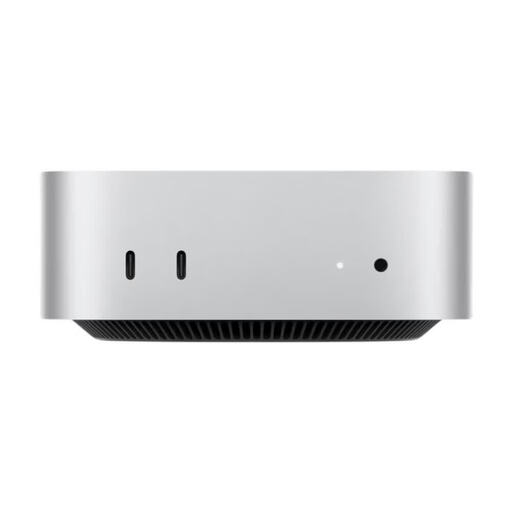
The Mac mini M6 is a compact macOS option for teams that have checked their apps and shared workflows in advance.
The Z2 Mini G1i is a compact Windows workstation, with suitability depending on the configuration you choose.
The ThinkStation P3 Tiny Gen 2 is an option for a small, permanent Windows workstation.
The Pro Slim Plus QBS1250 is a slim desktop for a permanent workstation.
This Joybuy selection includes compact Windows mini PCs, tower workstations and a Mac mini for workstations with an external display. Before buying, check the exact configuration, the connections you need and, for devices that require labelling, the necessary compliance documentation.
 No image available
A tower configuration for a permanent Windows workstation, if you’re specifically looking for a desktop rather than a mini PC.
The product name lists an Intel Core Ultra 7 265, Intel Graphics and Windows 11 Pro. Check the RAM, SSD and display specifications of the exact configuration before buying.
 No image available
The Micro form factor is worth considering if space is limited at your shared desk.
The product name lists 32 GB DDR5, a 1 TB PCIe NVMe SSD, Intel Graphics and Windows 11 Pro. Check that the outputs work with your existing monitor.
 No image available
This tower configuration is an option for a permanent workstation if the specified discrete graphics are relevant to your software workflow.
The product name lists 32 GB DDR5, a 512 GB NVMe SSD, NVIDIA RTX A400 with 4 GB and Windows 11 Pro. Check that the storage and connections suit your projects and monitors.
 No image available
This mini PC is designed for a space-conscious workstation. Check that its listed display connections work with your existing peripherals.
The product name lists 24 GB LPDDR5, a 512 GB NVMe SSD and Windows 11 Pro. HDMI, DisplayPort and USB-C are also listed.
 No image available
A compact macOS option if you’ve checked that the required apps and team workflows work with macOS, and you’ll be using an external display.
This configuration lists 32 GB unified memory, a 1 TB SSD, HDMI and Thunderbolt 4. Check that it’s compatible with your monitor and existing workflow.
For Photoshop 27.x on Windows, Adobe recommends 16 GB RAM or more. This is a software recommendation, not a blanket guarantee for every file size or other programmes. Check your exact software version and workflow.
Start with a suitable monitor connection and a consistent colour workflow. Adobe recommends calibration hardware for colour-critical work; ambient lighting and document profiles also affect how you assess colour. You should also take the applicable workplace health and safety regulations into account for office screen workstations.
No. According to Adobe, the built-in backup covers only the catalogue file. Edited photos and exported files need to be backed up separately.
The two-year minimum EU legal guarantee described by Your Europe applies to consumer rights. For a business purchase, the specific contractual position must be considered separately. A voluntary manufacturer service commitment is different: Lenovo lists three years of Premier and on-site service for configuration 30K5CTO1WWDE2.
For devices that require labelling, the German Federal Network Agency says retailers must check the CE marking and the required accompanying documents. Ask for information relating to the specific configuration; a product page for a model range doesn’t automatically confirm this.