What should you look for when buying?
Compact Windows mini PC
A good fit if: You use Windows software, have limited desk space and can find a specific configuration with the right monitor connections.
Things to weigh up: Check the RAM and storage actually fitted, along with what’s included and whether it can be upgraded. Test results don’t automatically apply to other configurations.
Mac mini with a separate monitor
A good fit if: Your software and file-sharing needs are compatible with macOS, and you want to choose your own monitor.
Things to weigh up: Include a monitor, input devices and local storage in your workstation plans. A review of an M6 configuration with 24 GB of RAM isn’t a benchmark for the 16 GB base model.
Upgradeable desktop or workstation
A good fit if: Large RAW collections, extensive retouching or other demanding tasks justify a more powerful configuration.
Things to weigh up: More powerful components can mean higher costs and take up more space; that doesn’t prove they offer an advantage for straightforward product photography.
The percentages refer to consumers choosing a desktop for product photography at a height-adjustable desk. Each person is assigned to the purchase consideration that matters most to them.
| What matters |
What to check before buying |
Who is it important to? |
| Performance for your image-editing workflow |
Check your software version, the RAM actually fitted and the available SSD space. For Photoshop 27.x, Adobe lists 8 GB of RAM as the minimum and recommends 16 GB or more. |
If I edit large batches of images or use several programmes, I want to choose the specifications to suit my actual workflow. Around 29% of consumers prioritise the right level of image-editing performance. |
| Assessing product colours |
Plan for your monitor, a suitable video output and a calibration or profiling process together. |
For colour-critical product photos, I don’t want to judge colour based on the computer’s name alone. Around 23% of consumers put colour management first. |
| Space and connections at an adjustable desk |
Check where the computer will sit, which monitor and USB connections you need, and how you’ll manage the cables at both desk heights. |
If my desk is short on space and changes height, I want to make sure the computer and cables fit. Around 18% of consumers prioritise space and connections. |
| Image file storage and backups |
Consider the installed SSD capacity and connections for additional storage. Include original photos and, where applicable, catalogue data separately in your backup plan. |
For large image collections, I want to plan for storage and a separate backup rather than treating both as the same thing as the internal SSD. Around 18% of consumers say file storage is their top concern. |
| Cost of the complete workstation |
Compare what’s included with the specific computer configuration, and take into account any monitor, input devices and storage you already own. |
If I still need to add parts of my workstation, I want to compare the complete setup rather than just the computer. Around 12% of consumers prioritise the cost of a complete workstation. |
Joybuy products to consider
This selection includes a Mac mini with a monitor you can choose separately, as well as compact Windows mini PCs for a space-conscious photo-editing workstation.
 No image available
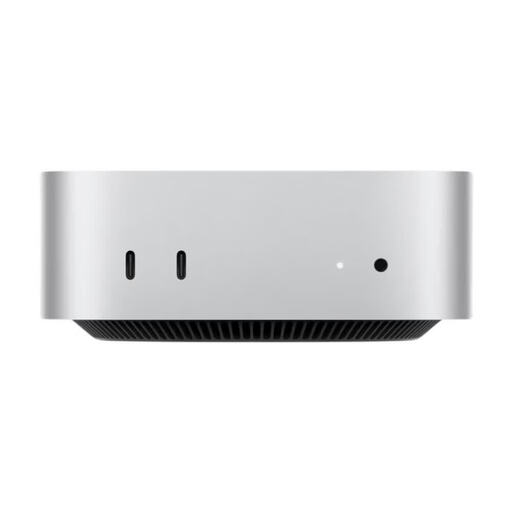
Apple Mac mini M6 MHQM4_CTO_8 A3534, 32 GB Unified Memory, 1 TB SSD
A compact macOS option if your image-editing software and file-sharing needs are compatible with macOS.
This version is listed with a 12-core CPU, 12-core GPU, 32 GB Unified Memory and a 1 TB SSD.
View at Joybuy
 No image available
Ninkear M8 mini PC, Ryzen 7 8745HS, 16 GB DDR5, 1 TB SSD
A compact Windows option if you’re looking for a mini PC with local storage for image files.
This version lists 16 GB DDR5, a 1 TB SSD, Wi-Fi 6 and Windows 10/11. The case is listed as measuring 130 × 127.5 × 52 mm.
View at Joybuy
 No image available
FIREBAT AM02L mini PC, AMD 6600H, 16 GB LPDDR5, 512 GB M.2 NVMe
A compact Windows option if you’re choosing a mini PC for a workstation with limited space.
The product name lists 16 GB LPDDR5, a 512 GB M.2 NVMe SSD and Windows 11 Home. The video connections listed are HDMI 2.1 and DP 1.4.
View at Joybuy
 No image available
SOYO S4PLUS mini PC, Ryzen 7 H 255, 24 GB LPDDR5, 512 GB SSD
A compact Windows option if you want to connect an external monitor in a small workspace.
This configuration lists 24 GB LPDDR5 and a 512 GB PCIe 3.0 SSD. HDMI 2.0, DisplayPort 1.4 and Type-C are listed as video outputs.
View at Joybuy
 No image available
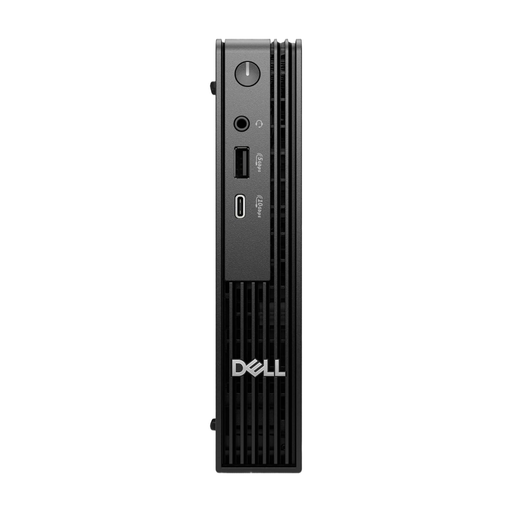
Dell Pro Micro QCM1250 MJ5TK TPM, Intel Core i7-14700T, 16 GB DDR5, 512 GB NVMe SSD
The Micro form factor is worth considering if you have limited desk space for your computer.
This configuration lists 16 GB DDR5, a 512 GB NVMe SSD, Intel UHD 770 and Windows 11 Pro. The description lists indoor commercial or office environments as its intended use.
View at Joybuy
Frequently asked questions
Is 8 GB of RAM enough for Photoshop when editing product photos?
For Photoshop 27.x, Adobe lists 8 GB as the minimum and recommends 16 GB or more. Also check the requirements for the version of the software you actually use and any other programmes running at the same time; the minimum isn’t a guarantee that it will suit your entire workflow.
How should I set up a standing desk for image editing?
Check the screen position and cable connections at both desk heights. The German Social Accident Insurance recommends alternating between sitting, standing and moving around; standing all day isn’t a substitute for moving. For more reliable colour assessment, Adobe recommends calibrating your monitor.
What extra costs and rights should I consider when buying online?
Check what’s included and budget for any monitor, input devices and storage you still need. According to information from Your Europe, consumer purchases are generally covered by a two-year legal guarantee against the seller. For a typical online distance purchase, you generally have a 14-day right to cancel, although exceptions and conditions apply. Consumer rights shouldn’t be assumed to apply to business purchases without checking.
What should I know about electrical equipment in Germany?
Electrical and electronic equipment covered by harmonised EU rules must carry the CE marking before it can be sold. This is a declaration by the manufacturer, not an independent quality mark. The German Federal Ministry for the Environment notes that old equipment should be handed in at authorised collection points or returned to manufacturers or retailers in line with their take-back conditions.


