
Lieferung heute & morgen

Qualitätsgarantie

Willkommens-Angebote freischalten: KOSTENLOSE Lieferung | Bis zu 80 % RABATT | Kostenlose 30-Tage-JoyPlus-Testphase
App herunterladen
The complexity of modern vehicle electronics demands diagnostic tools that go far beyond simply reading fault codes. For independent workshops and advanced DIY mechanics, a professional OBD2 diagnostic tool is therefore not a luxury, but a necessity for precise and efficient work. Such devices enable in-depth analysis, coding, and tests that were previously often reserved for dealership service centres.
This article provides a guide to selecting a suitable diagnostic tool. We will introduce various models and explain the crucial features you should consider in your decision-making process to find a tool that meets the demands of your business or projects.
The choice of the right device depends on specific requirements. Three central criteria will help you make the right decision.
A professional all-system automotive diagnostic tool must provide complete access to all of a vehicle's control units (ECUs)—from the engine and transmission to the ABS, airbag, and comfort electronics. Look for these key functions:
Compatibility with a wide variety of makes and models is crucial for workshops. Furthermore, modern vehicles use new communication protocols. A future-proof workshop diagnostic tool should therefore be designed as a CAN FD DoIP Scanner:
Before purchasing, check the vehicle coverage list provided by the manufacturer to ensure that the makes and models relevant to you are supported.
The software of diagnostic tools must be regularly updated to cover new vehicle models and functions. There are two common models here:
Here is a selection of devices that are well-suited for professional use due to their feature set and technical specifications.
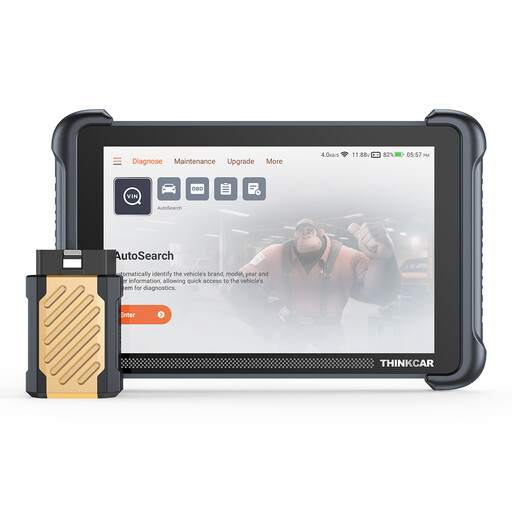
Why It Stands Out: The ThinkScan 689BT combines an extensive feature set with an attractive price model. The free lifetime updates make it a cost-effective solution for workshops and discerning private users who want to avoid recurring costs.
Pros:
Who Is It For? This device is a great choice for independent workshops and technicians looking for a powerful all-round tool with predictable costs. It is also a worthwhile option for ambitious DIY mechanics who want to delve deep into vehicle diagnostics.
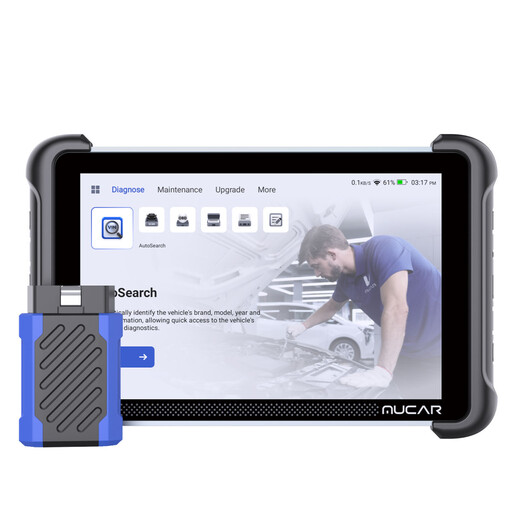
Why It Stands Out: The MUCAR 892BT is distinguished by its extremely broad vehicle coverage and the integration of AI-powered diagnostic aids. The ability to expand the device with optional tools like an endoscope or battery tester makes it a flexible diagnostic platform.
Pros:
Who Is It For? Ideal for workshops that service a very wide range of vehicle makes and models. Its expandability makes it a future-proof investment for businesses looking to gradually expand their service offerings.
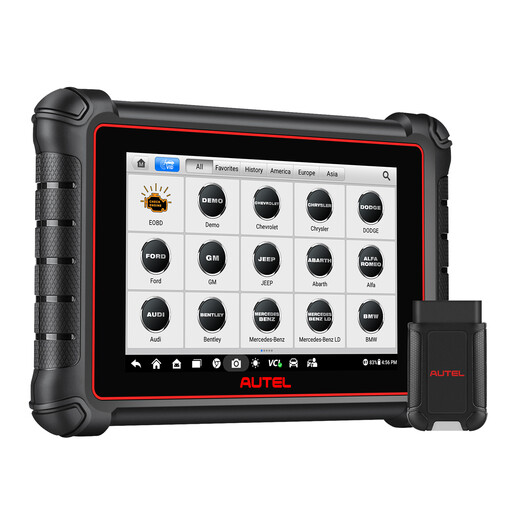
Why It Stands Out: Autel is an established brand in the professional diagnostics field. The MaxiCOM MK900-BT offers OE-level (Original Equipment) diagnostics and a particularly large number of special functions. It is aimed at users who require maximum diagnostic depth.
Pros:
Who Is It For? This device is aimed at professional workshops that need maximum diagnostic depth for complex repairs and coding, and are willing to invest in a subscription-based update model to always stay current. The first year of updates is included in the purchase price.
The models presented here cover a broad spectrum of requirements. However, if you are looking for devices with other specialisations or in a different price range, you can find more alternatives in our main category.
Discover our full range of Auto Scan Tools
1. What is the difference between a basic OBD2 scanner and a professional diagnostic tool? A basic OBD2 scanner can typically only read and clear generic fault codes from the engine control unit (read and clear fault memory). In contrast, a professional OBD2 diagnostic tool accesses all systems of the vehicle (e.g., ABS, airbag, transmission), offers bidirectional control for testing components, and enables advanced functions like an ECU Coding Tool.
2. What does bidirectional control mean on an automotive diagnostic tool? Bidirectional control, also known as an active test, means that the diagnostic tool not only receives data from the vehicle but can also send commands to the control units and actuators. This allows a mechanic to, for example, activate the fuel pump, move a power window, or engage an A/C compressor clutch to verify its function directly on the screen without having to manually trigger the component.
3. Is a diagnostic tool with lifetime updates worth it? A diagnostic tool with lifetime updates can offer significant long-term cost savings, as it eliminates annual subscription fees. This is particularly advantageous for independent workshops or private individuals who need to carefully manage their operating costs. However, it is important to ensure that the manufacturer reliably provides updates with sufficient frequency.