For setting and repeating your own movement sequences without a computer, look for a robot dog with a clearly documented training function. For visual programming blocks, you’ll need compatible software and time to set it up. A remote control is useful for trying things out straight away, but it doesn’t replace a function for saving your own sequences of commands. Check the features, instruction language and contents of the box for the specific model.
Which option is right for you?
Families trying out simple sequences of commands
If you’d like to create and repeat short movement sequences together, a documented training function is more important than a long list of ready-made tricks. Lexibook describes this feature for the Power Puppy DOG01.
Families interested in programming blocks
This is a good option if you can put together visual commands on a computer and have time to set things up and guide your child. Petoi documents Coding Blocks and learning materials for Bittle; Funduino describes block-based programming for the Bittle model.
Families who want to start by playing with the controls
If you’d like to try out directions and instant responses first, direct control can be a good starting point. Silverlit describes how to control the Robo Dackel R using a ball-shaped remote control.
What should you look for when buying?
Your own movement sequences
Suitable if: Your child wants to set their own movements and repeat them later, without first setting up a programming interface. Lexibook describes a training function for creating new dances and movements on the Power Puppy DOG01.
Trade-off: A training function doesn’t automatically mean the robot supports block programming, loops or conditions. Check the features of the exact model version.
Block-based programming
Suitable if: You’d like to put visual commands together on a computer and set up the software as a family. Petoi documents Coding Blocks and a free curriculum for Bittle.
Trade-off: Setup takes extra time, and materials for different Bittle versions aren’t interchangeable. The manufacturer’s age recommendation of 10+ applies to Bittle X.
Direct control
Suitable if: You’d like to try out directions and movements that respond straight away. Silverlit describes this type of control for the Robo Dackel R.
Trade-off: Direct control doesn’t confirm that the robot can save your own programmes. Silverlit says batteries for the robot and remote control aren’t included.
These proportions refer to consumers choosing a robot dog for their first coding and control activities at home; each person is assigned to their main priority.
| Priority |
What should you check before buying? |
Who is this especially important to? |
| Your own movement sequences |
Check the instructions for the exact version to see which actions you can enter and repeat. |
If I want to create and replay my own movements, a documented training function matters more than a list of tricks. Around 36% of consumers would prioritise creating their own movement sequences. |
| Programming blocks |
Check support for the specific robot version, the computer platform required and the learning materials available. |
If I want to put visual commands together, the software needs to be compatible with the robot version. Around 29% of consumers would put block-based programming first. |
| Direct control |
Check whether the remote control and power supply are included, and whether a programming function is explicitly documented. |
If we want to try out directions and instant responses first, simple controls are important. Around 21% of consumers would prioritise direct control. |
| Instructions and learning curve |
Check the language of the instructions, software and support separately for the specific version. |
If I want to explain the setup to my child, I need clear materials for that exact model. Around 14% of consumers would prioritise support in German. |
Common buying misconceptions
-
Confusing ready-made tricks with your own programmes
Triggering a movement directly doesn’t mean you can save commands or programme them visually.
Check the instructions for the exact model version to see how to enter and replay a sequence you’ve created yourself.
-
Assuming a German product page means the whole learning environment is in German
The product description, instructions and programming interface may be in different languages. Bittle documentation also varies by version.
Before you buy, look at the instructions and interface for the specific device so you can judge how much time you’ll need to learn together.
-
Underestimating what you need to get started with a remote-control model
A remote control that’s ready to use straight away is only helpful if you also have the power supply it needs.
Check what’s included with the exact version instead of assuming batteries or charging accessories will be provided.
Silverlit says the Robo Dackel R needs 5 AA batteries for the robot and 2 AAA batteries for the remote control; these aren’t included.
Brands to help you choose
Lexibook
The Power Puppy DOG01 is designed for families who want to combine direct control with the ability to create new movements.
- Lexibook describes a remote control and a training function for new dances and movements on this model.
- The manufacturer’s description doesn’t confirm a particular level of learning progress or block programming. Check which commands the specific version supports.
Petoi
Bittle models may suit supervised coding activities with Coding Blocks. This is about getting started with the software, not hardware upgrades.
- Petoi documents Coding Blocks and a free curriculum for Bittle.
- The manufacturer’s age recommendation of 10+ applies to Bittle X; don’t assume it applies to other versions without checking. Petoi’s current materials are in English, and the documentation varies between model versions.
Silverlit
The Robo Dackel R is designed for direct control as a fun way to get started.
- Silverlit describes gesture controls and direct control using a ball-shaped remote.
- This doesn’t confirm a function for saving programmes you’ve created yourself. The manufacturer says batteries for the robot and remote control aren’t included.
Robot dogs at Joybuy
The Joybuy products below are four-legged robot dogs. For your first coding activities, check whether the specific version of each model supports custom movement sequences or visual programming.
 No image available
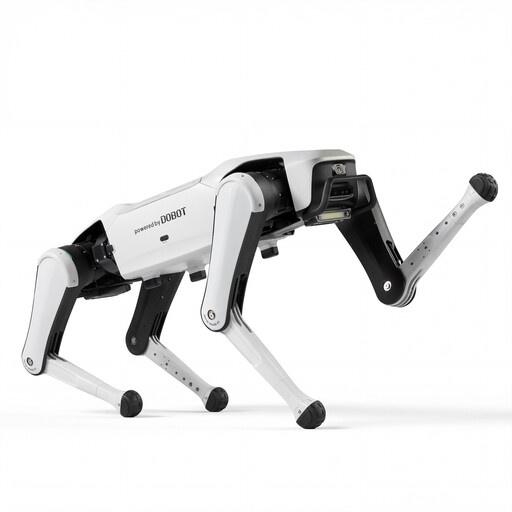
DOBOT Rover X1 AI Robot Dog
Could suit families looking for a four-legged robot dog with visible movement. The product title alone doesn’t confirm a function for saving your own sequences of commands.
Features named in the product title: Vision Follow and Voice Interaction.
View at Joybuy
 No image available
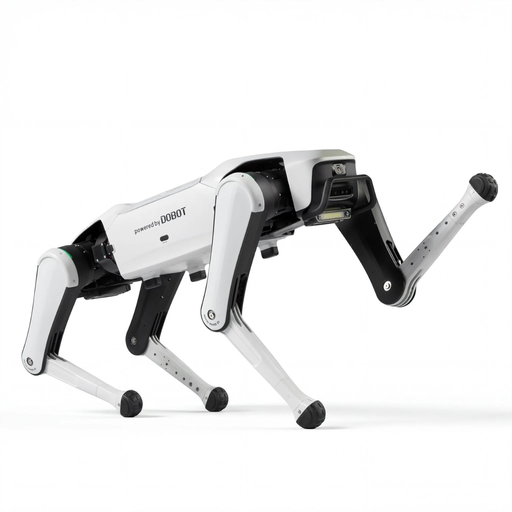
DOBOT Rover X1 Pro AI Robot Dog
An option to consider if you’re looking at a four-legged robot dog with Follow features. Check separately whether this version is suitable for your coding activities.
Features named in the product title: Vision & UWB Follow and Voice Interaction.
View at Joybuy
 No image available
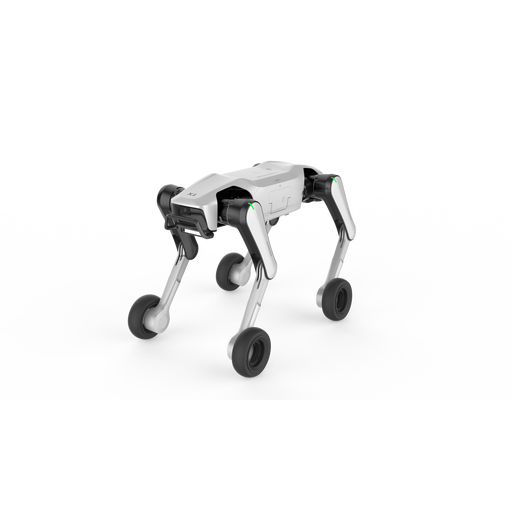
DOBOT Rover X1-W Pro AI Robot Dog
Could be worth considering if you’re comparing four-legged robot dogs with different movement modes. The title doesn’t confirm a custom programming function.
Features named in the product title: Wheel-Leg Dual Mode, UWB Follow, Vision Follow and Voice Interaction.
View at Joybuy
 No image available
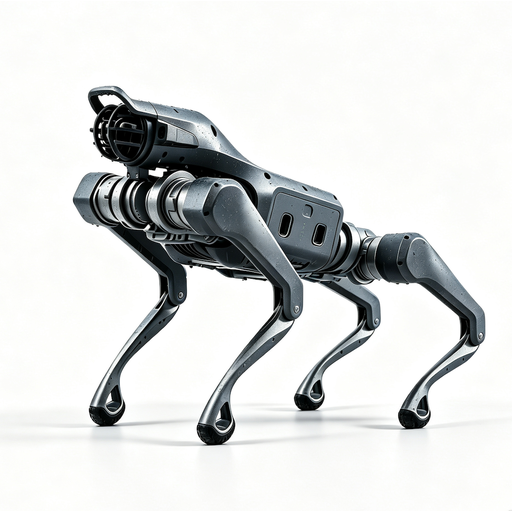
Unitree As2 Pro Quadruped Robot Dog
An option to consider if you’re looking for a four-legged robot dog with visible movement. Check first whether the model is designed for activities using self-programmed commands.
Features named in the product title: Voice Interaction, Follow and Obstacle Avoidance.
View at Joybuy
 No image available
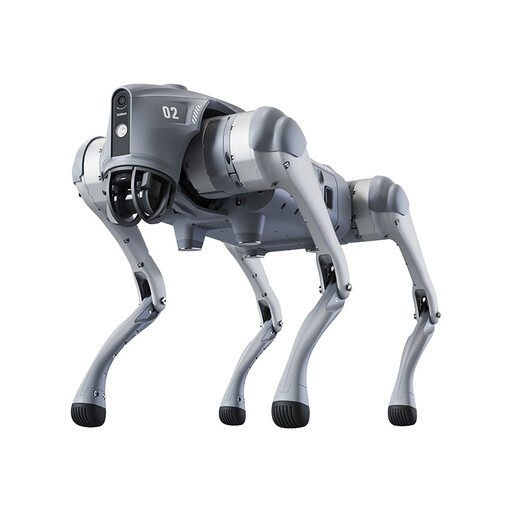
Unitree Go2 Pro Quadruped Bionic Robot Dog
If you’re looking for visual programming through an app, the feature mentioned in the product description could be a starting point. Before buying, check what the specific version can do.
Features named in the product title: maximum speed 4.7 m/s, battery life 90 Mins, 360° Panoramic Vision and SLAM Navigation.
According to the product information, this model is not a toy and is not suitable for anyone under 14. Take extra care when operating it near children.
View at Joybuy
Frequently asked questions
Is a remote control enough for your first coding activities?
A remote control may be enough for trying out movements straight away. If your child wants to create their own sequences and replay them, you’ll also need a training or programming function documented for the specific model.
How can we prepare for our first activity together?
First, check the instructions for the exact version to find out how to power and control the robot. Coding Blocks also require you to set up the software. Petoi provides separate instructions for older Bittle models and Bittle X V2.
What extra costs and rights should we bear in mind?
Silverlit says batteries for the Robo Dackel R and its remote control aren’t included; check what comes with other models. If a product is faulty, your statutory rights against the seller are separate from any voluntary guarantee, as explained by the Verbraucherzentrale.
What should you know about robot dog safety?
Products that legally count as toys and are placed on the EU market must carry a CE mark. This isn’t an independent quality rating for learning, and toy safety rules shouldn’t automatically be applied to every robotics device. Petoi explicitly says its robots are not toys.


