What should you consider when choosing?
Start with the programming route and devices your group already has, then check the model, sensors and preparation required.
| What matters |
What to check before buying |
Who it matters most to |
| Programming it yourself |
Check that you can follow a documented block-based or text-based programme through to the robot’s movement; remote control alone isn’t enough. Petoi describes web-based blocks over USB serial, while ELECFREAKS offers a MakeCode extension. |
If I want learners to change movement sequences themselves, I need a clear route into programming. Around 33% of consumers put programming their own robot first. |
| Using devices you already have |
Check the box contents, supported controller version, device and software setup for the exact model. The XGO offer described by Techni Science Deutschland doesn’t include the micro:bit; SunFounder offers different PiDog versions. |
If I want to use micro:bits or Raspberry Pis I already have, the specific version needs to be compatible. Around 27% of consumers prioritise hardware and setup they already have. |
| Adding sensors |
Check the sensors and programming examples for the exact kit. OpenELAB says the MechDog Standard Kit doesn’t include a camera or voice module; don’t assume that other versions have the same features. |
To create my own responses to sensor data, I need to know exactly what’s included in the version I choose and what I can programme. Around 20% of consumers prioritise sensors and expandability. |
| Supervising operation |
Read the instructions and warnings for the exact version, plan for checks and setup, and assess optional online services separately. ELECFREAKS says to check the mounting screws on the XGO-lite V2 before every use. |
If a group is going to use the robot regularly, supervision and manageable preparation matter to me. Around 20% of consumers focus on supervised use and possible additional requirements. |
Joybuy product selection
This Joybuy selection includes models described in their product titles as four-legged robot dogs. Before buying for a school or makerspace project, check the documented programming interface, supported hardware, and licence and account requirements for the exact version.
 No image available
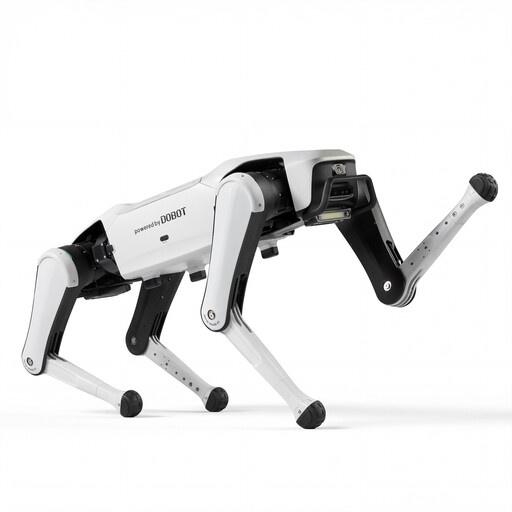
DOBOT Rover X1 AI Robot Dog
The product title describes a four-legged robot dog. Before starting a programming project, check whether the exact version has a documented interface for your own movement and sensor programmes.
Features listed in the product title: Vision Follow and Voice Interaction.
View at Joybuy
 No image available
Unitree As2 Pro Quadruped Robot Dog
The product title describes this model as a four-legged robot dog. Before choosing it for a learning group, check whether the exact version supports your own programming projects.
Features listed in the product title: Voice Interaction, Follow and Obstacle Avoidance.
View at Joybuy
Frequently asked questions
What do you need for your first programming lesson?
It depends on the exact version. Petoi describes using a computer and USB serial connection for web-based blocks; the micro:bit isn’t included with the XGO offer described by Techni Science Deutschland, and a MakeCode extension is intended for use. PiDog Python projects require a configured Raspberry Pi environment. Also check the licence and account requirements for the specific platform.
Does XGO work with MakeCode without an internet connection?
MakeCode says it can be used offline once it has been prepared. Extensions are usually downloaded online and may need an initial cloud compilation, so download and test the XGO extension before a lesson without an internet connection.
How can you prepare to use these robots with under-18s?
Read the warnings and age guidance for the specific version, keep clear of moving joints and check the robot’s condition before starting. ELECFREAKS, for example, says to check the mounting screws on the XGO-lite V2 before every use. There’s no single age limit or supervision ratio that applies to all the robots mentioned here.
Does PiDog need a paid AI service for Python projects?
No, not for the documented basic Python route. SunFounder’s separate example for connecting to online language models requires an API key from the relevant service. Its terms and possible costs only apply if you use this feature.
What legal checks are important for a school in Germany?
First, check whether the specific version is legally classified as a toy. For toys, the 2. ProdSV requires, among other things, CE marking and the relevant warnings; a CE marking alone doesn’t show that a product is suitable for a particular class. If pupil data is processed through an online learning platform, the Data Protection Conference offers guidance on data protection criteria for classroom teaching. Check cameras, accounts and connected services against your planned use. The German Federal Institute for Occupational Safety and Health says the new EU Toy Safety Regulation has a transition period until 1 August 2030.


