For large PDF plans and handwritten mark-ups, a larger tablet with a compatible stylus makes sense, provided the app you need runs on its operating system. If you use it frequently in dusty or wet conditions, proven device protection should matter more than having the largest possible display. Also check whether you use PDFs or DWG files, and whether your project app reliably opens plans offline.
Who uses a tablet to review plans
Plan reviewers working with large drawings
If you compare details on site, you’ll want to zoom as little as possible and mark changes directly on the plan. Display size, readability and a compatible stylus are key. Apple lists 11- or 13-inch iPad Air models and supports certain Apple Pencil models.
Teams working on demanding building sites
If you regularly open plans in dusty or damp conditions, wearing work gloves, proven device protection and ease of use on site matter more than the largest possible viewing area. Samsung lists IP68 protection and glove operation for the Galaxy Tab Active5 Pro; Dell gives an IP65 rating for certain Latitude 7030 configurations.
Reviewers with a set file workflow
If you need DWG files, a specific project app or offline access, test the feature you need on the operating system you plan to use before buying. Autodesk describes viewing AutoCAD DWG files on mobile devices, but also documents a case in which the AutoCAD mobile app would not open a drawing offline.
What to look for when choosing
Large iPad for viewing plans and adding annotations
A good fit if: You need plenty of screen space and stylus mark-ups, and your project app runs on iPadOS.
Trade-off: Apple lists the 13-inch Wi-Fi model as weighing 616 g; no protection for dusty or wet conditions is specified.
Rugged Android tablet for site visits
A good fit if: You often open plans in demanding environments and prioritise protection and glove operation. Samsung lists IP68 protection and a 10.1-inch display for the Galaxy Tab Active5 Pro.
Trade-off: The smaller display may mean more frequent zooming on large drawings; you’ll also need to check that the specific app is compatible.
Windows tablet for Windows-based workflows
A good fit if: The drawing software you actually need requires Windows. Microsoft lists Windows 11 Pro for the 12-inch Surface Pro for Business; Dell offers the Latitude 7030 Rugged Extreme in configurable versions.
Trade-off: Microsoft lists a typical maximum brightness of 400 nits for the Surface; Dell’s display and specifications depend on the configuration. The operating system alone does not guarantee that every CAD application will be suitable.
| What matters when buying |
What to look for |
Who it matters to |
| Viewing plans and adding mark-ups |
Check the screen size, anti-reflective properties and stylus compatibility of the exact model. Manufacturer brightness figures are no substitute for testing the display in the lighting conditions you’ll encounter on site. |
When I compare large drawings, I want to read details clearly and mark them directly, rather than zooming in and out all the time. That’s why around 31% of consumers put plan viewing first. |
| Protection and ease of use on site |
Check the protection rating of the complete model, the conditions it applies to and whether the device can be used with gloves. |
If I regularly use my tablet in dusty or wet conditions, I want to prioritise protection and ease of use on site. Around 25% of consumers focus mainly on these requirements. |
| File formats and offline access |
Test opening, zooming, commenting on and saving a real project plan. Once signed in, repeat the offline access test without a network connection. |
If my workflow depends on DWG files or a particular app, the plan needs to work at the site too. Around 25% of consumers put file and offline workflows first. |
| Portability and power |
Consider the weight of the exact model and the charging accessories you’ll need. If it has a replaceable battery, check that it’s suitable for that specific model. |
If I’m carrying my tablet for a long time or can’t charge it during a site visit, weight and power are especially important. Around 19% of consumers prioritise these points. |
Avoiding buying and usage pitfalls
-
Assuming a large display means proven weather resistance
Display size and protection ratings tell you different things: Apple lists display and weight specifications, while Samsung and Dell give protection ratings for certain rugged models.
Choose according to your working conditions and how often you visit sites. Check the protection rating of the exact device version rather than inferring it from the screen size or product category.
-
Assuming DWG support means reliable offline access
Autodesk describes viewing AutoCAD DWG files on mobile devices, but also documents an issue with opening files offline in the AutoCAD mobile app.
Sign in to the app you need, then try opening a real plan again while your device is offline.
-
Checking only the tablet, not the accessories you need
Stylus support, battery replacement and service options depend on the model or configuration. Accessory compatibility doesn’t mean the accessory is included.
Check what’s actually included and whether you need a stylus, protective case, spare battery, software access or service for your workflow.
Key brands to consider
Apple
iPad Air for viewing plans and adding annotations, if the project app you need runs on iPadOS.
- Apple lists 11- or 13-inch iPad Air models and support for certain Apple Pencil models.
- Apple lists the 13-inch Wi-Fi model as weighing 616 g. This does not give it a protection rating for use in dusty or rainy conditions.
Samsung
Galaxy Tab Active5 Pro for Android workflows and frequent site visits.
- Samsung lists IP68 protection, glove operation and replaceable batteries for this model.
- The 10.1-inch display offers less screen space than a 13-inch device, and the app you need must work with Android.
Microsoft
12-inch Surface Pro for Business for Windows-based project workflows.
- Microsoft lists Windows 11 Pro, an anti-reflective display with a typical maximum brightness of 400 nits, and support for the Surface Slim Pen.
- These specifications don’t prove that the device is protected for building-site conditions or suitable for every Windows drawing application.
Dell
Latitude 7030 Rugged Extreme, a configurable protected tablet for Windows-focused teams working on site.
- Dell lists IP65 protection and anti-reflective 10.1-inch display options.
- The operating system, display and service options depend on the configuration you choose, so check the exact device.
Joybuy products for reviewing plans on the go
This selection includes tablets with large displays for viewing plans, as well as models whose product details describe them as suitable for mobile use. Before you buy, check that your file format, project app and working conditions are a good match for the device.
 No image available
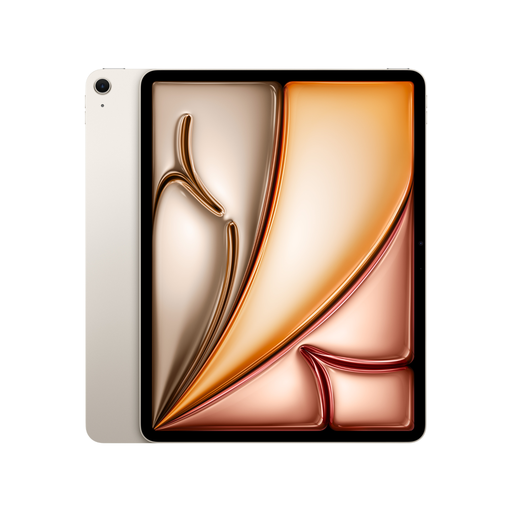
Apple 13-inch iPad Air (M4,2026) Wi-Fi + Cellular 128GB - Starlight
An option for viewing large plans and adding mark-ups, if your app runs on iPadOS.
13 inches; 500 nits and anti-reflective coating according to the product details; Wi-Fi + Cellular with eSIM; supports Apple Pencil Pro and Apple Pencil (USB-C). Apple Pencil is sold separately.
View at Joybuy
 No image available
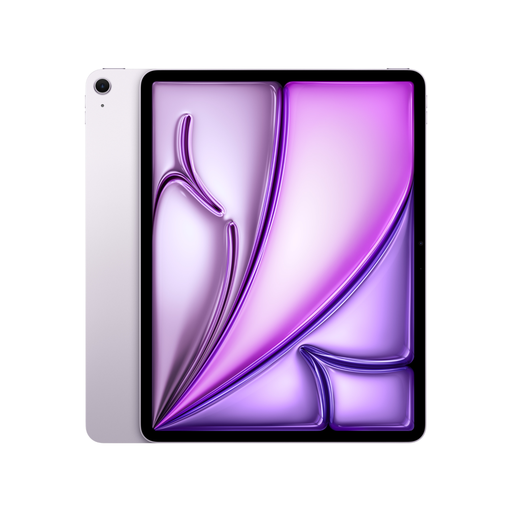
Apple 13-inch iPad Air (M4,2026) Wi-Fi 128GB - Purple
An option for viewing large plans and adding stylus mark-ups, provided the app you need runs on iPadOS.
13 inches; 500 nits and anti-reflective coating according to the product details; Wi-Fi; supports Apple Pencil Pro and Apple Pencil (USB-C). Apple Pencil is sold separately. The usage guidance advises against exposure to moisture and direct sunlight.
View at Joybuy
 No image available
TECLAST T65 tablet, 13.4 inches, 120 Hz, dual-SIM 4G, 128 GB
An option if a large display and mobile connectivity matter to you; check that your project app is compatible before buying.
13.4 inches; 120 Hz; Android 16; dual-SIM 4G; 128 GB storage. The product title says a folio case is included. The usage guidance advises against dusty or damp conditions and prolonged exposure to direct sunlight.
View at Joybuy
 No image available
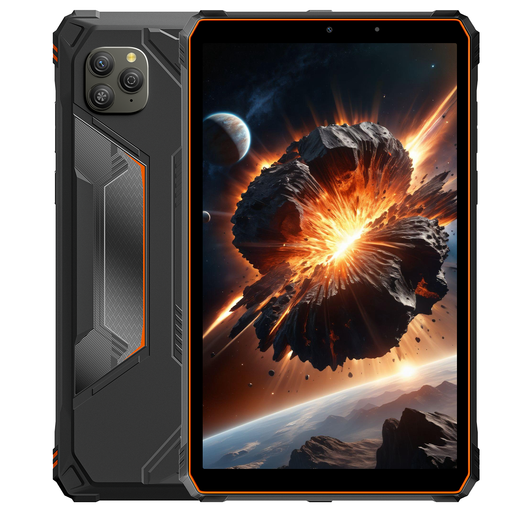
Blackview Active 5 Rugged Tablet, 8.68-inch display, 128 GB, Orange
A more compact display option if you’re looking for an Android tablet marketed as rugged; it offers less viewing space for large plans.
8.68 inches; Android 15; 128 GB storage; 6600 mAh battery. The product name includes “Waterproof”, but this is not independent proof of protection. Check the specific protection conditions before use; the display size may mean more frequent zooming on large drawings.
View at Joybuy
Frequently asked questions
Is a PDF app enough, or do I need DWG support?
That depends on your project files and the features you need. Autodesk describes a way to view AutoCAD DWG files on mobile devices; before buying, test your own files and the editing features you need.
Can I open drawings without a mobile connection?
Don’t assume a file will work just because it’s stored locally. Autodesk documents a case in which the AutoCAD mobile app would not open a drawing offline after sign-in. Test the entire process before heading somewhere without a network connection.
What should I prepare for long site visits?
Check the charging method and power options for the exact device version. Samsung lists replaceable batteries for the Galaxy Tab Active5 Pro; battery capacity alone doesn’t tell you how long your plan app will run.
Do project plans need extra protection on a tablet?
If plans contain information about identified or identifiable people and personal data is being processed, you need to follow the relevant GDPR principles. The European Commission recommends appropriate technical and organisational safeguards; the BSI explains that encryption options depend on the operating system and its version.


