Commuters who read plans
If you mainly open PDFs while travelling and need to read small labels, look for a screen you can read comfortably and a size that’s manageable at your seat.


For PDFs on a cramped train seat, a tablet around 11 inches is easier to fit in. If you need to review or annotate plan details more often, you may prefer a larger screen of around 13 inches, but bear the space and weight in mind. Offline downloads, app support for your file format and a compatible stylus are also important. A Windows device makes sense mainly when your specific workflow requires a Windows application and that application is compatible with the configuration you choose.
If you mainly open PDFs while travelling and need to read small labels, look for a screen you can read comfortably and a size that’s manageable at your seat.
If you rely on up-to-date project files during your journey, download the files you need beforehand and check any changes carefully once you’re back online.
If you regularly add marks or handwritten notes, make sure the stylus, file format and project app you actually use all work together.
A good fit if: You review PDFs in a confined space and use a suitable iPadOS or Android app. Apple lists the iPad Air in 11 inches, while Samsung gives the Galaxy Tab S10 FE’s screen size as 10.9 inches.
The trade-off: On a smaller screen, you may need to zoom in more often to check plan details.
A good fit if: You’d like more room to view plan details or add annotations. Apple lists the 13-inch iPad Air Wi-Fi model at 616 g, while Lenovo’s Tab P12 has a 12.7-inch display.
The trade-off: A larger screen takes up more room at your seat and may add weight when you’re carrying it.
A good fit if: Your specific review process requires a Windows application and it works with the Surface Pro configuration you choose.
The trade-off: Microsoft lists the stylus and keyboard as optional accessories sold separately, so allow room for them on the train table too.
For travelling, screen size isn’t the only consideration: offline access, file format and stylus support also determine whether you can carry out your planned review on the move.
| What you need | What to check before buying | Who will find this especially important? |
|---|---|---|
| Drawing details | Open one of your own representative plans and check labels, zoom and the level of overview you need in the app you intend to use. | If I need to read small plan labels while travelling, I want to assess the screen using my own drawings. Around 25% of consumers put the readability of drawing details first. |
| Offline access | Download the project files you need before your journey and open them without a connection; Autodesk says files downloaded in Forma on iOS and Android can be used offline. | If my connection drops during the journey, I still need the right version of the project on my device. Around 25% of consumers prioritise access to files without a reliable connection. |
| Annotations | Check stylus compatibility and what’s included with the exact model you’re considering; Autodesk says Forma’s mobile tools support PDF annotations on iOS and Android. | If I need to add notes directly to a plan, the stylus and app must let me make the annotations I need in my file format. Around 20% of consumers prioritise annotating drawings. |
| Ease of use at your train seat | Compare the weight and dimensions of the model, including any accessories you need, with the space available at your seat. Apple lists the iPad Air 11-inch Wi-Fi model at 464 g and the 13-inch Wi-Fi model at 616 g. | If I want to use my tablet in a confined space and carry it comfortably, compactness matters more to me than having the largest possible screen. Around 20% of consumers put this need first. |
| Windows application | Check the application name, features you need, and operating system and processor requirements against the exact device configuration. | If my review process depends on a particular Windows application, that application must run on the device I choose. Around 10% of consumers prioritise compatibility with a Windows application. |
A file stored only in the cloud won’t necessarily be available without a connection. Autodesk distinguishes between downloaded and non-downloaded projects.
Before your journey, download the files you need and the correct project version, then test that you can open them offline.
If a file you need isn’t available while you’re travelling, your review may be interrupted or you may need to check it again.
Apple lists compatible Pencil models for the iPad Air, but doesn’t include the stylus in the stated tablet package. Samsung says the S Pen is included with the Galaxy Tab S10 FE.
Before you buy, check stylus compatibility and the package contents for the exact model you’ve chosen.
For the iPad Air, you may need to buy a compatible stylus separately.
On 29 September 2026, Autodesk Support documented reports of annotations disappearing after the mobile Forma app synchronised. This describes a reported issue, not the outcome of every sync.
After your journey, wait for synchronisation to finish and check the annotations in the project.
If annotations are missing after syncing, you may need to add them again.
A Windows application isn’t automatically compatible with every Surface Pro configuration. In addition, Forma’s documented mobile annotation tools on iOS and Android support PDF files.
First identify the application you actually need, then check its requirements for operating system, processor, file format and offline use.
Microsoft says the Surface stylus and keyboard are sold separately; check whether you need these accessories for your workflow.
The iPad Air comes in 11-inch and 13-inch options to suit different space and screen-size requirements, and supports iPadOS apps.
The 10.9-inch Galaxy Tab S10 FE and 13.1-inch FE+ offer Android options for different space requirements.
The Tab P12 is an Android option with a 12.7-inch display; the German configuration listed as ZACH0204SE is a Wi-Fi model with a pen.
Surface Pro is a Windows 2-in-1 option for workflows that genuinely require a compatible Windows application.
The devices below offer tablet or 2-in-1 formats for reviewing project drawings, including Windows, Android and iPadOS options. Before buying, check that the app, file format and stylus you need all suit your workflow.
 No image available
An option if your review process requires Windows; you’ll need to check separately that your specific application is compatible.
Windows 11 Pro and touchscreen; 13-inch display with 2880 × 1920 pixels, according to the product description.
 No image available
Could suit a Windows-based review process, provided the application you need is compatible with this configuration.
Windows 11 Pro and 2-in-1 format; 13-inch OLED touchscreen with 2880 × 1920 pixels, according to the product description.
 No image available
The larger screen may be useful for viewing plan details; check that it supports the app and file management you need for your project.
Android 16 and FHD+ display, according to the product description. The product name lists a passive stylus, keyboard, mouse and stand case in the bundle.
 No image available
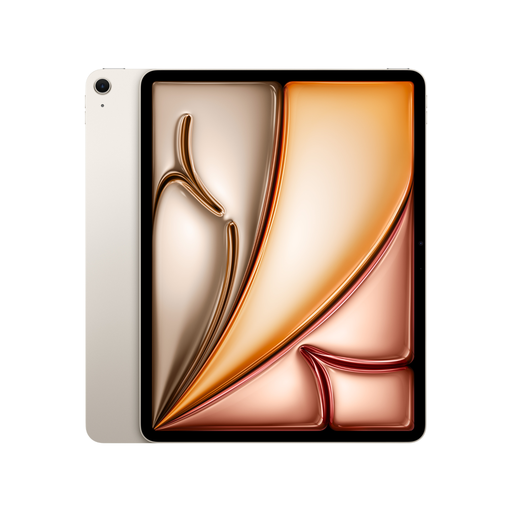
An option for viewing PDFs on a larger screen and using a suitable mobile iPadOS workflow. Autodesk says the mobile Forma file tool supports annotations on PDFs in iOS.
13-inch display with 2732 × 2048 pixels and 128 GB storage, according to the product description. It supports Apple Pencil Pro, but the product details say it isn’t included.
 No image available
Could suit larger views and handwriting; check that it supports the project app you need and the files you use.
Android 15 and 12.7-inch 2K display, according to the product name. The listing also mentions a T-Pen with 4096 pressure levels, a protective case and an English Bluetooth keyboard.
Yes, if you use Autodesk Forma for project files and want to work offline. Autodesk distinguishes between downloaded files and projects stored only in the cloud. Before you set off, check the file, version and access permissions.
No. In Forma’s documented file tool, mobile annotations are limited to PDF files. Autodesk describes this feature for iOS and Android. For other formats, check which workflow you should use.
Once you have a stable connection again, let synchronisation finish completely, then check the annotations in the project. On 29 September 2026, Autodesk Support documented reports of annotations disappearing after an offline sync; this doesn’t mean it happens with every project.
Check separately whether you need a stylus, keyboard or app; Microsoft says the Surface stylus and keyboard are sold separately. When you buy as a consumer in the EU, you generally have at least two years of statutory rights against the seller for faulty goods. Distance purchases generally come with a 14-day right to cancel; whether a business purchase counts as a consumer purchase needs to be checked separately.
That depends on the rules for the specific files you’re using; there’s no general permission or prohibition that applies in every case. Check access and confidentiality rules with your organisation. Germany’s Federal Office for Information Security recommends measures for mobile devices such as using a screen lock and checking encryption; this doesn’t replace an assessment of your specific obligations.