Photography groups in bright rooms
If you cannot fully block out light from large windows, what matters is how much light reaches the screen. BenQ identifies ambient light as a factor when choosing projector brightness.


Choose a projector based first on the light reaching the actual screen and the image size you need. In a room with light coming through the windows, clear, comparable brightness ratings and controllable ambient light matter more than a 4K label alone. For fine landscape details, also check the native resolution and colour reproduction. Whether a short-throw or standard set-up is right for you depends on the room depth, screen and source device. Even a projector marketed as suitable for daylight cannot guarantee a high-contrast image if direct sunlight falls on the screen.
If you cannot fully block out light from large windows, what matters is how much light reaches the screen. BenQ identifies ambient light as a factor when choosing projector brightness.
If you want to compare fine textures and subtle colour differences, look at the resolution actually displayed and the colour reproduction. Epson states that the EH-TW7000 has equal white and colour brightness.
If you want to avoid guests casting shadows while still getting the right image size, plan the distance, screen and source device together. Epson describes the EB-685W as a short-throw model.
First check the light levels where you plan to project, then consider image detail, throw distance and how you’ll connect the device containing your photos.
| Priority | What to check before buying | Who is it important to? |
|---|---|---|
| Visibility in a room with window light | Consider the light at the screen and the planned image size; compare brightness ratings only when they use a clear, consistent measurement. | If daylight from large windows reaches the screen, I want to know first whether details and contrast will remain visible. Around 36% of consumers prioritise visibility in daylight. |
| Colour and image detail | Distinguish the resolution actually displayed from the signal resolution supported; consider white and colour brightness separately. | When viewing landscape photos, I want to assess fine textures and subtle colours rather than rely on a resolution label alone. Around 29% of consumers prioritise colour and detail. |
| Set-up and shadows | Measure the image width and available throw distance; check the throw ratio and, if available, optical zoom or lens shift. | If guests might stand between the projector and screen, I need a set-up that works for the group and the room. Around 21% of consumers put finding the right set-up first. |
| Photo connections and ongoing costs | Check HDMI or explicitly supported wireless streaming against your own device; check the light source and availability of replacement parts. | If I want to show photos from my existing smartphone or computer, the connection needs to work with that specific device. Around 14% of consumers prioritise connectivity and ongoing costs. |
Window light falling on the screen reduces perceived contrast. An ALR screen can reflect less light from certain directions towards the audience, but it only works as intended when the light and viewing angles are right.
Check the planned screen location during your photo gathering and consider whether you can reduce the amount of light.
Depending on the screen location, you may need extra shading or a suitable screen.
For fine photo detail, the resolution actually displayed matters. Epson lists the EB-685W as WXGA; the brand also offers other models featuring 4K PRO-UHD.
Check the specifications for the specific model and distinguish the displayed resolution from the supported signal resolution.
ANSI lumens, other lumen ratings and colour brightness are not automatically the same measurement. For colour photos, white brightness alone does not describe the whole picture.
Check how each model’s brightness is measured and compare only like-for-like ratings.
A standard lens and an ultra-short-throw lens solve different space problems. Strong digital keystone correction is no substitute for positioning the projector correctly.
Before choosing a model, sketch out the image width, available throw distance, where guests will sit or stand and where shadows might fall.
Depending on the room, you may need a different set-up or an additional screen.
The range covers different installation and image requirements, but manufacturer specifications do not confirm performance in the lighting conditions of a particular photo gathering.
The models mentioned have different focuses: home cinema for the TK860i and presentation spaces for the LH750.
The H6815BD is a standard-throw home projector option if you have enough depth in your room.
The PX748-4K is a home projector option with a stated brightness rating and optical zoom, if a standard throw distance is possible.
This selection includes projectors for photo detail and flexible positioning, including an ultra-short-throw model. Before planning to use any of them in a bright room, check how its brightness is measured and how much light reaches the screen.
 No image available
The built-in folding stand and autofocus are useful for flexible positioning; check whether the native 1080p resolution meets your needs for detail.
Native 1080p; 1.600 ISO lumens; RGB triple laser; autofocus; built-in folding stand.
 No image available
The ultra-short-throw design is worth considering if you have limited room depth; check that the planned image width works with your chosen position for the projector.
4K; 2.300 ISO lumens; ultra-short-throw; Dolby Vision.
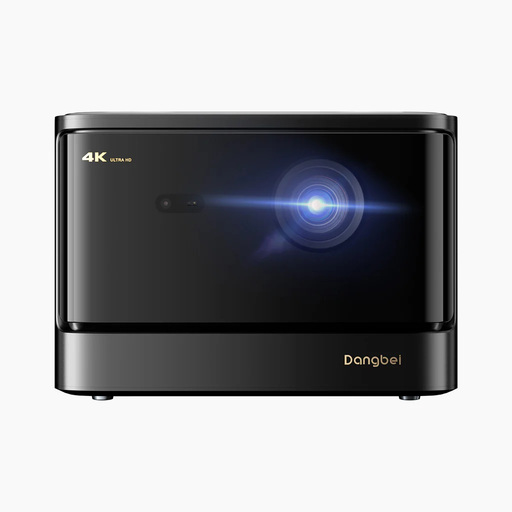 No image available
If 4K output is a priority, also consider the ambient light reaching the screen. Resolution alone does not indicate how much contrast you’ll get in daylight.
4K; 2.450 ISO lumens; laser projection; HDR10+.
 No image available
Consider the stated brightness alongside the image size and the light at the screen; direct sunlight on the screen is not the same as ordinary room lighting.
1080P FHD; 800 ANSI lumens; HDMI 2.1; USB-C; adjustable stand.
 No image available
If you need flexibility over where you set up the projector, check that the stated 1:1 throw ratio and required distance will work in your room.
Native 1080P; 900 ANSI lumens; 1:1 throw ratio; Android 14.
Not necessarily. BenQ gives around 3,000 ANSI lumens as a guide for projecting with additional room lighting, not as a guarantee of performance when direct sunlight falls on the screen. The light at the screen and the planned image size matter too.
Only if your smartphone and the specific projector support the same transfer method, or you have a suitable source device. Epson describes photo transfer via iProjection for supported projectors; USB-C video on ViewSonic’s PX748-4K requires a compatible source device.
Start by measuring the image width and throw distance. Where the model allows, use the right positioning, optical zoom or lens shift. BenQ notes that stronger digital keystone correction can distort the edges of the image.
If a product is faulty, your statutory rights apply against the retailer. A manufacturer’s guarantee is an additional voluntary service with its own terms and conditions. The Verbraucherzentrale also notes that consumers generally have a 14-day right to cancel online purchases.
For products where EU product rules require CE marking, the manufacturer uses it to declare that the product is intended to meet the relevant requirements. The European Union makes clear that CE is not an independent quality assessment of a product’s suitability for daylight; the marking does not confirm the conformity of every individual offer.