Film fans who watch during the day
If you want to keep the daylight from windows or the room lighting on, you need to consider picture size, contrast and screen together. ProjectorCentral explains how ambient light affects perceived brightness.


For animated films in a bright living room, the projector with the highest lumen rating isn’t automatically the right choice. The light falling on the screen and the picture size you want are the first things to consider. Then choose the projection type and screen to suit your room depth and seating. If you can’t control the light much, dimming the room or opting for a smaller picture may make more difference than switching to a projector with a similarly advertised lumen rating.
If you want to keep the daylight from windows or the room lighting on, you need to consider picture size, contrast and screen together. ProjectorCentral explains how ambient light affects perceived brightness.
If you want a large picture but can’t place the projector far from the wall, match the throw ratio and screen type to the space available. BenQ Germany explains the relationship between distance and picture width.
If colour and detail are your priorities when watching animated films, check the colour brightness, colour gamut and picture modes for the specific model. Epson and BenQ specifications each relate to particular models.
| Buying criterion | What to look for | Who is it important to? |
|---|---|---|
| Ambient light and contrast | Decide on the picture size and how much light reaches the screen at the intended position. Only compare lumen ratings that use the same measurement standard. ProjectorCentral also discusses the effect of room light and screen area. | If you watch films during the day and want to see dark details despite incoming light, make this a priority; around 31% of consumers in this usage scenario put ambient light and contrast first. |
| Positioning and picture size | Measure the available depth and the picture width you want, then compare both with the throw ratio of the specific model. BenQ Germany explains the relationship between projection distance and picture width. | If you have limited room depth for a large picture, or can’t place the projector further back, you’ll need a projection type that suits your space; around 25% of consumers prioritise where the projector will go. |
| Colour in animated films | Check the colour brightness, colour gamut and picture modes for the exact model. Epson lists separate white and colour brightness figures for the EH-TW7100; BenQ Germany quotes, among other specifications, 98% Rec.709 for the W2720i. | If you value nuanced colours and a well-adjusted picture more than the highest single brightness figure when watching animated films, use this to guide your choice; around 19% of consumers put colour performance first. |
| Screen and overall cost | Choose screen material to suit the projection type, incoming light and seating. BenQ Germany and ProjectorCentral highlight the importance of the screen and the geometry of the light in each setup. | If you need to plan for both the projector and a suitable screen, weigh up the two purchases together; around 13% of consumers prioritise the screen and overall cost. |
| Sources and sound | Check that the apps, connections and audio output you want are compatible with the specific model and your existing equipment. | If you plan to watch films using your existing source devices or play audio through your current speakers, look for suitable connection options; around 12% of consumers prioritise sources and sound. |
Rated brightness, picture mode, screen area and room light all work together. A high white brightness figure doesn’t guarantee that dark details will remain visible in ambient light.
Plan for the lighting conditions and picture size first. Then compare only brightness figures that use the same measurement standard, and check the picture modes.
An ALR screen’s performance depends, among other things, on the direction from which the projector light and unwanted ambient light hit the screen.
Before buying, check that the screen material is compatible with your projection type and that your seats are within the recommended viewing angle.
The screen, source devices and audio output you want all affect which components will work for your setup.
Before buying, list the screen, source devices and audio equipment you’ll need, then check that the connections are compatible with the specific model.
The EH-TW7100 is a conventional 3LCD projector with separate white and colour brightness figures.
The W2720i is a home cinema model with dedicated film picture modes and colour gamut coverage specifications.
The PX3-PRO is an example of ultra-short-throw projection, designed to sit close to the screen.
The UHZ66 is a conventional laser projector with specifications for rated brightness and optical zoom.
The HORIZON S Max is a home projector that can be positioned flexibly, with an adjustable stand built in.
The following Joybuy products include portable, conventional and ultra-short-throw projectors for different setups. Rated brightness figures alone don’t prove how a picture will look in ambient light. Before buying, also check the compliance information for the specific device and make sure you choose a suitable screen.
 No image available
Its foldable design suits a flexible setup when you’re looking for a portable device.
The product title lists 1080P, 1,600 ISO lumens, RGB triple laser, autofocus and Harman Kardon audio. The rated brightness doesn’t confirm how the picture will look in ambient light.
 No image available
The ultra-short-throw design mentioned in the product title suits a position close to the screen, if there’s little space behind the seating area.
The product title lists 2,300 ISO lumens, Dolby Vision and integrated 60 W Harman Kardon speakers. The projector position, picture size and screen need to work together.
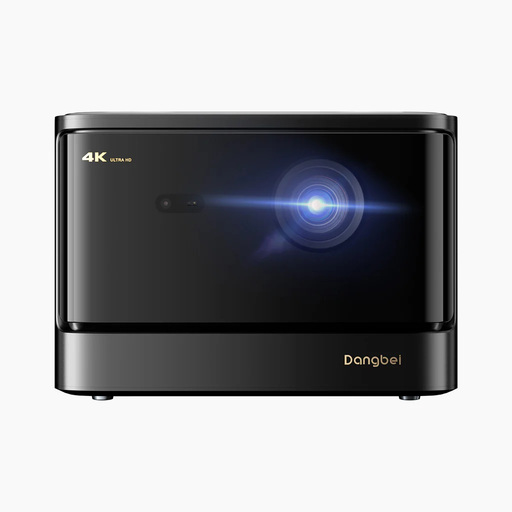 No image available
The title describes this model as a home cinema projector. Check that the available distance suits the picture size you want.
The product title lists 2,450 ISO lumens and 4K. This rated figure alone doesn’t prove its performance in daylight.
 No image available
Its portable design may suit a flexible setup if you don’t want the device permanently installed.
The product title lists 1,200 ISO lumens, 1080p HD and 4K HDR input. The brightness figure alone doesn’t tell you how the picture will look in a bright living room.
 No image available
The 180° rotation mentioned in the product title may be useful for flexible positioning; check that it suits the space you have in mind.
The product title lists native 1080P, 900 ANSI lumens, Android 14 and automatic keystone correction. The ANSI lumens figure doesn’t prove how the picture will look in ambient light.
No, a higher lumen rating alone isn’t enough. Compare the measurement standard, picture mode and intended picture size; light falling on the screen limits the contrast you can perceive. Also check whether you can partially darken the room.
Measure the picture width you want and the distance available. The throw ratio is the projection distance divided by the picture width. Compare the result with the range specified for the model you’re considering.
An ALR screen may be a good option if the lighting and projector geometry are suitable. Check that the material works with your type of projection and see how the picture looks from your actual seating positions.
For projectors covered by the relevant EU regulations, the required conformity and correct CE marking are important. The regulations that apply depend on the specific device. A CE mark isn’t an independent performance test.
Your statutory rights against the seller are separate from any voluntary guarantee; for new goods, faults can generally be reported within two years. Online purchases usually come with a 14-day right to cancel, starting from the day you receive the goods. Exceptions and the specific contract terms should be taken into account; the Verbraucherzentrale explains the relevant rights and time limits.