Club with seats spread across a wide area
You’re planning for guests seated well to the left and right of the screen, so you should take the outer seats into account when choosing the screen material.


Choose the screen and image size to suit the seats furthest to the sides, the projection distance and the light in the room. A high brightness rating alone won’t guarantee an even picture from those seats. Bright installation projectors are worth considering for larger rooms or spaces that can’t be fully darkened, while a home cinema model with flexible lens shift may be a better fit when you can control the light. Also plan a full test of the film source and sound, and check the screening rights for the specific film.
You’re planning for guests seated well to the left and right of the screen, so you should take the outer seats into account when choosing the screen material.
You can’t fully darken the room during the film, so you need to assess the image size, screen and projector brightness together.
You need a setup whose projection distance, positioning, film connections and audio connections can all be checked on site.
For side seats, the screen’s light distribution matters just as much as the projector. ProjectorScreen.com points out that a higher gain can mean a narrower viewing angle. So check the view from the seats at the edges, rather than comparing brightness figures alone.
| Consideration | What to check before buying | Who is this important to? |
|---|---|---|
| View from side seats | Seating plan and viewing angle for the specific screen material; if possible, check the view from the seats at the edges. | If guests will be sitting well to the sides, I want to check that they’ll still be able to see the picture clearly. Around 33% of consumers pay particular attention to the view from the sides. |
| A clear picture with the room lights on | Planned image width and lighting during the film; treat the brightness figure as a manufacturer’s specification. | If the room can’t be fully darkened, I want to match the image size and screen to the available light. Around 25% of consumers prioritise picture visibility under the actual lighting conditions in the room. |
| Suitable image size and positioning | Room dimensions, projection distance and zoom range; for lens shift, check whether the required horizontal or vertical adjustment is specified. | If the projector has to be placed in a fixed or offset position, I want to know whether I can achieve the desired image size from there. Around 25% of consumers prioritise flexible positioning. |
| Film and audio playback | Test the film file and playback setup; check that the video and audio connections work with the planned sound system. | If the film is to be played from a specific device, I want to test the picture and sound connections before the event. Around 17% of consumers prioritise reliable playback and sound coverage. |
The screen material also affects how evenly the picture appears from the side seats. A high brightness rating alone doesn’t tell you how clearly guests at the edges will see the picture.
Check the viewing angle alongside the seating plan, and if possible, test the view from the furthest seats.
Lens shift and keystone correction help you adapt the projected image to the projector’s position; they don’t change the screen’s viewing angle.
Start by checking the audience’s viewing angle. If the projector has to be placed off-centre, also work out how much lens shift you’ll need.
The Epson ELPSC36 is designed for specific ultra-short-throw models. Its compatibility can’t be assumed for any projector.
Check the compatibility information for the specific screen against the exact projector model, and assess the view from the seats at the edges.
An unsuitable screen material may need to be replaced.
Having the right connections doesn’t prove that the specific file will work with your playback device or that the sound will be loud enough for the room. And owning a film file doesn’t automatically mean you have the rights to screen it publicly.
Test the complete film and sound setup in advance. Also check that you have the necessary rights for the film, any images you’ve used and the music. § 15 UrhG governs the public performance of protected works; whether a club event falls within its scope depends on the circumstances.
The Epson products covered here range from installation projectors for larger rooms to home cinema models with lens shift, as well as a screen for specific ultra-short-throw projectors.
The PT-VMZ71 is a 3LCD laser projector for rooms where some ambient light may remain.
The LSC520WU is a WUXGA laser installation projector for commercial, educational and public spaces.
The LH750 is designed for conference rooms, while the TK710 has different features, with more of a focus on home cinema and gaming.
The Joybuy models below offer different positioning and playback options. Before choosing, check in particular that the brightness, image size and screen will suit your venue and the side seats.
 No image available
For playing films from a compatible HDMI, USB or TV stick device; test your specific playback setup in advance.
Features listed in the product title: 50–200-inch image size, 50–100% digital zoom, automatic picture correction and 180° rotation.
Listed as compatible with HDMI, USB, TV stick, iOS, Android and laptop.
 No image available
This portable projector features built-in JBL sound and a stand. According to the description, it’s designed to work in low-light conditions.
Specifications listed in the product title: 1080p, 250 ISO lumens, integrated 160° stand, autofocus and keystone correction.
Bluetooth and Wi-Fi are also listed in the title. Check that the connections and picture quality suit your planned venue.
 No image available
The product title lists a folding design and autofocus. Check the positioning and image size at the intended location.
Specifications listed in the title: 1080p, 1,600 ISO lumens, RGB triple laser and Harman Kardon sound.
The title also lists autofocus and a folding design.
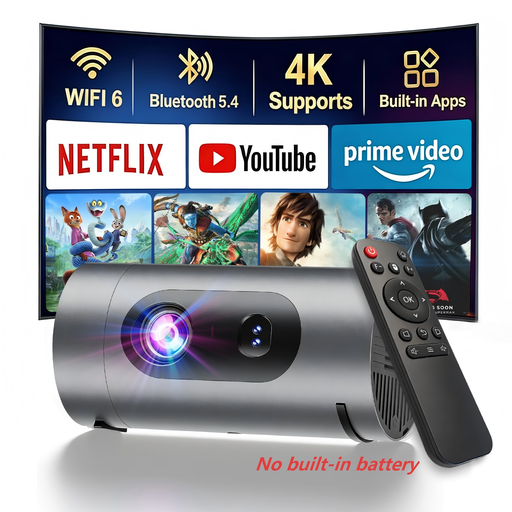 No image available
The title lists power bank operation for use away from mains power; according to the product description, a power bank isn’t included.
Specifications listed in the title: native 1080p resolution, 800 lumens and 8 W Dolby Digital audio.
Check in advance that you have a suitable power bank and that the sound will be loud enough for the venue.
 No image available
Described as an ultra-short-throw projector, this model is worth considering if space between the projector and screen is limited. Check that the required image width suits the planned position.
Specifications listed in the title: 4K, 2,300 ISO lumens and Dolby Vision.
The title also lists IMAX Enhanced and built-in 60 W Harman Kardon speakers.
No. Lens shift moves the projected image to suit the projector’s position. For guests sitting at the sides, the key factors are their seating position, the screen’s viewing angle and checking the view from the seats at the edges.
Measure the screen width and possible projector positions. Compare the required projection distance with the throw ratio of the exact model, and check whether its zoom and lens shift can give you the planned image alignment.
That depends on the specific model, film file and playback device. Test the file, connections and sound system together in a full run-through; the presence of a speaker alone doesn’t prove it will provide enough sound for the room.
If protected third-party works are shown publicly and no relevant permission or exception applies, you need to consider the right of public performance. § 15 UrhG assigns public performance to the author’s exclusive rights and sets out when a performance is public. If you’ve made the film yourself, you’ll need to check the rights for any film footage, images and music you’ve used separately; calling it a club event doesn’t settle the matter.
Not automatically. For individual film screenings featuring music from GEMA’s repertoire, GEMA sets out its terms for music use in Tariff T. Check the music used and the details of your event to see whether this tariff applies and which rights you already have.