Shared houses with a well-lit communal room
If you leave the lights on while watching together, your planned picture size needs to work with the light on the screen. BenQ Germany recommends considering brightness and ambient light together.


First, measure the available picture width and projection distance, then check how much light reaches the screen while you’re watching. If you can darken the room and position the projector flexibly, a compact model could work well. If some ambient light will remain, a model with a higher brightness rating may be a better option. Also check that the competition is available through your intended playback method and decide how you’ll listen to the sound together.
If you leave the lights on while watching together, your planned picture size needs to work with the light on the screen. BenQ Germany recommends considering brightness and ambient light together.
If furniture and available wall space restrict where you can put the projector, or you’ll put it away after the competition, plan the picture width and position first. BenQ Germany describes the projection ratio as the relationship between distance and picture width.
If you want to watch a specific dance competition and listen to the sound together, the streaming method, supported app or playback device, and audio connection all need to suit your plans.
| What matters | What to check when buying | Who should pay particular attention? |
|---|---|---|
| Visibility in ambient light | Consider the light during the broadcast and the picture size you want in the intended position. Only compare brightness figures once you’ve checked how they were measured. | If I leave the lights on while we watch together, I want the picture to remain clear at the size we’ve planned. Around 31% of consumers are particularly concerned about visibility in ambient light. |
| Picture size when space is limited | Measure the available picture width and the distance from the lens to the screen, then compare both with the projection ratio of the specific model. | If the sofa, table and wall limit where I can place the projector, I want to know whether the picture width I want will actually fit the room. Around 25% of consumers focus on the space available. |
| Streaming and shared audio | Check the specific service and the playback device available to you. Make sure the model supports the app, HDMI and the audio connection you need. | If we want to watch a particular competition and listen to its music together, our planned streaming and audio setup needs to work. Around 25% of consumers focus on streaming and sound. |
| What you’ll need after buying | Check what screen, playback devices and audio equipment you already have. Also look at the light source and what’s included with the specific offer. | If we’re planning the purchase together, I want to know which of our existing devices we can use and what else we’ll need for the setup. Around 19% of consumers are particularly concerned about the total cost and effort involved. |
ANSI, ISO and other brightness figures can’t be directly compared without first checking the measurement basis. Ambient light and picture size also affect how the projection looks in your intended position.
Note the measurement standard and assess the figure alongside the ambient light and planned picture size.
Whether you can achieve the picture width you want depends on the distance and projection ratio of the specific model.
Before buying, measure the available distance and picture width, then compare both with the projector’s specifications.
Depending on the room, you may need to position the projector differently or use a suitable screen.
Having a built-in system doesn’t, by itself, tell you whether a particular streaming service is available on the device.
Check the service you want and your planned playback method before buying. If you’re using an external device, make sure it and the connection are compatible.
Depending on how you stream, you may need a compatible playback device or access to the service you want.
The CO-FH02 is a Full HD projector designed for standard placement and is available with an Android TV stick.
The portable GV50 may suit you if flexible positioning and putting the projector away after watching are important.
The MoGo 4 range is designed for portable use, while the HORIZON 20 Max is a separate home cinema model.
The following Joybuy options are especially suited to flexible positioning and compact rooms. Check picture size, streaming method and sound separately for each option.
 No image available
The adjustable stand is useful if you’ll be moving the projector between different positions.
Tri-Fold design, ToF autofocus and 5,000 mAh battery. The stated battery-powered video playback time is up to 1.5 hours; for longer viewing, the projector needs to be connected to a power supply while in use. Google Cast isn’t supported for screen mirroring.
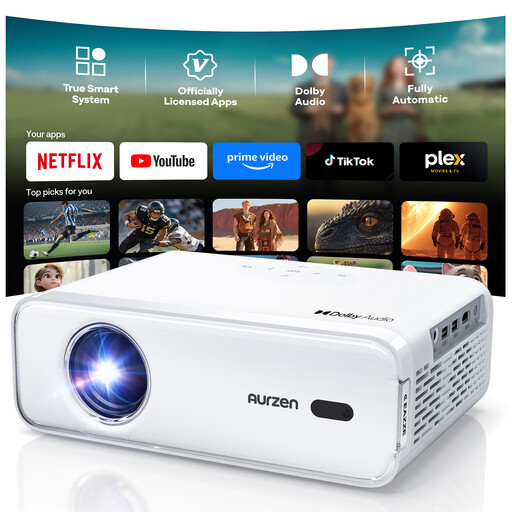 No image available
The HDMI and built-in speaker specifications are useful when planning playback and shared listening.
Native Full HD resolution, pre-installed streaming apps, HDMI and two built-in 8 W speakers. According to the description, you can’t download additional streaming apps on this version.
 No image available
The product name describes it as a short-throw projector for small rooms. Even so, check that the picture width and distance suit your available space.
Wi-Fi 6, Bluetooth 5.4, autofocus and automatic 4D keystone correction. The product listing specifies 4K/1080P playback.
 No image available
The rotating design may be useful if you need to change the projection angle in your shared house.
180° rotation and 50–100% digital zoom. The specifications list HDMI and TV stick compatibility, USB and a built-in speaker.
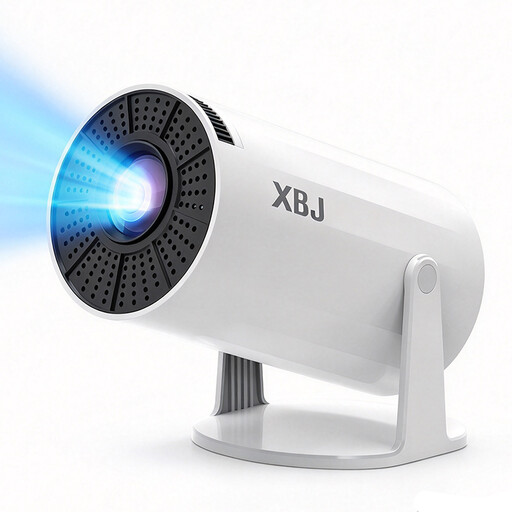 No image available
This mini projector comes with a table stand for flexible positioning.
Android 12.0, Wi-Fi + 5G, Bluetooth 5.4, automatic keystone correction and a built-in speaker. The product listing specifies 4K playback.
Measure the available picture width and the possible distance from the lens to the screen. Divide the distance by the picture width and compare the result with the projection ratio of the specific projector; BenQ Germany describes this calculation as the ratio of distance to picture width. Also check that the screen is the right size for where you’ll be sitting.
No, it doesn’t mean that a particular broadcast will be available. Check the specific service and whether it’s supported on your chosen device. If you’re using an external device, make sure it and the connection are compatible. The Netflix Help Centre notes that the app may be available on supported devices.
Listen to the sound from the seats where you’ll actually be sitting. If the built-in speakers aren’t right for your room, check that the projector’s specified audio output works with your existing sound system.
No. The Verbraucherzentrale distinguishes between your statutory rights against the seller and a voluntary warranty with its own terms and conditions. If there’s a fault, the first step under your statutory rights is to request a remedy.
There’s no blanket answer. Among other things, § 15 UrhG distinguishes public screenings according to the personal relationships between those present. Without further details, it isn’t possible to infer general permission for a particular group of guests or the terms of the specific broadcast. The wording of the law is available at Gesetze im Internet.