What should you look for when buying?
First, check the view from the furthest seat. If the projector itself has to sit off-centre, you’ll also need to consider its placement and image correction. Then make sure playback and power options suit each screening location.
| What to consider |
What to check before buying |
Who should pay particular attention |
| Viewing from the side |
Check the furthest seats, make sure the view is unobstructed and confirm the viewing angle of the specific screen. |
If my guests are sitting at the sides, I want to know whether they’ll be able to see the screen without anything in the way. Around 40% of consumers prioritise side viewing. |
| Placement and image brightness |
Measure the throw distance and desired image width. If the projector will be positioned off to one side, specifically check for horizontal image adjustment and take the screening room’s lighting into account. |
If furniture blocks a central position, I need to find a suitable spot and make sure the image is easy to see in the room’s lighting. Room conditions and setup are top priorities for around 30% of consumers. |
| Video playback |
Check the playback device, video output, cables required and file formats supported by the specific projector. A USB port alone doesn’t confirm that it can play video files directly. |
If my videos are stored on a particular device, it needs to connect to the projector properly. Around 20% of consumers prioritise reliable video playback. |
| Portability and power |
For each location, check the power supply, weight and accessories required for the specific model. |
If I take the projector to different get-togethers, I need to be able to set it up and power it there. Around 10% of consumers prioritise being able to move it between locations. |
Projectors for family videos
The Joybuy products below include home cinema and short-throw models, as well as devices that offer flexible setup options for family videos.
 No image available
Philoent Smart Projector, 4K/1080P
The short-throw specification and automatic keystone correction may be useful if you need flexible positioning. Check the image size it can produce and the view from the side seats in your own room.
Listed in the product title: 4K/1080P support, WiFi 6, Bluetooth 5.4 and automatic keystone correction.
Joybuy
 No image available
Projector with 50–200-inch image and 180° rotation
If you’re considering different playback devices, the HDMI and USB connections listed in the product title may help you narrow down your options. Check compatibility with your devices and video files.
Listed in the product title: 50–200-inch image size, 50–100% digital zoom, 180° rotation, and compatibility with HDMI and USB devices.
Joybuy
 No image available
XGIMI Vibe One, 1080p
The integrated 160° stand mentioned in the product title may be useful if you need to set up in different places. For each room, check the power supply, image size and view from the side seats.
Listed in the product title: 1080p, 250 ISO lumens, integrated 160° stand, autofocus and keystone correction.
Joybuy
 No image available
XGIMI Aura 2, 4K ultra-short-throw projector
The ultra-short-throw specification is relevant if you need to position the projector close to the screen. Check where it needs to sit in the room and whether the screen is suitable for this specific model.
Listed in the product title: 2300 ISO lumens and integrated 60 W speakers.
Joybuy
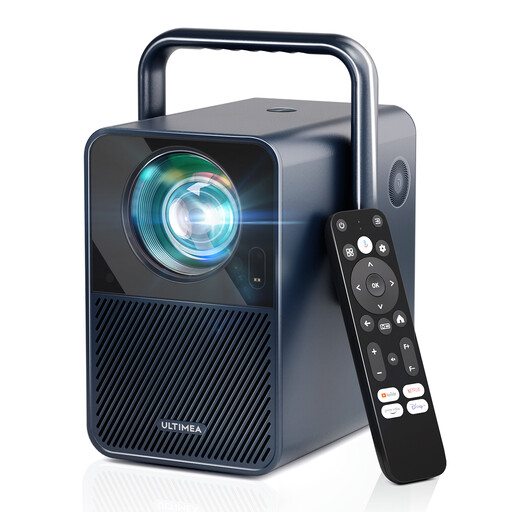 No image available
ULTIMEA Poseidon E40, native 1080p resolution
If you’re playing videos with sound for a group, the built-in speakers listed in the product title may be worth considering when narrowing down your options. Check how they sound in the room where you’ll be using the projector.
Listed in the product title: 1000 ANSI lumens, native resolution of 1920 × 1080 pixels and integrated 2 × 10 W speakers.
Joybuy
Frequently asked questions
Do I need horizontal keystone correction if guests are sitting to the side?
Not just for that reason. Horizontal keystone correction is useful if the projector is positioned to one side of the screen. For guests sitting to the side, you should also check for an unobstructed view and make sure the screen has a suitable viewing angle.
How do I plan the image size before setting up?
Measure the distance between the planned projector position and the screen, as well as your desired image width. Compare these measurements with the specific model’s throw ratio and adjust the position as much as possible before using strong digital keystone correction.
Will a USB port play family videos directly?
You can’t tell from the connection alone. Check which files and storage devices the specific model supports, or plan to play videos using a compatible external playback device and its video output.
What should I check about the labelling of a projector sold in Germany?
The Bundesnetzagentur lists criteria including correct CE marking, identifiable manufacturer details, and the required instructions and warnings in German. CE marking is the manufacturer’s responsibility and isn’t an independent product test result, so check the details for the specific version.
Do I need a special screen so guests can see clearly from the side?
Not necessarily. First, check the sightlines and viewing angle of the screen you’re planning to use; a surface that reflects light more directly can restrict the side viewing angle. Also make sure any specialist screen is suitable for your type of projector.


